


have evolved significantly over time, becoming increasingly abstract and easier for humans to understand. In the early days of computing, programmers worked directly with machine code, manually entering raw binary instructions using punch cards, where holes encoded data and commands for early mainframes. This process was tedious and highly error-prone: a single misplaced hole could break the entire program and force developers to start over from scratch.
To reduce this friction, assembly language emerged, replacing raw binary code with human-readable mnemonics such as ADD or MOV, which were then translated back into machine instructions.
The next major leap came in the 1950s when the first compiled high-level languages such as FORTRAN and COBOL appeared. They introduced syntax closer to mathematical notation and natural language. Later, languages such as ALGOL, C, and C++ brought structured programming, memory abstraction, and object-oriented concepts, dramatically reducing software complexity and improving maintainability.
Modern languages like Python and Java continued this trend by prioritising readability and offering vast ecosystems of built-in libraries, allowing engineers to focus more on solving business problems rather than dealing with hardware-level details.
More recently, however, the way we write code has started to shift again with the rise and widespread adoption of AI. This naturally raises the question: will programming languages evolve as well?
It feels increasingly plausible that one day we may end up coding in plain English. That’s why I was excited to try one of these potential languages of the future: CodeSpeak, currently available in alpha preview. Let’s see how it works.
Setting everything up
As usual, before jumping into building, we first need to set everything up. Luckily, the process is pretty straightforward. We can install CodeSpeak using the uv package manager:
uv tool install codespeak-cli
codespeak --version
# CodeSpeak CLI 0.4.1
Next, we need to log in. Running the following command opens a browser window where you can either authenticate with your Google account or create a dedicated CodeSpeak login and password. After accepting the Terms & Conditions, you’ll be successfully authorised.
codespeak loginThe final step is setting up your API key, since CodeSpeak follows a Bring Your Own Key policy. At the moment, it only supports an Anthropic API key, which makes sense given how popular Anthropic models are for coding tasks right now. You can generate your key in https://platform.claude.com/settings/keys and export it as an environment variable.
export ANTHROPIC_API_KEY=And that’s it. We’re ready to start building.
Building with CodeSpeak
CodeSpeak supports greenfield development when you put together a spec and build from it. However, I thought it would be more interesting to test it on a somewhat more mature project (or at least one that is already functional) and see how well it handles an existing codebase.
In my previous article, I built a web application for tracking and analysing workout data using spec-driven development. I’ve been actively using it since then and have already found several areas for improvement, so it felt like a good candidate for testing CodeSpeak.
Takeover
Before using CodeSpeak to implement new features, we first need to generate an initial version of the specifications. Fortunately, CodeSpeak can help with that as well.
I started by copying all the code from my fitness app into a new repository. Then, I removed all existing specs and the constitution file to emulate a more realistic scenario when you vibe-coded something quickly and now want to migrate the project into a more structured workflow with CodeSpeak.
CodeSpeak allows you to migrate only selected parts or modules of a project, but I decided to go all in and move the entire application. The repository contains around 13K lines of code, so while it’s not enormous, it’s still a reasonably sized project for an experiment like this.
We can start generating specs with the following command.
codespeak takeoverCodeSpeak then spends some time analysing your local files. In my case, the whole process took around a minute. After that, it opened a webpage with a proposed structure for the codebase. It suggested splitting my application into four modules: Frontend, Backend API, Data Layer, and Backend Tests.
Modules are a well-established programming concept, and it’s easy to see why they’re useful: they create smaller self-contained domains, improve readability, and make it easier to reuse components across projects. So, it’s wonderful that CodeSpeak suggests us to create 4 different specs rather than trying to put everything in one long document.
In the browser, you can review each module and ask CodeSpeak to split, merge, or rethink it. In my case, the suggested structure looked reasonable, so I decided to keep everything as is and migrate all modules, allowing the entire repository to be managed by CodeSpeak.
After selecting all modules and starting the takeover, CodeSpeak processed them one by one: reading files, generating specifications, refining them, and running tests.
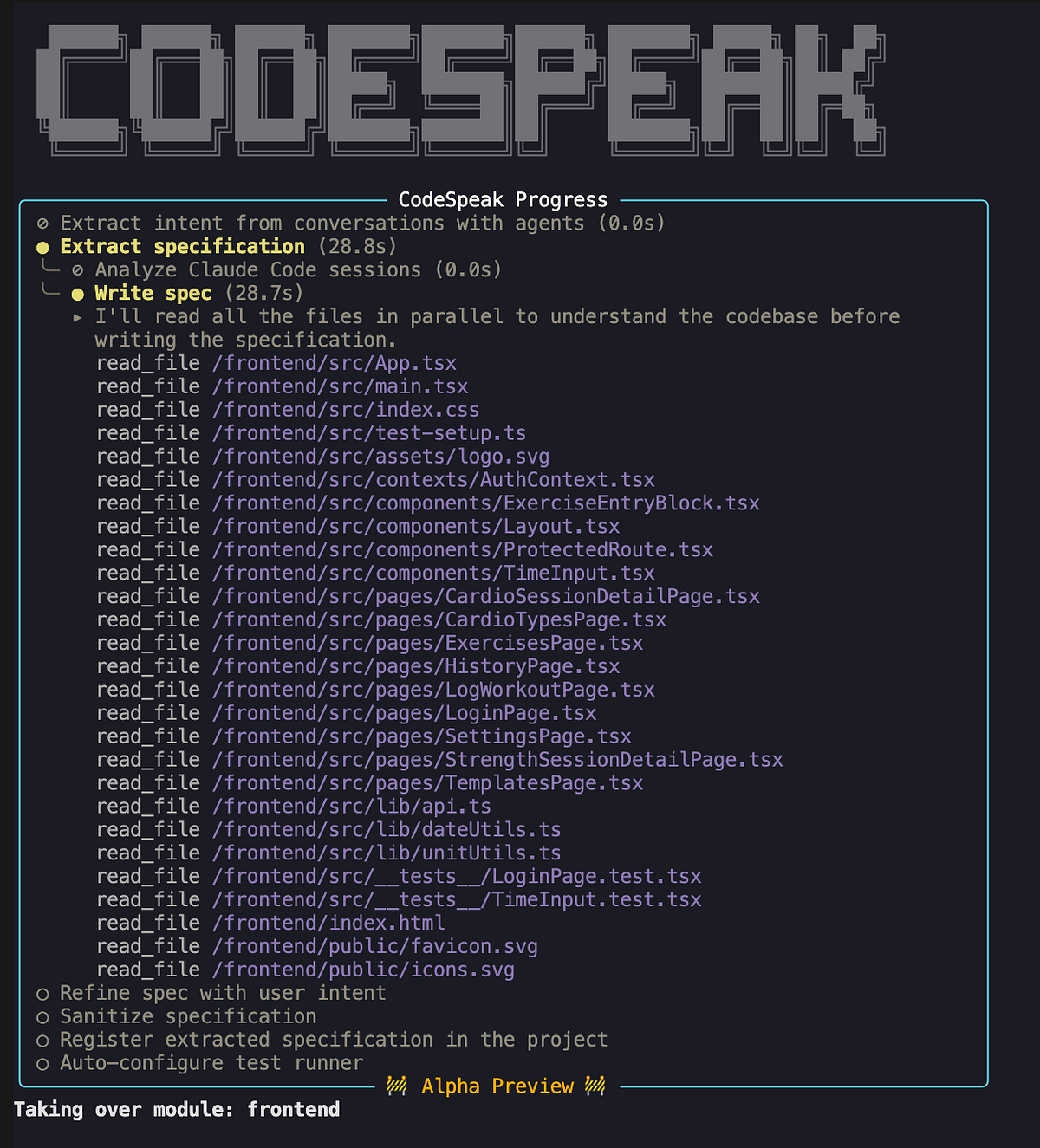
At the end, it created a specs directory containing four specification files (one for each module). Let’s take a look at one of them, frontend.cs.md.
The document starts with an import statement: import specs/backend_api.cs.md. Imports are used to track dependencies between modules and maintain context for the agent. For example, when the agent works with the frontend specification, it knows to load the backend API spec first. Since the backend API spec itself imports the data layer spec, the agent automatically pulls that in as well. As a result, it gets all the required context before making changes to the frontend. This is quite convenient and enables a clean decomposition of the codebase, similar to how dependencies and abstractions are handled in traditional software engineering.
The rest of the document follows a structured format, describing all major parts of the frontend: from the tech stack to authentication, page-level functionality, and the existing test coverage.
Frontend SPA
├── Stack & Setup
├── Authentication
├── Layout & Navigation
├── API Client
├── Pages
│   ├── History (/history)
│   │   ├── Weekly summary card
│   │   ├── 12-week training trends chart
│   │   └── Session list
│   ├── Log Workout (/log)
│   │   ├── Cardio form
│   │   └── Strength form
│   ├── Session Detail (/sessions/:id)
│   │   ├── Strength session detail
│   │   └── Cardio session detail
│   ├── Templates (/templates)
│   ├── Settings (/settings)
│   │   ├── Activity Types
│   │   ├── Exercise Types
│   │   └── Exercises
│   └── Login (/login)
├── Shared Components
│   ├── ExerciseEntryBlock
│   ├── TimeInput
│   └── ProtectedRoute
├── Utility Modules
│   ├── dateUtils
│   └── unitUtils
└── Tests
    ├── LoginPage.test.tsx
    └── TimeInput.test.tsx
At first glance, the generated specifications looked quite comprehensive and seemed to capture most implementation details well (even small things like my preference for the Montserrat font).
Of course, first impressions can be misleading, so I decided to test them properly. Conveniently, I still had all the original specifications used to build the application. This made it possible to compare the specs generated by CodeSpeak against the originals using an LLM.
The verdict was largely positive: the generated specs captured the vast majority of implementation details well. However, some things were missing.
The main gaps were the project mission (why we’re building this) and roadmap (future plans), which is fairly expected since neither can be easily inferred from code alone.
There were also some smaller implementation nuances missing, such as what exactly a “template change” means or the precise formulas used to auto-generate titles for strength and cardio workouts. I wouldn’t consider these omissions critical, since in many cases an LLM could probably infer them when needed.
Overall, CodeSpeak did an excellent job generating specifications that explain an existing codebase. But generating specs was never the end goal here, so let’s put them into practice and actually build something.
Implementing a feature
I’m already using the application to track my workouts, but I would also like to get feedback from an AI coach to understand whether my training is on the right track. Eventually, I would love to have a fully integrated AI assistant inside the app, but let’s start small and add the ability to generate a workout summary as text that can be copied and shared with an AI.
Since we’re working in a spec-driven development workflow, implementing this feature starts with updating the specification. The change is mainly UI-related, so I edited frontend.cs.md and added a description of the new functionality.
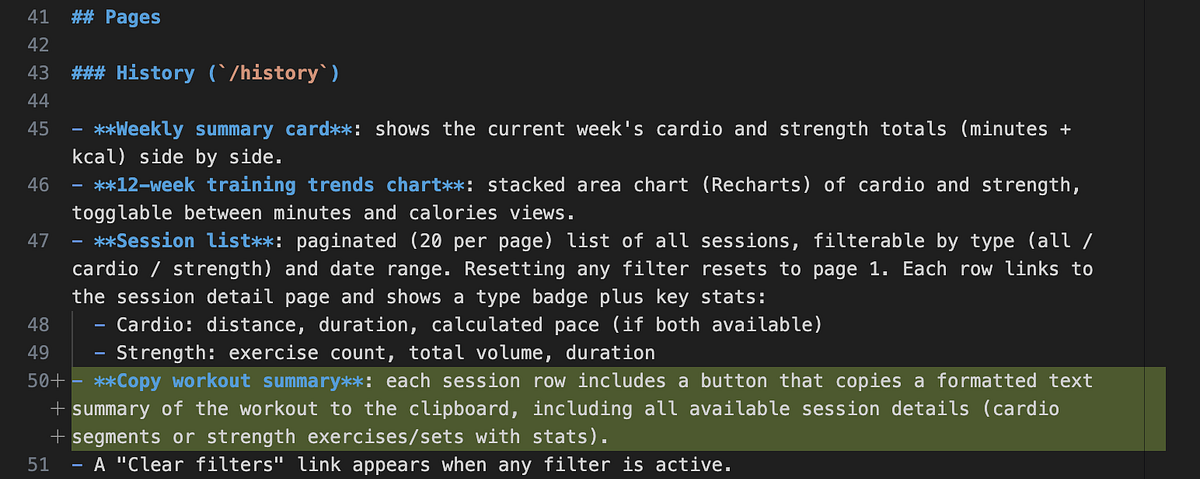
After that, I could build the feature with the following command, which both implements the changes and ensures all tests pass. As far as I understand, to implement the change CodeSpeak under the hood looks at the spec diff and tries to generate code that matches it.
codespeak build frontend.cs.mdTip: If you only want a quick implementation without the full validation flow, you can use
codespeak implinstead.
After running the command, CodeSpeak began by reading the specifications and analysing what needed to change. Initially, it started adding CodeSpeak headers to many files, which was slightly confusing since it wasn’t obviously related to my request. Hopefully, it happens only on the first run.
# Generated by CodeSpeak from spec file: specs/backend_api.cs.md
# Modifying this file manually is DISCOURAGED.
# CodeSpeak will try to preserve manual changes, but it's not guaranteed.
Once it finished with the headers, it correctly identified the main task: adding a copy workout summary button to each session row in the HistoryPage. It implemented the change, all tests passed, and the build was marked as successful.
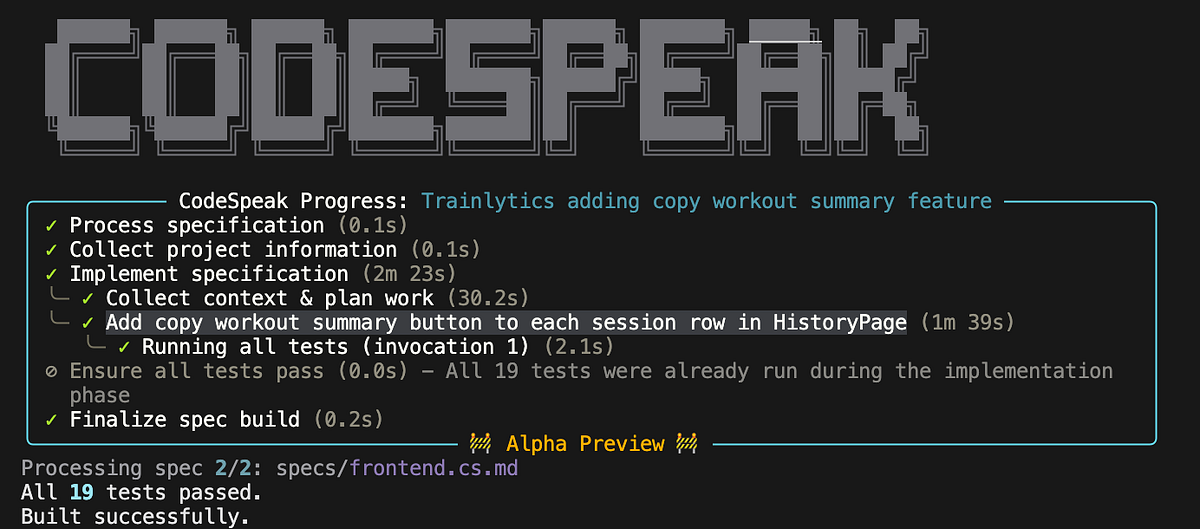
It’s time to test it. The easiest way to validate a UI change is simply to run the app and inspect it. So, I launched the project locally with Docker Compose. The new copy button appeared next to each session in the history view and worked correctly for strength workouts. However, when I tried copying a cardio session, it failed. Even worse, it failed silently with no errors in either the browser console or Docker logs.
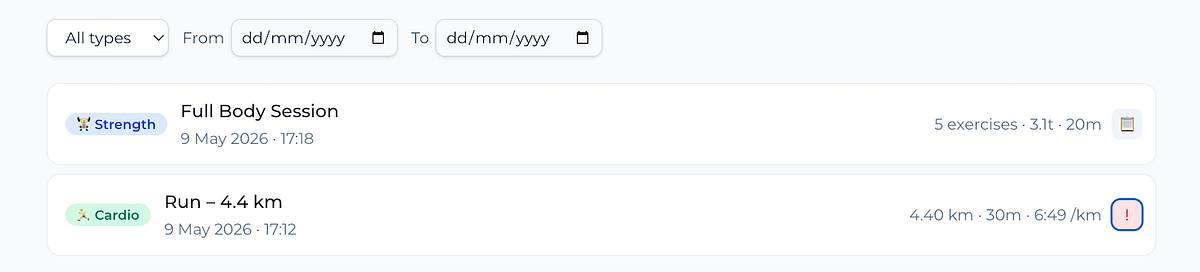
So now we had a bug. Importantly, the issue wasn’t in the specification, but in the implementation itself. To fix this, we can use a code change request. For smaller changes, CodeSpeak supports a convenient one-liner.
codespeak change frontend.cs.md -m "Support format of cardio training for copy button"In my case, the request was slightly more complex, so I chose to create a dedicated change request file instead.
codespeak change --new
# Created template change request in
# /Users/marie/Documents/github/trainlytics_codespeak/change-request.cs.md
Inside the file, I added the following request covering both the bug fix and better debugging support.
- Support copying summaries for cardio trainings, since it currently fails
(likely due to a different data format)
- Add logging for copy failures, as issues currently do not appear in either
browser console logs or Docker logs
After that, I asked CodeSpeak to implement the change.
codespeak change frontend.cs.md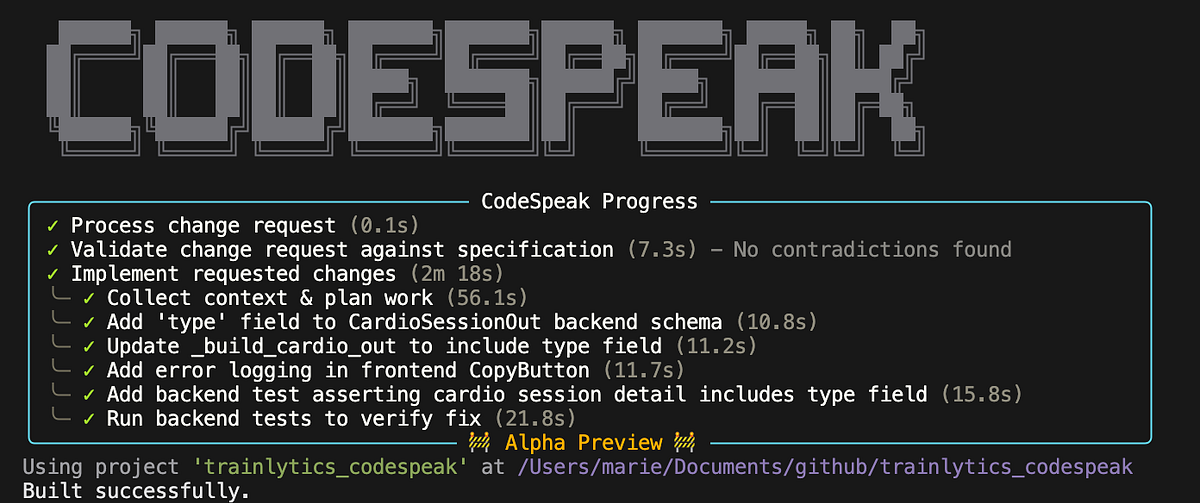
Before making any modifications, CodeSpeak first validated whether the requested code changes were consistent with the existing specifications. If a request contradicts the spec, it pushes you either to revise the request or update the specification first and rebuild from there. I found this particularly useful, since it helps reduce divergence between specifications and implementation.
In the end, CodeSpeak fixed the issue and also added tests to prevent similar regressions in the future.
So, we successfully built and tested a new feature while also learning how to work with an emerging programming language designed for the AI era. With that, let’s wrap things up and reflect on the experience.
Summary
Overall, I think this experiment was quite successful. CodeSpeak managed to take over a repository with 10K+ lines of code without losing any crucial implementation details, which is genuinely impressive. After that, we updated the specification and built new functionality directly from it.
The first implementation attempt wasn’t perfect, but after submitting a code change request, CodeSpeak not only fixed the bug but also added tests to prevent similar issues from being reintroduced in future builds. I particularly liked these automatic guardrails, since they help make the product more future-proof.
The experience of building with CodeSpeak felt quite different from the spec-driven development workflow I explored previously. Let me highlight a few key differences.
In traditional spec-driven development, specifications are often generated by LLMs and can become quite lengthy. While comprehensive, this can make them harder for humans to read, maintain, and evolve over time. CodeSpeak seems to follow a very different philosophy: specifications are intentionally concise and contain only the minimal information needed to generate code. They are meant to be read and edited by humans, potentially with some AI assistance.
This also makes it clear that CodeSpeak is primarily designed for engineers. To use it effectively, you still need to understand the modular structure of a system and make intentional changes to specifications accordingly. By contrast, spec-driven development can arguably be adopted with much less engineering experience, since the workflow is often closer to chatting with an agent and storing intermediate decisions in a repository to preserve intent and context.
However, I have to admit that CodeSpeak was quite different from what I initially expected. I’ve used more than a dozen programming languages before, and CodeSpeak doesn’t really resemble any of them. In fact, the main innovation seems to be less about the language itself and more about the tooling and workflow built around it, which is an interesting shift.
Unlike traditional programming languages with strict syntax and semantic rules, CodeSpeak allows you to write specifications in plain English with very few constraints. This flexibility is powerful, but it also comes with obvious trade-offs: as we all know, a poorly written prompt will likely lead to poor implementation.
So my hope is that as CodeSpeak matures (and it’s worth remembering that it’s still in alpha preview now), it will develop a more opinionated approach to writing high-quality specifications, along with better tooling to validate and improve them.