

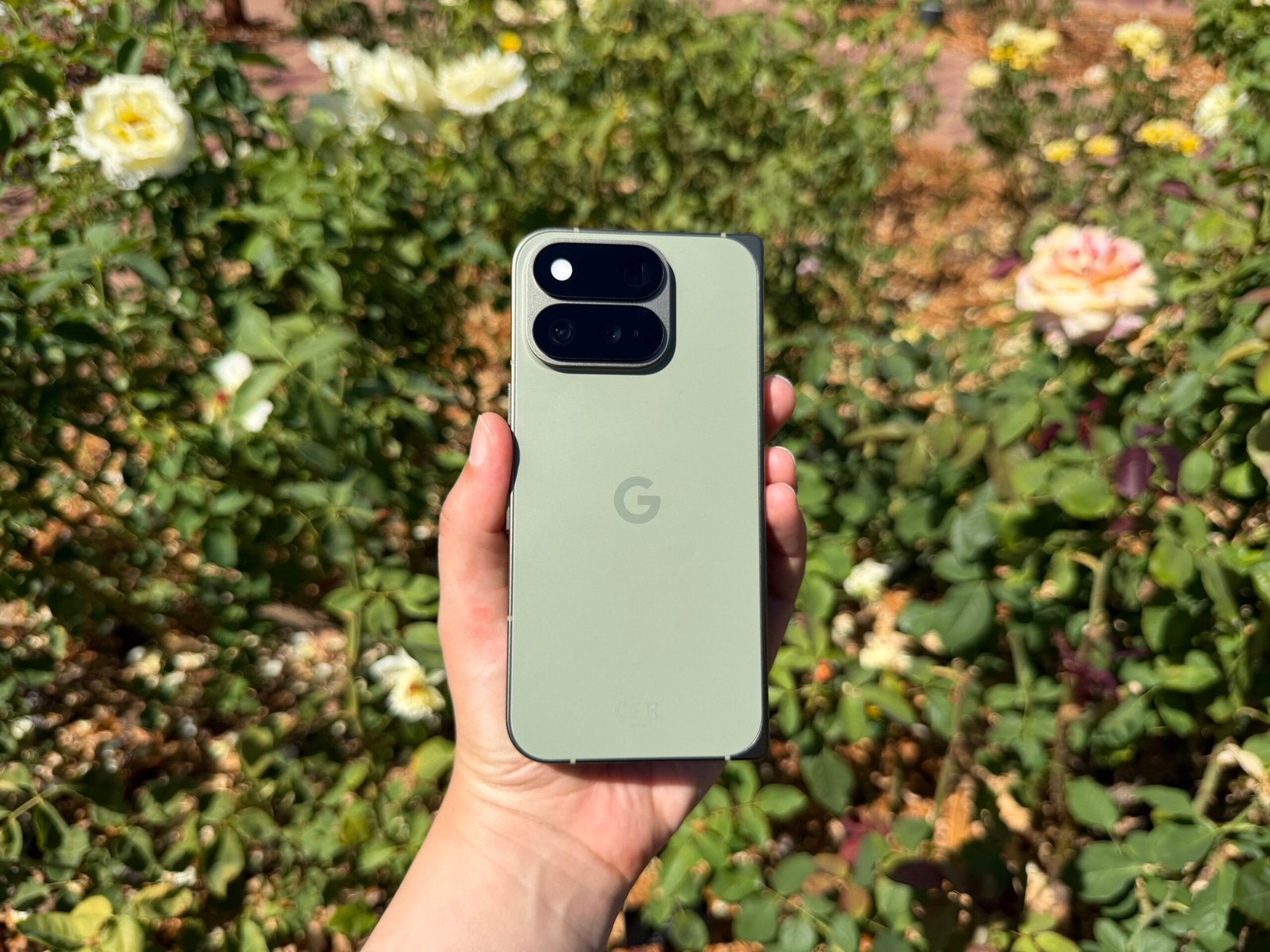
The Pixel 11 Pro Fold’s spotlight feature is its durability. / Abrar Al-Heeti/CNET
Pros & Cons
-
Durable build -
Thinner design over last year -
Slimmer bezels and slightly larger cover screen -
Plenty of handy AI and software updates
-
Cameras and battery are a step down from other Pixel 11 Pro models -
$100 pricier than last year’s foldable -
No anti-reflective display makes crease more prominent
This might not come as a surprise, but as a phone reviewer, I tend to carry multiple handsets. What is surprising is how often I’ve reached into my bag for the Google Pixel 11 Pro Fold, only to unwittingly pull out Apple’s iPhone 17 Pro Max. The new book-style foldable’s thinner, lighter design makes it surprisingly easy to mistake for a traditional slab phone — at least when I’m not looking.
It’s a sign of how far foldable phones have come, with sleeker, thinner builds and more conventional aspect ratios, giving them the familiar feel of the flat handsets that have defined the smartphone market for years. The Pixel 11 Pro Fold is no exception, with an in-hand feel so familiar that I often forget I’m holding a device that can unfold — almost to its detriment.
Frankly, the Pixel 11 Pro Fold had its work cut out for it by debuting on the heels of Samsung’s attention-grabbing Galaxy Z Fold 8, with its passport-sized 4:3 aspect ratio. Its fresh, compact feel and versatility made it one of my favorite phones I’ve used so far this year. But like the newly dubbed Galaxy Z Fold 8 Ultra, which maintains a taller, traditional book-style build, the Pixel 11 Pro Fold is strikingly similar to its predecessor in both design and features.

Still, there are a handful of ways Google has fortified its foldable offering this year — quite literally. The Pixel 11 Pro Fold is three times more durable than the Pixel 10 Pro Fold, according to the phone-maker. A new glass-ceramic cover and glass-fiber composite back cover are designed to be harder to crack, which is reassuring when you’re spending $1,899 on a phone, especially if you boldly go caseless as I do. A batch of new AI features helps to set this phone apart in an increasingly competitive market, and the camera and battery pull their weight, even if they’re not quite as “Pro” as what you’ll get on the nonfolding Pixel 11 phones.
The Pixel 11 Pro Fold is available now, alongside the rest of Google’s new gadgets, including the Pixel 11, Pixel 11 Pro and Pro XL and the Pixel Watch 5.
Design and displays on the Pixel 11 Pro Fold

The Pixel 11 Pro Fold is slightly thinner than the 10 Pro Fold, measuring 5mm thick when open and 10.1mm when closed. In hand, it feels similar to other book-style foldables, such as the Motorola Razr Fold and Galaxy Z Fold 8 Ultra, even if those phones are technically a bit slimmer. The Pixel Fold feels sturdy, with an aluminum frame that also makes it nearly 10% lighter than last year’s phone, clocking in at 239 grams. For comparison, the iPhone 17 Pro Max that I’ve repeatedly mistaken it for when reaching into my bag weighs 233 grams.
The 6.5-inch glass-ceramic cover screen on the Pixel 11 Pro Fold is just slightly bigger than last year’s display thanks to thinner bezels, which makes typing and scrolling feel remarkably ordinary. It’s the latest foldable to reaffirm that the days of awkwardly narrow cover screens are far behind us.
But this design advancement is something of a double-edged sword. The Pixel 11 Pro Fold’s thinner, more conventional form and roomy cover screen give me fewer reasons to open it up and take advantage of its expansive inner display – ironically undermining one of the main reasons to buy a foldable in the first place. I faced a similar dilemma with the Galaxy Z Fold 7, whose thin build and more traditional cover screen often had me falling back into my usual slab-phone habits. Samsung addressed that with the square-ish Z Fold 8, which gives me more incentive to unfold the phone and take advantage of a larger canvas. I don’t find as many of those opportunities with the Pixel 11 Pro Fold’s more standard book-style form.
That said, when I do think to unfurl the phone, the 8-inch inside display is the perfect size for watching movies, multitasking and working in a Google Doc. It’s rather limiting that you can only open two apps at once and that they can only be arranged side by side, rather than stacked vertically — unless you rotate the phone into portrait orientation. On the plus side, you have plenty of flexibility when it comes to resizing those windows.

The crease on the inside screen is still there, but is mostly noticeable when outdoors. Unlike the Z Fold 8 lineup, the Pixel 11 Pro Fold doesn’t have an anti-reflective display, which tends to make the crease more visible. Most of the time, though, I hardly think about it.
Regarding the display’s durability, I must regrettably inform you that several small scratches appeared on the Pixel 11 Pro Fold’s cover screen on my second day using the phone. I’m not certain what the source was, but it’s likely my keys were the culprit, in which case I blame myself for not being more careful. I do wish we were at a point where phone displays truly were scratch-resistant, but that’s an issue that extends far beyond Pixel phones. Thankfully, I haven’t dropped the phone to confirm whether it’s harder to damage the inside display.
But if you happen to drop the phone while on a beach outing, have no fear: The Pixel 11 Pro Fold carries over the IP68 rating that made the 10 Pro Fold such a standout among its peers. That means the Pixel 11 Pro Fold is rated for protection against grains as small as dust and can be submerged in up to a meter and a half of water for 30 minutes, giving it the same level of particle and liquid resistance as most premium nonfolding phones.
The Pixel 11 Pro Fold comes in two colors: obsidian (a dark gray/black) and olive (a deep mossy green). I tested the olive version and love the bold yet subdued shade that gives the phone an extra dose of personality.
My favorite Gemini Intelligence and Android 17 features

The Pixel 11 Pro Fold arrives with several AI features designed to handle mundane tasks such as adding something to your calendar, automatically filling out a form and sharing your flight details with loved ones. Dubbed Gemini Intelligence, this suite of features is available on premium Android phones running Android 17, starting with Samsung’s Galaxy Z phones and now, the Pixel 11 series.
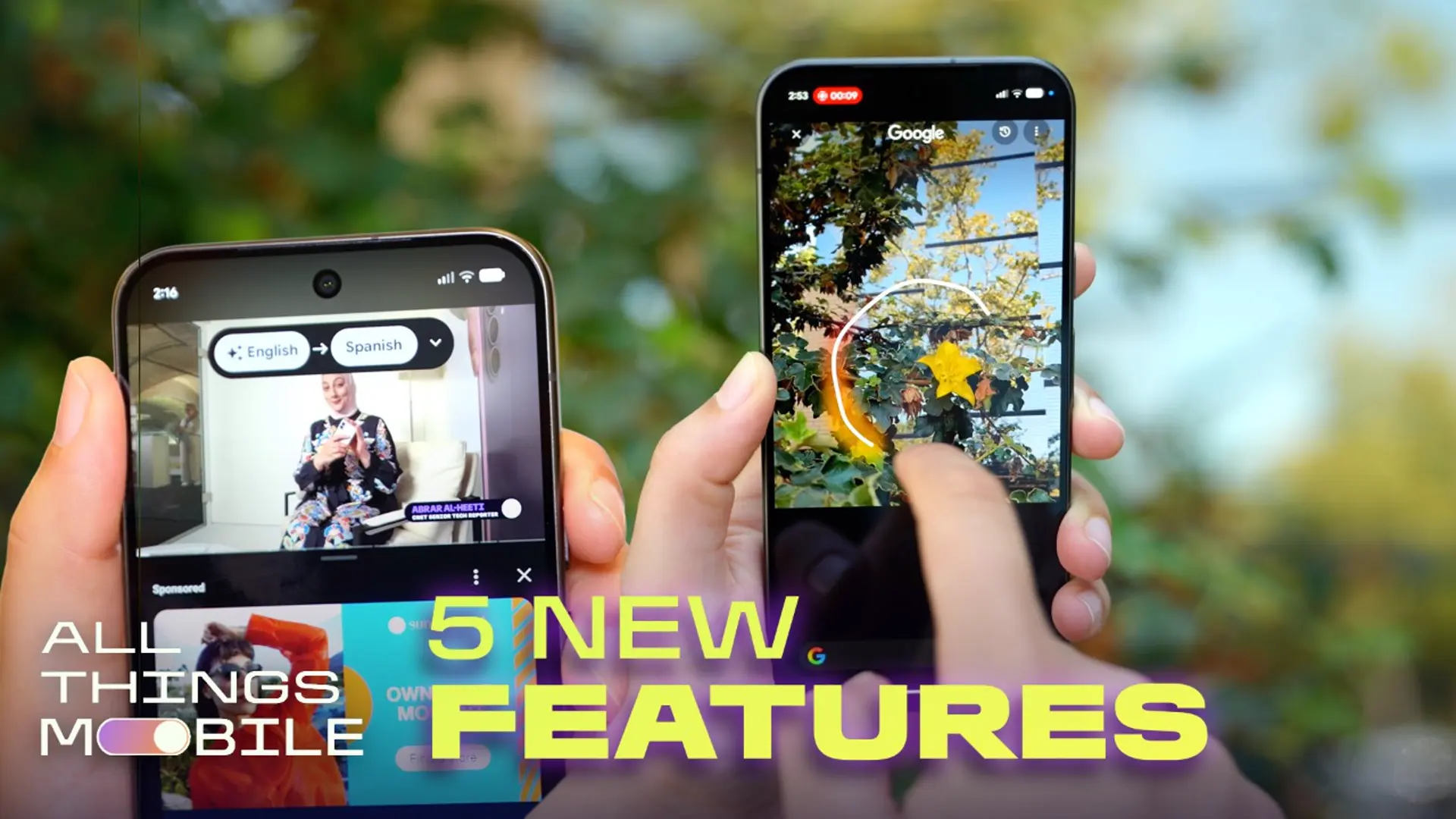
Most of these capabilities are quite practical, even for an AI skeptic like me. One of the most impressive features is Live Translate for media, which dubs YouTube videos into other languages, including Spanish, French, and German (with more languages coming).
Of course, I had to test this on a video of myself for kicks and giggles, and I suddenly sounded fluent in Spanish. It was a little unsettling, but mostly impressive. There were occasional hitches during my testing, with the speech sometimes coming out choppy, but I still enjoyed hearing Conan O’Brien’s podcast antics in Spanish. This feels like the kind of feature that could open up a world of foreign language content, giving audiences access to viewpoints and experiences they might not otherwise have.
Magic Capture is a neat feature that I sense I won’t often use. Within the camera app, next to the photo and video controls, you’ll see a new icon for Magic Capture (a rectangle with a star in the middle). While taking a video, this will use AI to analyze the scene and automatically snap what it believes to be the most photo-worthy moments as still images. That way, you can be in the moment instead of looking at your screen and tapping the shutter button yourself, which can be helpful at a concert or while trying to capture the most Instagram-worthy shot of a child or pet in motion. I tested this out while kicking a soccer ball back and forth; despite my movement, Magic Capture took some solid pictures of my passing partner doing tricks, and I didn’t have to look at the phone to take the pictures myself.

That said, if you’re hoping to look back at both the photos and the Magic Capture video recorded during the process, don’t expect the same level of high-quality, stabilized video you’d get with a standard video recording. Magic Capture videos top out at 24 frames per second, though turning on Video Boost (Google’s cloud-based AI feature for enhancing videos) enables 4K resolution with 10-bit HDR and better stabilization. Still, the relatively scaled-back video quality, paired with the fact that I’m a control freak who prefers to take my own pictures, means I don’t see myself reaching for Magic Capture very often. But I think it’s nice to have if you’re a little less particular than I am.
Some updates are more minor but especially welcome. Circle to Search quickly became one of my favorite features when it debuted in 2024. It lets you search anything on your screen by tapping or circling an image, such as an outfit or accessory you might want to buy. Now, you can Circle to Search just by launching the camera, holding down the navigation bar and circling what’s in your viewfinder — no need to snap the photo. This eliminates a step while also helping reduce clutter in your Photos app. I used this to identify a flower I was 99.9% sure was a chrysanthemum, and I’m pleased to say I was correct.
One Android 17 feature that didn’t take long to grow on me is Bubbles. This lets you turn an app into a floating icon that sits atop your current window, so you can quickly pop in and out with a tap. I wasn’t sure how practical or useful this would be, but it turned out to be both. I liked being able to quickly expand a window to rewind my audiobook while browsing Instagram (because I insist on being overstimulated, apparently), and I could peek at my Lyft details while typing in Google Docs. Despite the Pixel 11 Pro Fold’s multitasking prowess, I don’t always need a window to be open all the time, and I appreciate being able to quickly hop in and out of apps without closing the main window I’m using.
Can the Pixel 11 series really curb your screen time?

Google is pitching a handful of Gemini Intelligence updates as a way to help you spend less time on your phone — yes, including the very phone the company wants you to buy. The irony is not lost on me either.
For instance, if someone texts you asking about upcoming flight details, Gemini will pull that information from Gmail and drop it in Messages so you don’t have to dig for it yourself. And Rambler does a solid job of cleaning up speech-to-text, giving a more polished end result without filler words such as “um” or “uh.” It’s possible Rambler could convince me that speech-to-text isn’t a total pain in the butt, but I think it’ll take more time to build that level of trust.
These features might shave off a few seconds, but I’m not convinced they’ll make a meaningful dent in my overall screen time. After all, I’m not glued to my phone because I spend hours looking for flight information or polishing up my texts. The real culprits are apps like Instagram and YouTube that seem to suck up all my free time with their addictive algorithms feeding me infinite content.
To address that issue, Google has rolled out Pause Point, which lets you select apps you find distracting. Then, when you open them, you’ll first be shown a window that walks you through a breathing exercise, suggests an alternative app or encourages you to reflect on why you’re opening that app. You can then decide whether to proceed or reconsider. I see Pause Point to be about as helpful as the App Limits I set on my iPhone: I appreciate the reminder, but more often than not, I swipe away the nudge and choose to doomscroll anyway. That doesn’t mean I’m not glad phone-makers are rolling out tools to help us curb our bad habits. But it’ll take a much more concerted effort to pry those addictive feeds from my hands.

I feel similarly about HiLight on the Pixel 11 Pro phones. When your phone is face down, the LED indicator on the back flashes a custom color if one of your favorite contacts is calling. The idea is to help you stay focused: instead of constantly checking your phone, you’ll only flip it over to answer when the flashing color tells you someone important is trying to reach you. It’s an admittedly fun feature, and I’ll always appreciate a hardware upgrade in such an AI-infused world.
But HiLight is rather limited as it currently stands, since I don’t get as many calls as I do texts. Plus, even if my phone is face down, it’s far too easy to reach over and flip it to check my notifications or quickly pop into Instagram. To really avoid checking my phone, I have to go the old-fashioned route of keeping it clear across the room — or better yet, somewhere I can’t see it, no matter what colored lights are flashing.
Cameras on the Pixel 11 Pro Fold

Similar to last year, the Pixel 11 Pro Fold has a 48-megapixel wide-angle, 10.5-megapixel ultrawide and 10.8-megapixel telephoto camera on the back. There are also 10-megapixel selfie cameras on the cover and inside displays.
Despite the Pro name, the Pixel Fold’s cameras are a step down from those on the Pixel 11 Pro and Pro XL. Those nonfolding options pack a 50-megapixel wide, 48-megapixel ultrawide and 48-megapixel telephoto camera. And while the Pixel 11 Pro Fold supports 30x Super Zoom, which uses AI to sharpen zoomed-in images, the other Pro phones support 120x Pro Zoom for even more impressive punched-in shots.
Despite the apparent misnomer when it comes to the camera, the Pixel 11 Pro Fold still takes impressive shots, and 30x Super Zoom does a good job adding detail and sharpness to far away objects. (Also, quite frankly, I’m not sure I’d want to zoom in as much as 120x in the first place.) The new Camera Looks feature lets you choose from a range of photography styles such as “Editorial” for a more moody vibe or “Velvet” for deeper colors, but I tend to prefer the default setting, which balances colors and shadows well.
Here are my favorite photos I’ve taken on the Pixel 11 Pro Fold.


Battery life on the Pixel 11 Pro Fold

The Pixel 11 Pro Fold’s slimmer design comes with a slightly smaller battery, dropping from 5,015 mAh on last year’s Pixel 10 Pro Fold to 4,806 mAh this year. In my experience, that didn’t translate to any noticeable drop in battery life, as the phone regularly lasted well beyond a day. This is likely aided by the Tensor G6 processor, which Google says can “run faster and with lower energy.”
In one stretch of texting, snapping photos, watching YouTube videos, scrolling through Instagram, using Google Maps, ordering a Lyft and using my hotspot, the Pixel 11 Pro Fold went from a full battery at 12:30 p.m. on Sunday to dead at 5 p.m. on Monday. That was with the battery saver automatically kicking in at 20%, which limits background activity and turns on dark mode to stretch the battery life a bit longer.
On another day, I went from a full charge at 8:50 a.m. to 34% by 11:26 p.m., after a similar routine of checking emails, messaging, scrolling through Instagram, using Maps and watching YouTube videos. The next morning, I woke up with 23% charge and opted to go without battery saver. After checking emails, joining a Google Meet call and snapping some photos, the phone died around 12 p.m. So I’m not worried about the Pixel 11 Pro Fold making it through the day, with a little battery life to spare.
In a 3-hour streaming test over Wi-Fi, during which I watched a YouTube video in full-screen mode at max brightness on the main display, the Pixel 11 Pro Fold’s battery dropped from 100% to 82%. That’s an improvement over the 10 Pro Fold’s final result of 78%, though it’s lower than the 86% on the Galaxy Z Fold 8, and is just slightly less than the 83% on the Z Fold 8 Ultra.
The Pixel 11 Pro Fold supports up to 30-watt wired charging, which gets the phone from 0% to 55% in 30 minutes. It takes about an hour and a half to fully charge. In comparison, the Z Fold 8 and 8 Ultra support 45-watt charging, which got the Z Fold 8 from 0% to 73% in half an hour, and the Ultra to 63%.
Where the Pixel has a leg up over some other foldables is with Qi2.2 wireless charging, which supports speeds of up to 25 watts — compared to 20 watts on the Z Fold 8 series. The built-in magnets also mean that, unlike the Z Fold 8, you won’t need a Qi2-compatible case to easily align it on a wireless charger. (I’ll note that the Pixelsnap charger with stand, which debuted last year, is my go-to bedside charger because you can choose between propping your phone up or popping out the charging puck and laying it flat on a table.)
Final thoughts: Should you buy the Pixel 11 Pro Fold?

At a glance, not much is new when comparing the Pixel 11 Pro Fold to last year’s 10 Pro Fold. But incremental upgrades to the design, software and AI capabilities help nudge this phone forward. That said, if you’re using the Pixel 10 Pro Fold, those updates likely don’t merit an upgrade — especially since this year’s phone is $100 pricier thanks to the ongoing RAM shortage.
If you’re looking to buy your first foldable phone, the Pixel 11 Pro Fold makes a (literally) strong case for itself. It’s one of the only foldables with an IP68 rating for dust and water resistance, and the glass-ceramic cover and composite back cover are designed to be harder to crack. That doesn’t prevent the Pixel 11 Pro Fold from being sleek enough to feel like a traditional slab phone in my hand when shut, and the 8-inch inner display is a great size for multitasking and watching videos.
Plus, it’s nice that the Pixel 11 Pro Fold costs less than the Galaxy Z Fold 8 Ultra ($2,100) — and the same as the Z Fold 8 ($1,900) — though $1,899 is still far from cheap. For that price, you get a solid rear triple-camera system, even if it’s a step down from the other Pixel 11 Pro models, along with long-lasting battery life. Most importantly, you get a foldable that feels remarkably ordinary when you need it to, and a little more special when you open it up — assuming you remember to do so.
| Google Pixel 11 Pro Fold | Google Pixel 10 Pro Fold | Samsung Galaxy Z Fold 8 Ultra | Samsung Galaxy Z Fold 8 | |
| Cover display size, tech, resolution, refresh rate | 6.5-inch OLED, 2,342×1,080 pixels, 120Hz refresh rate | 6.4-inch OLED; 2,364×1,080 pixels; 60 to 120Hz refresh rate | 6.5-inch AMOLED; 2,520×1,080 pixels; up to 120Hz variable refresh rate | 5.5-inch AMOLED; 1,972×1,248 pixels; up to 120Hz variable refresh rate |
| Internal display size, tech, resolution, refresh rate | 8-inch OLED, 2,076×2,152 pixels, 120Hz refresh rate | 8-inch OLED; 2,152 x 2,076 pixels; 1 to 120Hz refresh rate (LTPO) | 8.0-inch AMOLED; 2,256×2,504 pixels; up to 120Hz variable refresh rate | 7.6-inch AMOLED; 2,448×1,848 pixels; up to 120Hz variable refresh rate |
| Pixel density | Cover: 399 ppi; internal: 372 ppi | Cover: 408ppi; Internal: 373ppi | Cover: 422 ppi; Internal: 422 ppi | Cover: 428 ppi; Internal: 403 ppi |
| Dimensions (inches) | Open: 6.1 x 5.9 x 0.2 in; Closed: 6.1 x 3.0 x 0.4 in |
Open: 6.1 x 5.9 x 0.2 in; Closed: 6.1 x 3 x 0.4 in | Open: 6.23 x 5.6 x 0.16 in; Closed: 6.23 x 2.87 x 0.35 in | Open: 4.88 x 6.35 x 0.18 in; Closed: 4.88 x 3.22 x 0.38 in |
| Dimensions (millimeters) | Open: 155.2 x 150.4 x 5.0mm Closed: 155.2 x 76 x 10.1mm |
Open: 155.2 x 150.4 x 5.2 mm; Closed: 155.2 x 76.3 x 10.8 mm | Open: 158.4 x 143.2 x 4.1mm; Closed: 158.4 x 72.8 x 8.9mm | Open: 123.9 x 161.4 x 4.5mm; Closed: 123.9 x 81.9 x 9.7mm |
| Weight (grams, ounces) | 239 g (8.4 oz) | 258g (9.1 oz) | 215g (7.58 oz) | 201g (7.09 oz) |
| Mobile software | Android 17 | Android 16 | Android 17 with One UI 9 | Android 17 with One UI 9 |
| Cameras | 48-megapixel (wide), 10.5-megapixel (ultrawide), 10.8-megapixel (telephoto) | 48-megapixel (wide), 10.5-megapixel (ultrawide), 10.8-megapixel (5x telephoto) | 200-megapixel (wide), 50-megapixel (ultrawide), 10-megapixel (telephoto), 10-megapixel (cover screen selfie) | 50-megapixel (wide), 50-megapixel (ultrawide), 10-megapixel (cover screen selfie) |
| Internal screen camera | 10-megapixel | 10-megapixel (inner screen); 10-megapixel (cover screen) | 10-megapixel | 10-megapixel |
| Video capture | 4K at 60 fps | 4K | 8K at 30 fps | 8K at 30 fps |
| Processor | Tensor G6 | Google Tensor G5 | Qualcomm Snapdragon 8 Elite Gen 5 for Galaxy | Qualcomm Snapdragon 8 Elite Gen 5 for Galaxy |
| RAM/storage | 16GB + 256GB, 512GB, 1TB | 16GB + 256GB, 512GB, 1TB | 12GB + 256GB; 12GB + 512GB; 16GB + 1TB | 12GB + 256GB; 12GB + 512GB; 16GB + 1TB |
| Expandable storage | None | None | None | None |
| Battery | 4,806 mAh | 5,015 mAh | 5,000 mAh | 4,800 mAh |
| Fingerprint sensor | Under display | Yes | Side | Side |
| Connector | USB-C | USB-C | USB-C | USB-C |
| Headphone jack | None | None | None | None |
| Special features | HiLight LED, 30W wired charging, 25W Qi 2.2 wireless charging, Gemini, Magic Capture, Creator Suite Rambler, Live Translate with American Sign Language, IP68 dust and water resistance, seven years of software and security updates | IP68 rating, gearless hinge, cover and internal screen 3,000 nits peak brightnes, Corning Gorilla Glass Victus 2 cover and back glass, Satellite SOS, ultra-wideband chip, Qi2-certified, free Google VPN. seven years of OS, security and Pixel Drop updates | IP48 rating, Corning Gorilla Glass Ceramic 3 (cover scnree), Corning Gorilla Glass Victus 2 (Rear), Advanced Armor Aluminum, 5G (sub6, mmW), Wi-Fi 7, 3,000-nit peak brightness, anti-reflective display, 45-watt wired charging, 20-watt wireless charging | IP48 rating, Corning Gorilla Glass Ceramic 3 (cover scnree), Corning Gorilla Glass Victus 2 (Rear), Advanced Armor Aluminum, 5G (sub6, mmW), Wi-Fi 7, 3,000-nit peak brightness, anti-reflective display, 45-watt wired charging, 20-watt wireless charging |
| US price starts at | $1,899 (256GB) | $1,799 (256GB) | $2,100 (256GB) | $1,900 (256GB) |
How we test phones
Every phone CNET’s reviews team tests is used in the real world. We test a phone’s features, play games and take photos. We examine the display to see if it’s bright, sharp and vibrant. We analyze the design and build to see how it is to hold and whether it has an IP rating for water resistance. We push the processor’s performance to the extremes using standardized benchmark tools such as GeekBench and 3DMark, along with our own anecdotal observations navigating the interface, recording high-resolution videos and playing graphically intense games at high refresh rates.
All the cameras are tested in a variety of conditions, from bright sunlight to dark indoor enviornments. We try out special features such as night mode and portrait mode, and compare our findings against similarly priced competing phones. We also check out the battery life by using it daily, as well as running a series of battery drain tests.
We take into account additional features such as support for 5G, satellite connectivity, fingerprint and face sensors, stylus support, fast charging speeds and foldable displays, among others that can be useful. We balance all of this against the price to give you the verdict on whether the phone, whatever price it is, actually represents good value. While these tests may not always be reflected in CNET’s initial review, we conduct follow-up and long-term testing in most circumstances.

See full bio