

Close Menu
AI News TodayAI News Today

    Subscribe to Updates

    Get the latest creative news from FooBar about art, design and business.

    What's Hot

    Can Safeworld convince people that gen AI robots won’t hurt them?

    How to Build a Cheap, Yet Reliable Model Router With Jev

    The hows and whys of non-mechanical mechanical keyboard switches

    Facebook X (Twitter) Instagram
    • About Us
    • Contact Us
    Facebook X (Twitter) Instagram Pinterest Vimeo
    AI News TodayAI News Today
    • Home
    • AI News
    • AI Reviews
    • AI Tools
    • AI Tutorials
    • Chatbots
    • Free AI Tools
    • Artificial Intelligence
    AI News TodayAI News Today
    Home»AI News»The hows and whys of non-mechanical mechanical keyboard switches
    AI News

    The hows and whys of non-mechanical mechanical keyboard switches

    By No Comments3 Mins Read
    Share Facebook Twitter Pinterest LinkedIn Tumblr Reddit Telegram Email
    The hows and whys of non-mechanical mechanical keyboard switches
    Share
    Facebook Twitter LinkedIn Pinterest Email

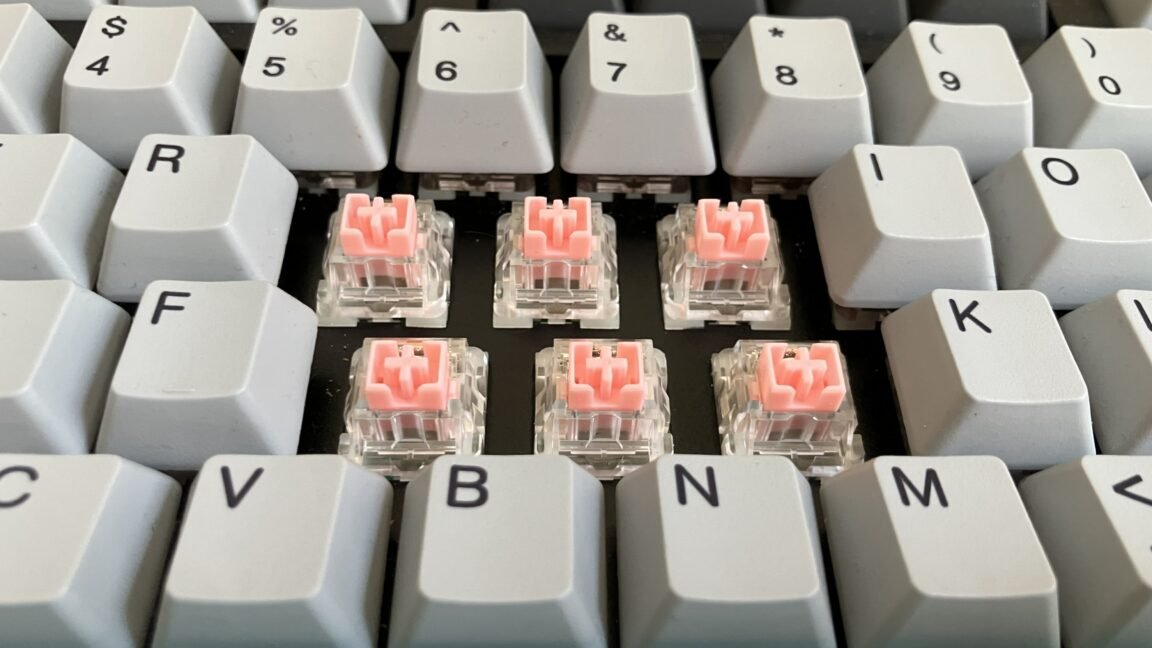
    The mechanical keyboard isn’t always so mechanical anymore.

    Over the past six years, keyboards with optical, Hall-effect, and other “contactless” switches have become increasingly common, often going for higher prices than traditional mechanical keyboards, which already command a premium over basic membrane boards. In return, they promise some theoretical advantages, particularly for gamers. In daily use, though, the differences can be pretty subtle.

    So what exactly are you paying for? In this guide, we break down how the newest switches work, why contactless designs are becoming more popular, and where their advantages—and disadvantages—really matter.

    Table of Contents

    How standard mechanical switches work

    First, let’s recap what happens when you push a key with a traditional mechanical switch inside.

    As you can see in the diagram of a Cherry MX Brown switch below, standard mechanical switches have two metal leaves—in this case, the “crosspoint”—that are shaped differently, with the top of the larger leaf bent away from the smaller leaf.

    An exploded view of an MX Brown switch.

    An exploded view of an MX Brown switch.


    Credit:

    Das Keyboard


    When you press a mechanical switch, its plastic stem moves downward toward the keyboard’s PCB, and a spring wrapped around the stem compresses. As you release the button, the spring expands, forcing the stem back up to its original position.

    When a switch is at rest, a protruding piece of the plastic stem keeps the switch’s two leaves from making contact. As the stem goes downward, that piece moves with it, allowing the leaves to touch and close a circuit on the keyboard’s PCB, which sends a signal to the keyboard’s microcontroller, telling the computer which input was made.
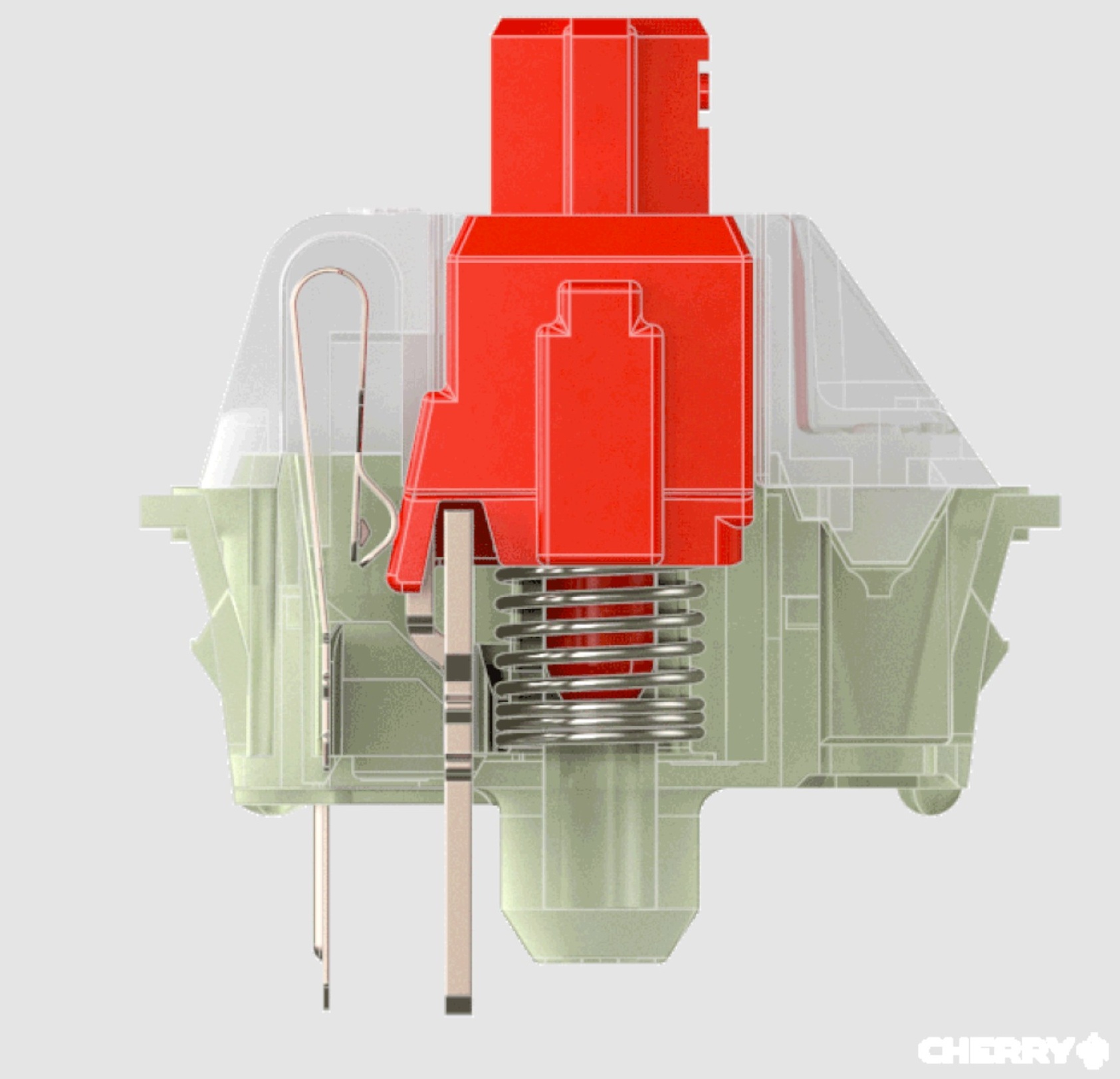

    A see-through view of a Cherry MX Red mechanical keyboard switch at rest.

    A transparent profile view of an MX Red switch at rest.

    Cherry
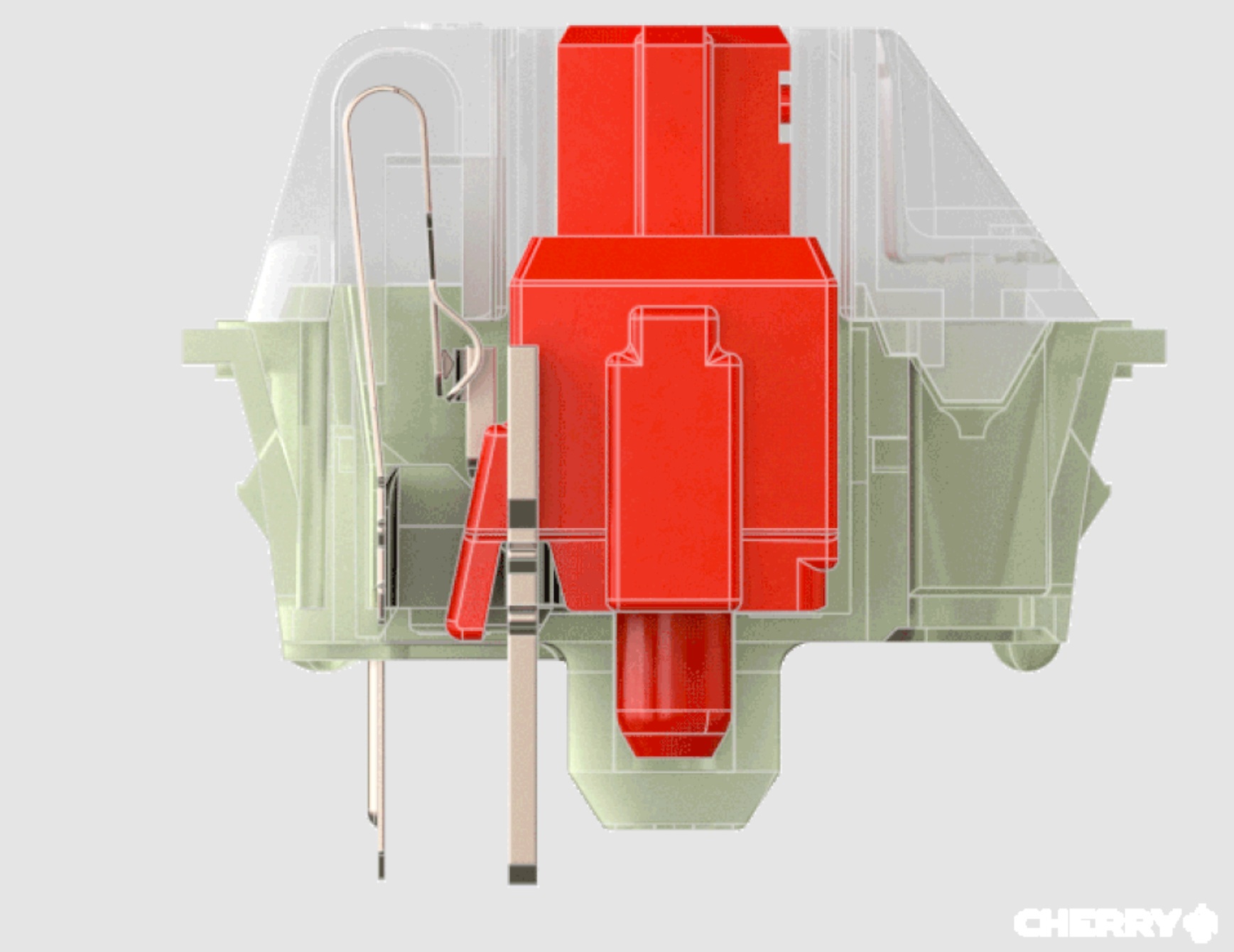
    A transparent profile view of an MX Red switch at rest.

    Cherry


    A see-through view of a depressed Cherry MX Red mechanical keyboard switch.

    A transparent profile view of a depressed MX Red switch.

    Cherry

    A transparent profile view of a depressed MX Red switch.

    Cherry

    A transparent profile view of an MX Red switch at rest.

    Cherry

    A transparent profile view of a depressed MX Red switch.

    Cherry

    But because mechanical switches rely on the physical contact of internal components, they can degrade over time.

    Why new switches?

    The switches in this guide differ from traditional mechanical switches because they don’t register input through contact between two metal leaves—hence the term “contactless.” Manufacturers often claim contactless switches last longer than regular switches, and they’re not susceptible to oxidation or corrosion, which can affect mechanical switches after prolonged use.

    hows keyboard Mechanical nonmechanical switches whys
    Share. Facebook Twitter Pinterest LinkedIn Tumblr Email
    Previous ArticleAn OpenAI safety insider calls the culture ‘broken’
    Next Article How to Build a Cheap, Yet Reliable Model Router With Jev
    • Website

    Related Posts

    AI News

    Can Safeworld convince people that gen AI robots won’t hurt them?

    AI News

    New forensic evidence supports Egyptian “retainer sacrifice”

    AI News

    Can ‘super intelligence’ and a non-binding safety pact solve AI’s image problem?

    Add A Comment
    Leave A Reply Cancel Reply

    Top Posts

    Can Safeworld convince people that gen AI robots won’t hurt them?

    0 Views

    How to Build a Cheap, Yet Reliable Model Router With Jev

    0 Views

    The hows and whys of non-mechanical mechanical keyboard switches

    0 Views
    Stay In Touch
    • Facebook
    • YouTube
    • TikTok
    • WhatsApp
    • Twitter
    • Instagram
    Latest Reviews
    AI Tutorials

    Quantization from the ground up

    AI Tools

    David Sacks is done as AI czar — here’s what he’s doing instead

    AI Reviews

    Judge sides with Anthropic to temporarily block the Pentagon’s ban

    Subscribe to Updates

    Get the latest tech news from FooBar about tech, design and biz.

    Most Popular

    Can Safeworld convince people that gen AI robots won’t hurt them?

    0 Views

    How to Build a Cheap, Yet Reliable Model Router With Jev

    0 Views

    The hows and whys of non-mechanical mechanical keyboard switches

    0 Views
    Our Picks

    Quantization from the ground up

    David Sacks is done as AI czar — here’s what he’s doing instead

    Judge sides with Anthropic to temporarily block the Pentagon’s ban

    Subscribe to Updates

    Get the latest creative news from FooBar about art, design and business.

    Facebook X (Twitter) Instagram Pinterest
    • About Us
    • Contact Us
    • Terms & Conditions
    • Privacy Policy
    • Disclaimer

    © 2026 ainewstoday.co. All rights reserved. Designed by DD.

    Type above and press Enter to search. Press Esc to cancel.