

Running coding agents requires a lot of hardware. Of course, running the actual LLM is incredibly expensive and requires extremely powerful GPUs. However, running the agents as well, for example, Claude Code and Codex, is also demanding on your computer.
I struggled for a long time with running too many coding agents at the same time on my computer. I would notice that my computer got bottlenecked in different ways, for example, with input/output limitations or with my RAM running out.
I got myself an even more powerful computer to try to remove these bottlenecks, which for the most part works. However, I know that getting an extremely powerful computer is not an option for a lot of people, and thus, you need alternatives. Thus, in this article, I’ll discuss how you can run a lot of parallel coding agents without having to purchase a very powerful computer to run all of them on.
The technique I’ll cover also has the additional benefit that it allows you to run the coding agents 24×7 and will not be blocked, for example, if you close your computer.
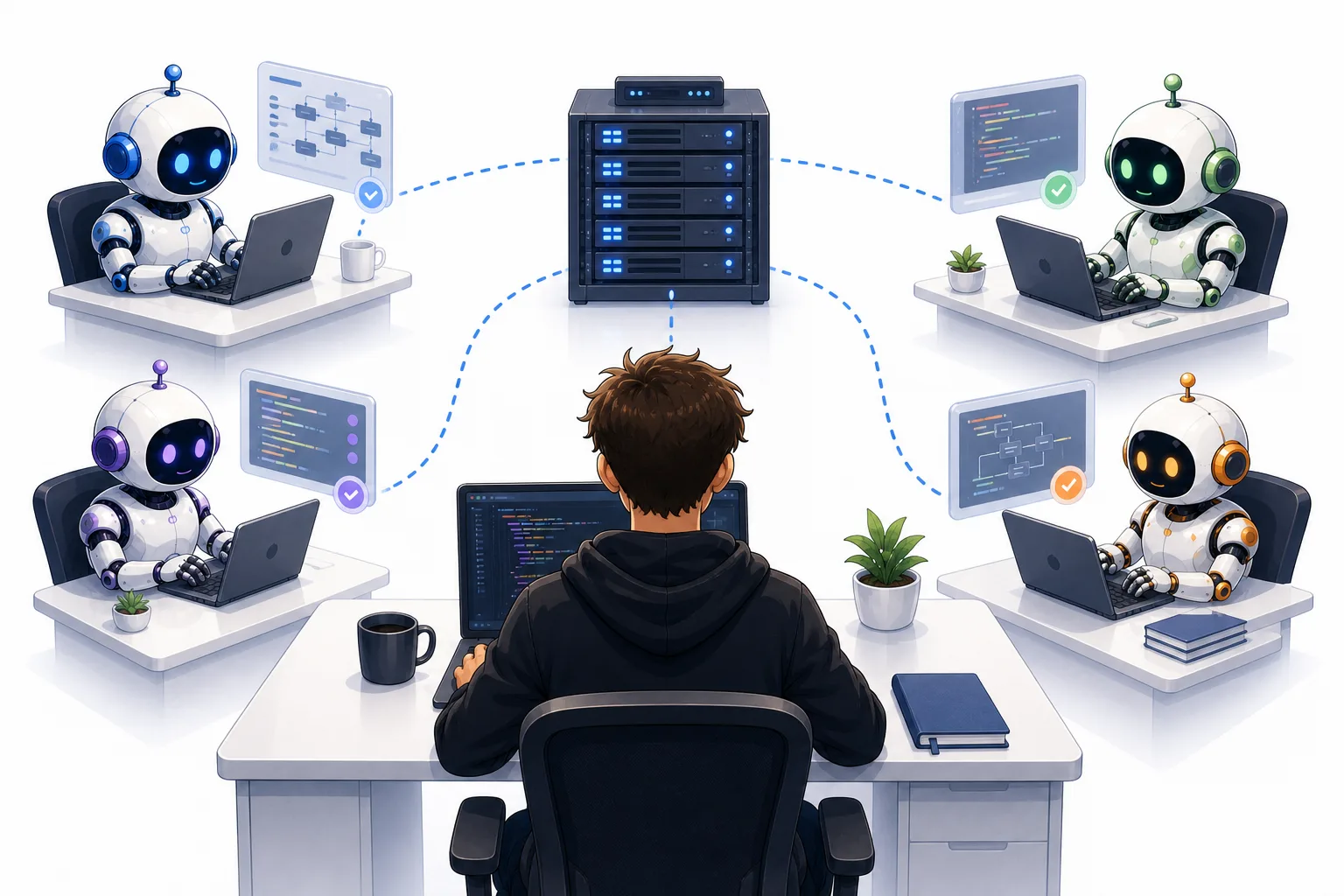
This infographic image highlights the main contents of the article. I’ll discuss how to run 10 to 20 coding agents at the same time without having to purchase powerful hardware. You can do this by renting a CPU and accessing the server through SSH. Image by ChatGPT.
Why running a lot of parallel coding agents is challenging
First, let’s cover why running a lot of parallel coding agents is challenging. There are a few aspects that make it challenging. First of all, running Codex or Claude Code simply requires quite a bit of CPU from your computer. If you then multiply this by 10 to 20 coding agents, you’ll start spending a lot of your available CPU power or RAM. Additionally, you don’t only spend compute on running the CLI coding tools themselves; you also might spend compute on stuff the coding agents might be doing. Some examples of this are:
-
Running local unit tests
-
Spinning up localhost servers to test on
-
Letting the agent use your computer or browser
All of these things add up, and as mentioned, if you multiply it by 10 to 20 coding agents, it becomes an extreme strain on your hardware.
Furthermore, I don’t believe that running coding agents on your computer will be any cheaper in the long run. Of course, you can do optimizations. Claude Code has, for example, done a lot of optimizations to reduce the amount of load that the Claude Code CLI requires from your computer. However, it will always take quite a bit of compute. Additionally, I imagine that in the future we’ll just run even more coding agents at the same time; thus, the problem will multiply. Therefore, you need a better, more long-term solution to this problem, which I’ll cover in the following section.
How to run a lot of parallel coding agents effectively
The main technique that I’ll cover in this article is to rent a remote server with the hardware specs that you require and run your coding agents there.
This has massive advantages. First of all, renting a server is not particularly expensive, especially compared to buying that kind of hardware. For example, you can get a powerful computer with 64 GB of RAM for less than 100 USD per month, while in practice that would probably cost you at least two thousand USD to purchase; so instead of having to pay two to three thousand USD up front, you can simply pay a monthly cost of way less than one hundred USD.
This is, of course, great because it puts much less strain on your cash flow, and it allows more people to access this kind of hardware. Furthermore, you can, of course, adapt: you can buy less powerful hardware for way cheaper, and of course, you can buy more powerful hardware, for example, 128 gigabytes or even more RAM if you need it.
However, there are some challenges that you need to deal with when you run on rented hardware. I’ll cover some of the challenges.
Where to get hardware
First of all, I’m not sponsored by any of these companies. I’m just mentioning a few of the options that you have for getting hardware. Of course, you can use the hyperscalers such as Google Cloud Platform, Microsoft Azure, and AWS to access servers from there. These servers are very expensive, and I would argue they’re two to four times more expensive than alternatives on the market that you get from other mid-level players, but they are very solid, and they might be on a platform that you already know. Furthermore, you might have credits available through one of these hyperscalers, which will allow you to, of course, rent a server without having to pay any of your own money. So, that could be a good option.
If you don’t want to use the hyperscalers, for example, if you have to pay for it yourself and you want to set up your own server, I recommend alternatives such as Hetzner, which is a German cloud company you can use. There are also multiple other alternatives, for example, Scaleway. Note that you do not need to rent a GPU, so you are renting a CPU, which is way cheaper than renting a GPU. There are a lot of options. I recommend you just check what the options in your region are. You can ask your Claude Code or Codex about it to find the best alternative for you, given your hardware preferences, like how powerful a computer you need, how much you can pay, and so on.
Effectively running your coding sessions on remote hardware
Now the main issue that you have to deal with is how to effectively run your coding sessions on remote hardware. There are a few challenges that you will realize you’ll have whenever you start spinning up coding sessions through SSH. So, first of all, you would want to access your new hardware that you rent, this you should do through SSH, which is the standard way of accessing remote hardware.
The great thing now is that you don’t have to set this up manually yourself. Setting up these connections manually is a very time-consuming and frustrating process, which is something I’ve done before. However, luckily today you can just use coding agents to set this up for you. Just tell it you need to access an SSH server, tell it which keys it needs to use, and it will set everything up for you.
So one option is to run it through the terminal. You can SSH in through the terminal and start your coding session there. However, I strongly recommend against using this approach. The reason is that you want specialized software to access your remote hardware with Claude Code and Codex effectively. The reason is that there are a lot of challenges that you do not want to deal with and that you would rather use software to fix for you. Examples of these challenges are:
-
What happens if you copy an image into your terminal? How does the agent actually access that image? Because the agent is on the SSH server and not on your computer. Well, the image is, of course, on your computer. This is a challenge, for example, if you take screenshots and wanna give them to your agent.
-
What if the agent makes a file? How do you access that file? Because that file is on the remote server while you’re using your personal computer, how do you effectively access that file? You need to transfer it, and that’s something you don’t want to do each time manually
-
How do you access the localhost servers that the agent spins up? Because the localhost servers are on the remote server while you’re, of course, working on your own PC
These are challenges you definitely don’t want to spend time fixing yourself because people have already solved this problem. Now I have tried two pieces of software that I think work pretty decently with remote connections:
However, I would argue Superset is definitely the superior alternative. However, their remote connection requires you to pay for the Pro subscription, which costs 20 USD per month, while the Orca one is free. So if you really want a free alternative, Orca is a good alternative. However, if you can afford it and are willing to pay, then I recommend using the Superset Pro subscription, which has a better setup for running remote servers.
One of the main differences I noticed, for example, was that Superset automatically sets up a connection that lets the SSH server communicate with your computer, which is not the case with Orca. The connection makes the agent much more able to do stuff, and overall, the experience is just smoother; it’s easier to invite other people to the server, and so on. There are numerous benefits, and it’s just a more seamless experience setting up remote servers with Superset rather than Orca.
Keeping sensitive information
Another challenge you have to deal with is keeping sensitive information. Now, of course, you’re on a remote server, so the data you store there is of course stored in the data center. It’s very important that you make sure that all the data is stored securely. You do need to keep sensitive information there, for example, GitHub API keys, linear API keys, different kinds of API keys, you need to store it. That’s all the coding agents need to do their job effectively. However, you need to make sure to store them securely, and preferably you make separate API keys for the remote server so you can easily shut all of them off in case there’s a breach with the remote server provider you’re using.
Communicating back to your computer
Another of the issues is communicating back to your computer. As I mentioned earlier, Superset is quite good at this. They automatically set up something in the remote connection that allows the remote server to communicate with your computer. If you’re not using Superset, you’re probably gonna struggle with this. One example is, if you have a local file that you point to and that you want the coding agent that is running on the remote server to access, then you’re gonna have an issue because if you just paste the file for example or the path to the file into the coding agent, it won’t be able to access the file because the remote server doesn’t inherently have access to your local computer. However, Superset has a setup that makes this a more seamless experience.
Another advantage of remotely running your coding sessions
Finally, I also want to cover another advantage of running your coding sessions remotely, and that is that you can have your agents running 24/7. Normally, when you spin up agents on your local computer, the agents will stop running once you close the computer because your computer goes to sleep. I tried for a while to not let my Mac go to sleep, even if I closed the lid. However, I noticed it started overheating because the fan wasn’t able to clear the heat fast enough when my computer was closed and in my backpack. Thus, I stopped doing that. So, an issue definitely is that once you close your computer normally, the agents will also stop running.
However, if you use a remote server, this will of course never be a problem, and you can have your agents run 24/7 without ever having to stop. You can access them from anywhere that has the SSH key that you need, which is a major advantage of running coding agents on remote servers.
Conclusion
In this article, I covered how to run 10 to 20 Codex sessions without having access to a powerful computer that you purchased. The alternative that I covered in this article was to run your coding sessions on a remote server, which is actually quite simple to set up and doesn’t have to cost you that much per month in renting hardware either. I think it’s a great alternative if you can’t afford to buy or don’t want to spend the money on powerful hardware, and it also allows the additional benefit of allowing your coding agents to run 24/7 and continue running even if you close your computer. I think this is a great option, and I believe that the future of coding agents is to be run on remote servers and not on your local computer. I think we can access more powerful hardware for a reasonable price on remote servers rather than having to run it locally.
👉 My free eBook and Webinar:
🚀 10x Your Engineering with LLMs (Free 3-Day Email Course)
📚 Get my free Vision Language Models ebook
💻 My webinar on Vision Language Models
👉 Find me on socials:
💌 Substack