

A substantial issue I’ve noticed when interacting with Claude Code, Codex, or any other coding agent is that I sometimes find it hard to read all of the information they present inline in the terminal window.
I think this issue is not as significant if you’re using a platform such as the ChatGPT app or the Claude Code application, though I still think it’s a very relevant issue simply because reading a bunch of text that’s not particularly formatted makes it difficult to pick up on the important points that the coding agent is presenting to you, thus, making it difficult for the coding agent to transfer important information to you so you can make the best possible decisions.
That’s why I’ve developed a technique that I use probably up to 100 times per day, where I make my coding agents present me their findings and information in a more understandable and easier-to-process format. In this article, I discuss this format and how I use it actively for essentially all my coding sessions to better align with my coding agents and understand what they mean.
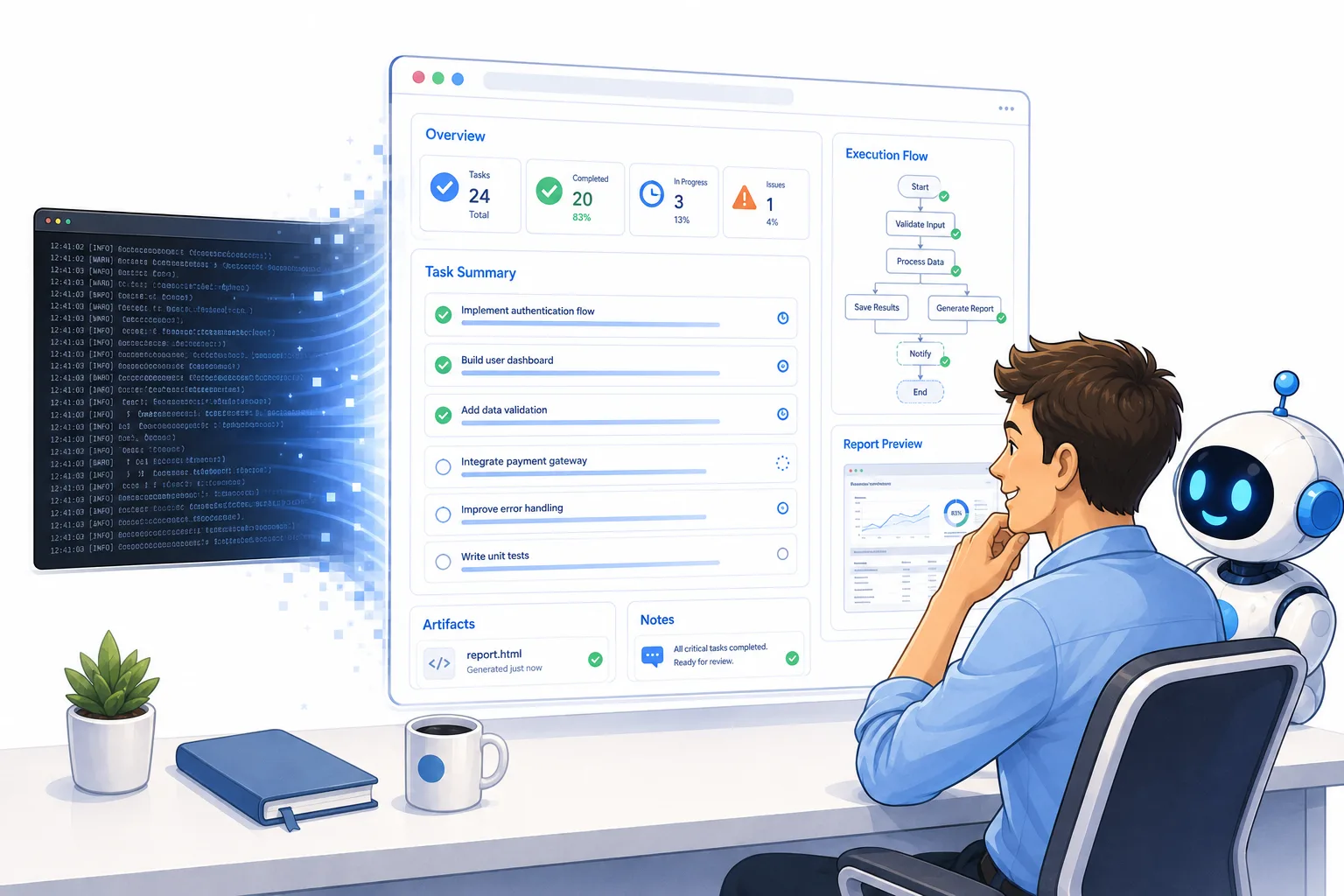
This infographic highlights the main contents of this article. I’ll discuss how to make the communication flow between you and your coding agents, such as Claude Code and Codex, more effective to increase your coding speed. Image by ChatGPT.
Why is communication with coding agents hard
First of all, I’d like to cover the reason for my article and the thought behind it. Basically, the main reason I came up with the topic for this article is that I noticed whenever I was interacting with my coding agent, whether it be Claude Code or Codex or any other coding agent for that matter, open code, for example, I had a hard time reading all the output tokens the coding agent presented to me.
First of all, I noticed that the agent might put a bunch of information in hard-to-find places. For example, I might ask it to perform a task; it presents me with some important information midway through the thread, and then some more important information at the bottom of that thread. The quick fix for this issue, which is also something I’ve discussed in previous articles, is that I asked the coding agent to present all relevant information to me at the bottom of the thread.
This helped a lot by making sure I actually had the opportunity to pick up all of the relevant context. However, immediately another issue appeared to me.
When I started to read the information the agent was presenting to me at the bottom of the thread, I found myself having a hard time actually reading the information. Both because I have to do it many times during the day. I probably read the bottom of the thread hundreds of times per day, but also because the text was not formatted, and of course, sometimes the coding agents would include information that is not relevant, which I of course don’t want to spend time reading.
Thus, I knew I had to come up with a better way for me to communicate with my coding agents to ensure that I could pick up all the relevant information that they wanted to give me so that I could make the best possible decisions. This is why I came up with the techniques that I’m presenting in this article, which will vastly improve how effective your communication is with your coding agents.
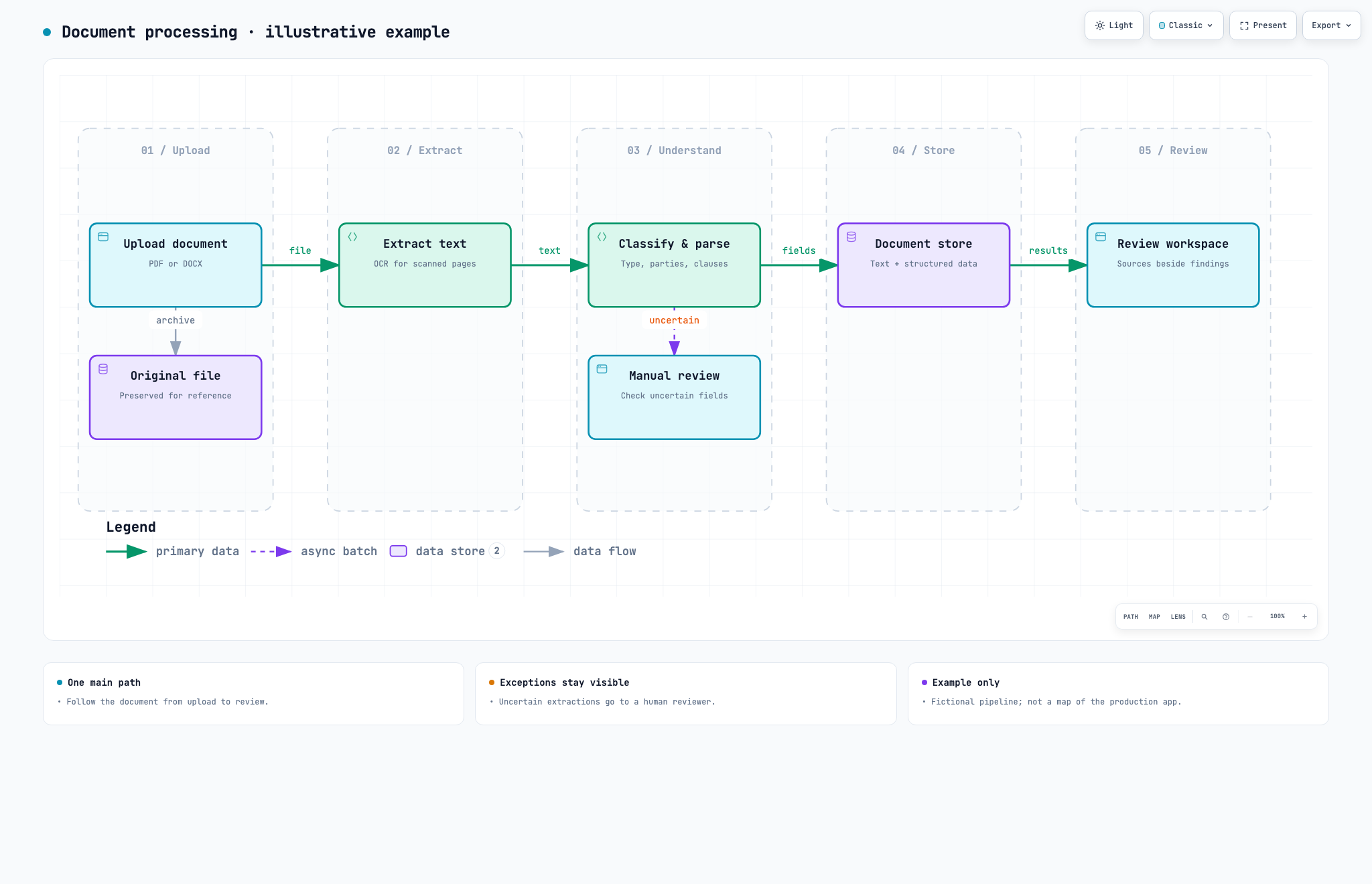
This image shows an archify diagram that I’ve created. This is an extremely effective way of quickly communicating between you and the coding agent because the visual presentation of information makes it easier for the human brain to understand. Image by author.
How to communicate better with coding agents
HTML files
Now, the main technique I want to present in this article is to have coding agents present the results to you in HTML instead of just presenting them inline in the terminal.
I would say that roughly 90-95% of the time that I have coding agents present me with some information, I have it presented to me in HTML. There are a few instances where I read the coding agent and what it says inline if it’s super simple, and I know that I’m just picking up some quick pieces of information. However, in most cases, there’s more information and more nuanced information that I want to pick up; thus, I asked the coding agent to present it to me in an HTML file.
HTML files are awesome because they’re so much more expressive than TXT files, which is basically the file type that you have whenever an agent talks to you in the terminal. So if an agent talks to you in the terminal, there’s no text parsing, it just writes out plain text, and it can make new lines, and that’s about it. This is, of course, okay if an agent or a robot is reading it; it just needs to read the text, but for the human eye, it makes it very hard to pick up all the important information.
You can notice this very clearly yourself: the difference between reading this article that you’re reading right now with the markdown formatting that we have here, where you can see the headlines, for example, or you can see the quotes such as below.
This is a quote, and is parsed in a nice manner
For the human eye, having something that breaks up the pattern makes it a lot easier to pay attention to all of the information and actually pick up all of the information, which is why HTML files work so well.
The agent can then present all the information they want to present to you in an HTML instead, where you can have headlines, it can have visuals, it can have bold text if something is very important, it can highlight something, it can include screenshots in the HTML, for example, that might be relevant if you’re analyzing something for your application and so on, there’s just a lot more information the agent can present to you because they can present the information in a visual manner as well, not only in a textual manner.
Not only is this easier for the human brain to understand because you can read the visuals, it also makes it a lot more intuitive. And in my experience, it makes me able to pick up the information a lot faster because I don’t have to necessarily read all the text, I can understand the context more from the visuals, which, of course, the human brain can pick up more intuitively and doesn’t have to kind of actively process as much as you have to actively process text when you read it.
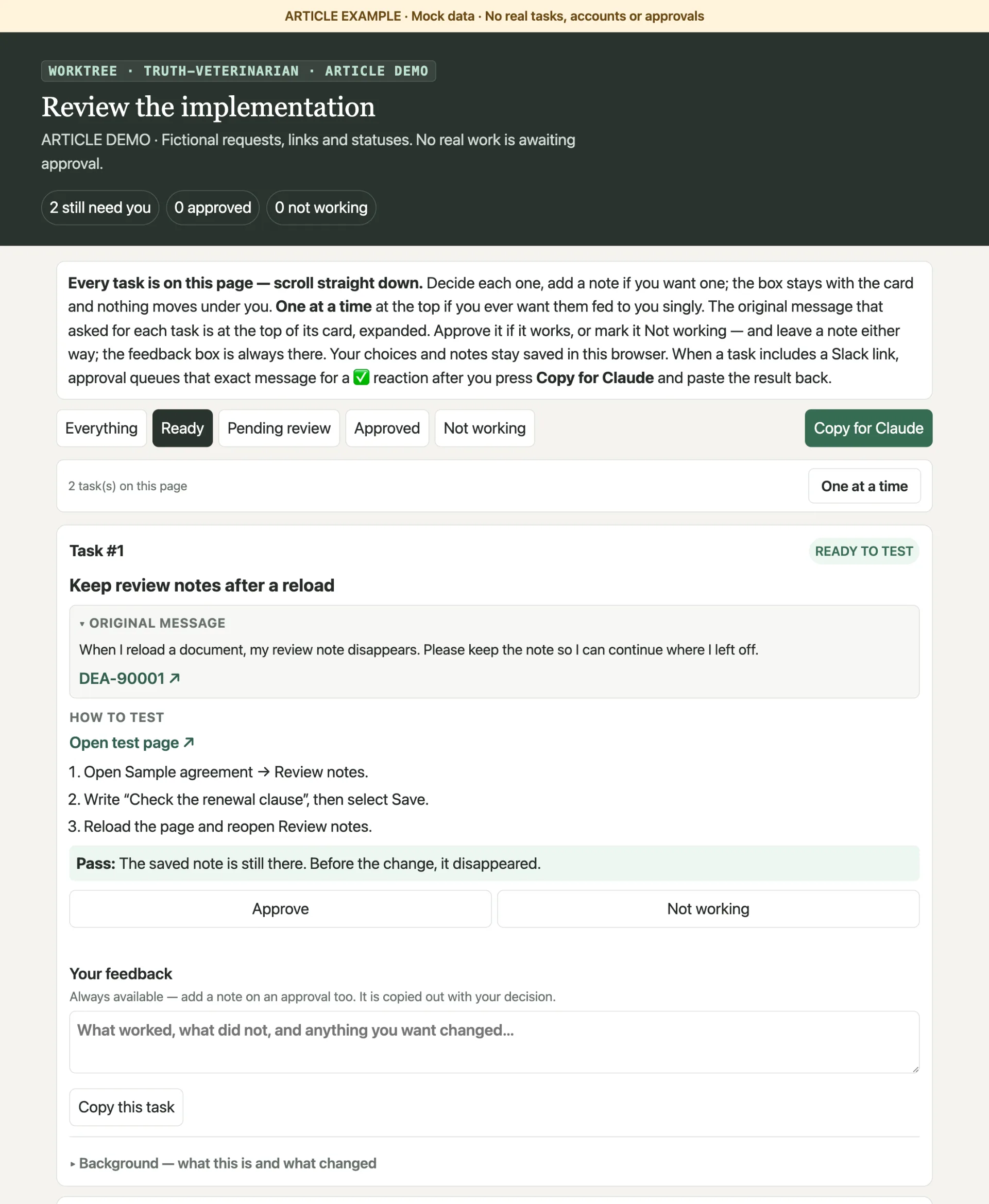
This image shows an example of my HTML report where you see one task that I’m going through. This report contains two tasks, but any report I can create can contain anything from 1 to 50 tasks from experience. You can see that this is a very effective way of going through and testing a lot of things that the coding agent has implemented, and I can approve or disapprove an implementation and tell the coding agent my feedback so it can continue iterating and come back to me once it’s fixed. Image by ChatGPT.
···
To make the agent respond with HTML as I described here, I simply updated my user-level Markdown file, which is always loaded for all my coding agents, whether I use Claude Code or Codex.
The Markdown file says something like:
So my superset is just an application that I’m using that lets me open a coding agent on the left side of the panel and then a split tab to see the browser on the right side so that I can both interact with my coding agent while looking at the HTML, which is super valuable.
I also have some skills on how to make HTML files for different scenarios. For example, I have one HTML skill called test report.
This is basically a skill that teaches the agent how to make the HTML file whenever I want to go through the implementation it has done. And the skill basically says: present each task you presented to me as a separate task, present me a link to the exact page where I can test the task, and include a step-by-step tutorial on how I can test it and what you did. Also, present the original request, whether it be a Slack message or a Linear task, quoted verbatim, so I understand the context surrounding the task, and include any other relevant context that I might want to know so I can check and verify the task effectively.
Making diagrams
Another main feature I want to highlight of HTML files is that you can present stuff in a visual manner. And of course, this could be just the agent showing you screenshots in the HTML file or just using Markdown processing such as bold text, titles, quotes, and so on. However, I recently discovered a very effective GitHub package for making diagrams.
The package is called Archify, and it presents very visual diagrams that can include a lot of information, making it easy for the human eye to pick up a lot of information without having to read that much text.
I find this package particularly useful whenever I want to understand how a piece of my application works. For example, if I want to understand how the upload handling in my application works. So when a user uploads a document, what happens to it? For example, we perform some classification, we perform OCR and other information extraction, and the agent can present this to me in a very visual diagram, which makes it easier for me to understand how our full document processing pipeline works, and I can make any tweaks that I deem necessary.
Making diagrams, I believe, is a super effective way of communicating between you and a coding agent, and I urge you to use it as much as possible when you want to present how a system works or any other scenario or piece of information that can be presented through a diagram. I’ve tried a lot of different diagram packages, and this is one of the better ones that I’ve used, as it’s so information-dense.
Conclusion
In this article, I discussed how I communicate very effectively with my coding agents. The main issue I covered in this article is that whenever the coding agent presents information to you, it could be scattered throughout the thread you have with your coding agent, and it’s also presented to you in pure text content, which is hard for the human brain to pick up effectively. Thus, my recommendation from this article is that you start making the coding agent present you with the same information but in a more visual manner by using HTML files. The agent can essentially always just create a new HTML file whenever it wants to present you with some piece of information. And it can use a lot of visual elements such as bold text, headings, quotes, code formatting, and diagrams to present you with the information in a more visual manner. I argue that presenting information in this visual manner is less straining for your brain to pick up because you don’t have to focus so much on reading and understanding all the text, and it’s also quicker for the human brain to pick up, and in general, just lightens the load for you to interact and communicate with your coding agent. I believe effective communication with your coding agents is going to be absolutely critical in the years to come, when humans move further and further up, like high-level, away from coding itself and toward orchestrating a fleet of coding agents. Thus, communicating effectively is going to be critical to make sure those systems run smoothly.
👉 My free eBook and Webinar:
🚀 10x Your Engineering with LLMs (Free 3-Day Email Course)
📚 Get my free Vision Language Models ebook
💻 My webinar on Vision Language Models
👉 Find me on socials:
💌 Substack