

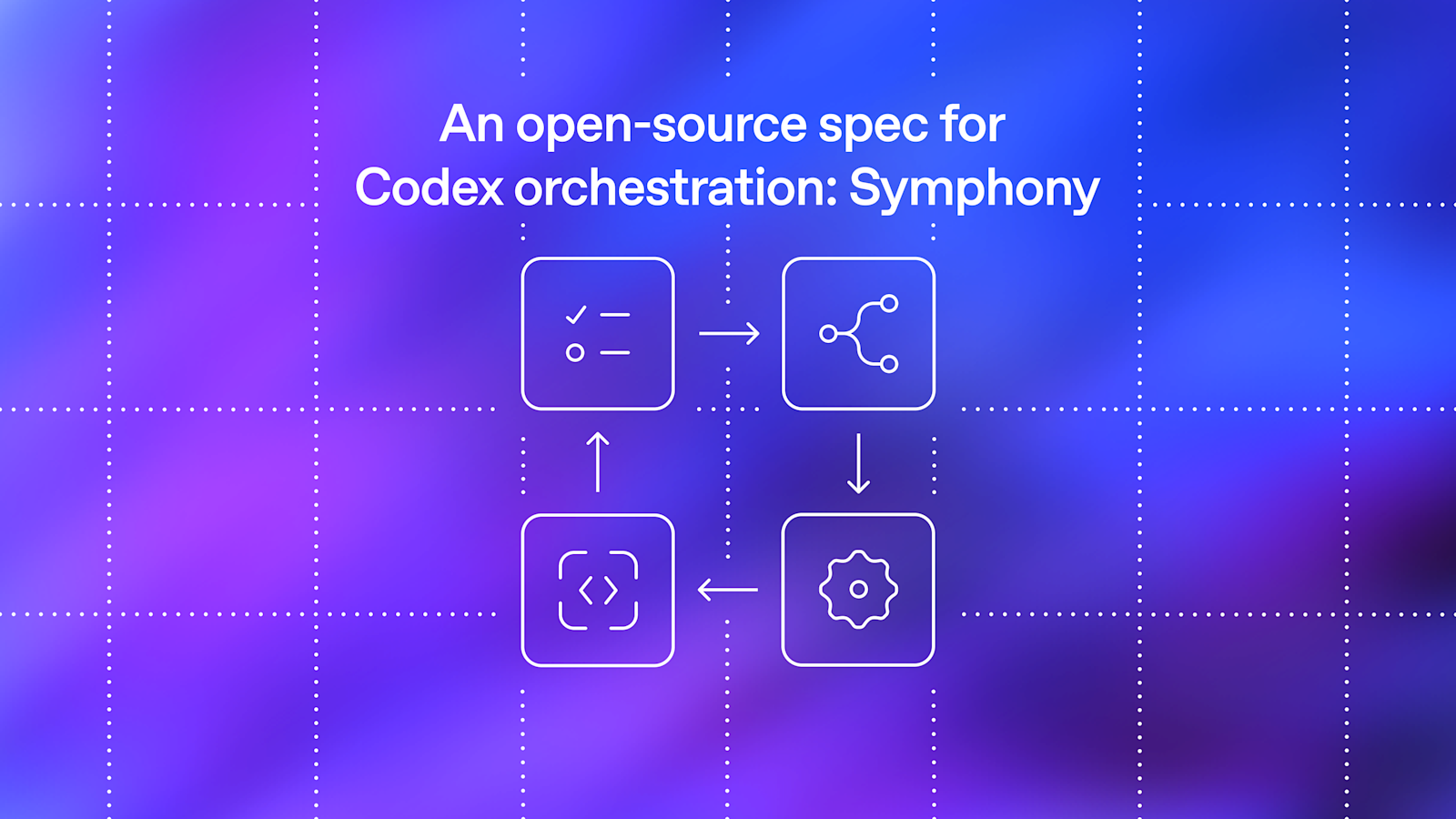
# Symphony Service Specification
Status: Draft v1 (language-agnostic)
Purpose: Define a service that orchestrates coding agents to get project work done.
Symphony is a long-running automation service that continuously reads work from an issue tracker
(Linear in this specification version), creates an isolated workspace for each issue, and runs a
coding agent session for that issue inside the workspace.
The service solves four operational problems:
– It turns issue execution into a repeatable daemon workflow instead of manual scripts.
– It isolates agent execution in per-issue workspaces so agent commands run only inside per-issue
workspace directories.
– It keeps the workflow policy in-repo (`WORKFLOW.md`) so teams version the agent prompt and runtime
settings with their code.
– It provides enough observability to operate and debug multiple concurrent agent runs.
Implementations are expected to document their trust and safety posture explicitly. This
specification does not require a single approval, sandbox, or operator-confirmation policy; some
implementations may target trusted environments with a high-trust configuration, while others may
require stricter approvals or sandboxing.
– Symphony is a scheduler/runner and tracker reader.
– Ticket writes (state transitions, comments, PR links) are typically performed by the coding agent
using tools available in the workflow/runtime environment.
– A successful run may end at a workflow-defined handoff state (for example `Human Review`), not
## 2. Goals and Non-Goals
– Poll the issue tracker on a fixed cadence and dispatch work with bounded concurrency.
– Maintain a single authoritative orchestrator state for dispatch, retries, and reconciliation.
– Create deterministic per-issue workspaces and preserve them across runs.
– Stop active runs when issue state changes make them ineligible.
– Recover from transient failures with exponential backoff.
– Load runtime behavior from a repository-owned `WORKFLOW.md` contract.
– Expose operator-visible observability (at minimum structured logs).
– Support restart recovery without requiring a persistent database.
– Rich web UI or multi-tenant control plane.
– Prescribing a specific dashboard or terminal UI implementation.
– General-purpose workflow engine or distributed job scheduler.
– Built-in business logic for how to edit tickets, PRs, or comments. (That logic lives in the
workflow prompt and agent tooling.)
– Mandating strong sandbox controls beyond what the coding agent and host OS provide.
– Mandating a single default approval, sandbox, or operator-confirmation posture for all
### 3.1 Main Components
– Reads `WORKFLOW.md`.
– Parses YAML front matter and prompt body.
– Returns `{config, prompt_template}`.
– Exposes typed getters for workflow config values.
– Applies defaults and environment variable indirection.
– Performs validation used by the orchestrator before dispatch.
3. `Issue Tracker Client`
– Fetches candidate issues in active states.
– Fetches current states for specific issue IDs (reconciliation).
– Fetches terminal-state issues during startup cleanup.
– Normalizes tracker payloads into a stable issue model.
– Owns the in-memory runtime state.
– Decides which issues to dispatch, retry, stop, or release.
– Tracks session metrics and retry queue state.
– Maps issue identifiers to workspace paths.
– Ensures per-issue workspace directories exist.
– Runs workspace lifecycle hooks.
– Cleans workspaces for terminal issues.
– Builds prompt from issue + workflow template.
– Launches the coding agent app-server client.
– Streams agent updates back to the orchestrator.
7. `Status Surface` (optional)
– Presents human-readable runtime status (for example terminal output, dashboard, or other
operator-facing view).
– Emits structured runtime logs to one or more configured sinks.
### 3.2 Abstraction Levels
Symphony is easiest to port when kept in these layers:
1. `Policy Layer` (repo-defined)
– `WORKFLOW.md` prompt body.
– Team-specific rules for ticket handling, validation, and handoff.
2. `Configuration Layer` (typed getters)
– Parses front matter into typed runtime settings.
– Handles defaults, environment tokens, and path normalization.
3. `Coordination Layer` (orchestrator)
– Polling loop, issue eligibility, concurrency, retries, reconciliation.
4. `Execution Layer` (workspace + agent subprocess)
– Filesystem lifecycle, workspace preparation, coding-agent protocol.
5. `Integration Layer` (Linear adapter)
– API calls and normalization for tracker data.
6. `Observability Layer` (logs + optional status surface)
– Operator visibility into orchestrator and agent behavior.
### 3.3 External Dependencies
– Issue tracker API (Linear for `tracker.kind: linear` in this specification version).
– Local filesystem for workspaces and logs.
– Optional workspace population tooling (for example Git CLI, if used).
– Coding-agent executable that supports JSON-RPC-like app-server mode over stdio.
– Host environment authentication for the issue tracker and coding agent.
## 4. Core Domain Model
Normalized issue record used by orchestration, prompt rendering, and observability output.
– Stable tracker-internal ID.
– `identifier` (string)
– Human-readable ticket key (example: `ABC-123`).
– `description` (string or null)
– `priority` (integer or null)
– Lower numbers are higher priority in dispatch sorting.
– Current tracker state name.
– `branch_name` (string or null)
– Tracker-provided branch metadata if available.
– `url` (string or null)
– `labels` (list of strings)
– Normalized to lowercase.
– `blocked_by` (list of blocker refs)
– Each blocker ref contains:
– `id` (string or null)
– `identifier` (string or null)
– `state` (string or null)
– `created_at` (timestamp or null)
– `updated_at` (timestamp or null)
#### 4.1.2 Workflow Definition
Parsed `WORKFLOW.md` payload:
– YAML front matter root object.
– `prompt_template` (string)
– Markdown body after front matter, trimmed.
#### 4.1.3 Service Config (Typed View)
Typed runtime values derived from `WorkflowDefinition.config` plus environment resolution.
– active and terminal issue states
– coding-agent executable/args/timeouts
Filesystem workspace assigned to one issue identifier.
– `path` (workspace path; current runtime typically uses absolute paths, but relative roots are
possible if configured without path separators)
– `workspace_key` (sanitized issue identifier)
– `created_now` (boolean, used to gate `after_create` hook)
#### 4.1.5 Run Attempt
One execution attempt for one issue.
– `attempt` (integer or null, `null` for first run, `>=1` for retries/continuation)
#### 4.1.6 Live Session (Agent Session Metadata)
State tracked while a coding-agent subprocess is running.
– `session_id` (string, `
– `thread_id` (string)
– `codex_app_server_pid` (string or null)
– `last_codex_event` (string/enum or null)
– `last_codex_timestamp` (timestamp or null)
– `last_codex_message` (summarized payload)
– `codex_input_tokens` (integer)
– `codex_output_tokens` (integer)
– `codex_total_tokens` (integer)
– `last_reported_input_tokens` (integer)
– `last_reported_output_tokens` (integer)
– `last_reported_total_tokens` (integer)
– `turn_count` (integer)
– Number of coding-agent turns started within the current worker lifetime.
#### 4.1.7 Retry Entry
Scheduled retry state for an issue.
– `identifier` (best-effort human ID for status surfaces/logs)
– `attempt` (integer, 1-based for retry queue)
– `due_at_ms` (monotonic clock timestamp)
– `timer_handle` (runtime-specific timer reference)
– `error` (string or null)
#### 4.1.8 Orchestrator Runtime State
Single authoritative in-memory state owned by the orchestrator.
– `poll_interval_ms` (current effective poll interval)
– `max_concurrent_agents` (current effective global concurrency limit)
– `running` (map `issue_id -> running entry`)
– `claimed` (set of issue IDs reserved/running/retrying)
– `retry_attempts` (map `issue_id -> RetryEntry`)
– `completed` (set of issue IDs; bookkeeping only, not dispatch gating)
– `codex_totals` (aggregate tokens + runtime seconds)
– `codex_rate_limits` (latest rate-limit snapshot from agent events)
### 4.2 Stable Identifiers and Normalization Rules
– Use for tracker lookups and internal map keys.
– Use for human-readable logs and workspace naming.
– Derive from `issue.identifier` by replacing any character not in `[A-Za-z0-9._-]` with `_`.
– Use the sanitized value for the workspace directory name.
– `Normalized Issue State`
– Compare states after `lowercase`.
– Compose from coding-agent `thread_id` and `turn_id` as `
## 5. Workflow Specification (Repository Contract)
### 5.1 File Discovery and Path Resolution
Workflow file path precedence:
1. Explicit application/runtime setting (set by CLI startup path).
2. Default: `WORKFLOW.md` in the current process working directory.
– If the file cannot be read, return `missing_workflow_file` error.
– The workflow file is expected to be repository-owned and version-controlled.
`WORKFLOW.md` is a Markdown file with optional YAML front matter.
– `WORKFLOW.md` should be self-contained enough to describe and run different workflows (prompt,
runtime settings, hooks, and tracker selection/config) without requiring out-of-band
service-specific configuration.
– If file starts with `—`, parse lines until the next `—` as YAML front matter.
– Remaining lines become the prompt body.
– If front matter is absent, treat the entire file as prompt body and use an empty config map.
– YAML front matter must decode to a map/object; non-map YAML is an error.
– Prompt body is trimmed before use.
Returned workflow object:
– `config`: front matter root object (not nested under a `config` key).
– `prompt_template`: trimmed Markdown body.
### 5.3 Front Matter Schema
Unknown keys should be ignored for forward compatibility.
– The workflow front matter is extensible. Optional extensions may define additional top-level keys
(for example `server`) without changing the core schema above.
– Extensions should document their field schema, defaults, validation rules, and whether changes
apply dynamically or require restart.
– Common extension: `server.port` (integer) enables the optional HTTP server described in Section
#### 5.3.1 `tracker` (object)
– Required for dispatch.
– Current supported value: `linear`
– Default for `tracker.kind == “linear”`: `https://api.linear.app/graphql`
– May be a literal token or `$VAR_NAME`.
– Canonical environment variable for `tracker.kind == “linear”`: `LINEAR_API_KEY`.
– If `$VAR_NAME` resolves to an empty string, treat the key as missing.
– `project_slug` (string)
– Required for dispatch when `tracker.kind == “linear”`.
– `active_states` (list of strings)
– Default: `Todo`, `In Progress`
– `terminal_states` (list of strings)
– Default: `Closed`, `Cancelled`, `Canceled`, `Duplicate`, `Done`
#### 5.3.2 `polling` (object)
– `interval_ms` (integer or string integer)
– Changes should be re-applied at runtime and affect future tick scheduling without restart.
#### 5.3.3 `workspace` (object)
– `root` (path string or `$VAR`)
– Default: `
– `~` and strings containing path separators are expanded.
– Bare strings without path separators are preserved as-is (relative roots are allowed but
#### 5.3.4 `hooks` (object)
– `after_create` (multiline shell script string, optional)
– Runs only when a workspace directory is newly created.
– Failure aborts workspace creation.
– `before_run` (multiline shell script string, optional)
– Runs before each agent attempt after workspace preparation and before launching the coding
– Failure aborts the current attempt.
– `after_run` (multiline shell script string, optional)
– Runs after each agent attempt (success, failure, timeout, or cancellation) once the workspace
– Failure is logged but ignored.
– `before_remove` (multiline shell script string, optional)
– Runs before workspace deletion if the directory exists.
– Failure is logged but ignored; cleanup still proceeds.
– `timeout_ms` (integer, optional)
– Applies to all workspace hooks.
– Non-positive values should be treated as invalid and fall back to the default.
– Changes should be re-applied at runtime for future hook executions.
#### 5.3.5 `agent` (object)
– `max_concurrent_agents` (integer or string integer)
– Changes should be re-applied at runtime and affect subsequent dispatch decisions.
– `max_retry_backoff_ms` (integer or string integer)
– Default: `300000` (5 minutes)
– Changes should be re-applied at runtime and affect future retry scheduling.
– `max_concurrent_agents_by_state` (map `state_name -> positive integer`)
– Default: empty map.
– State keys are normalized (`lowercase`) for lookup.
– Invalid entries (non-positive or non-numeric) are ignored.
#### 5.3.6 `codex` (object)
For Codex-owned config values such as `approval_policy`, `thread_sandbox`, and
`turn_sandbox_policy`, supported values are defined by the targeted Codex app-server version.
Implementors should treat them as pass-through Codex config values rather than relying on a
hand-maintained enum in this spec. To inspect the installed Codex schema, run
`codex app-server generate-json-schema –out
by `v2/ThreadStartParams.json` and `v2/TurnStartParams.json`. Implementations may validate these
fields locally if they want stricter startup checks.
– `command` (string shell command)
– Default: `codex app-server`
– The runtime launches this command via `bash -lc` in the workspace directory.
– The launched process must speak a compatible app-server protocol over stdio.
– `approval_policy` (Codex `AskForApproval` value)
– Default: implementation-defined.
– `thread_sandbox` (Codex `SandboxMode` value)
– Default: implementation-defined.
– `turn_sandbox_policy` (Codex `SandboxPolicy` value)
– Default: implementation-defined.
– `turn_timeout_ms` (integer)
– Default: `3600000` (1 hour)
– `read_timeout_ms` (integer)
– `stall_timeout_ms` (integer)
– Default: `300000` (5 minutes)
– If `<= 0`, stall detection is disabled.
### 5.4 Prompt Template Contract
The Markdown body of `WORKFLOW.md` is the per-issue prompt template.
Rendering requirements:
– Use a strict template engine (Liquid-compatible semantics are sufficient).
– Unknown variables must fail rendering.
– Unknown filters must fail rendering.
Template input variables:
– Includes all normalized issue fields, including labels and blockers.
– `attempt` (integer or null)
– `null`/absent on first attempt.
– Integer on retry or continuation run.
Fallback prompt behavior:
– If the workflow prompt body is empty, the runtime may use a minimal default prompt
(`You are working on an issue from Linear.`).
– Workflow file read/parse failures are configuration/validation errors and should not silently fall
### 5.5 Workflow Validation and Error Surface
– `missing_workflow_file`
– `workflow_parse_error`
– `workflow_front_matter_not_a_map`
– `template_parse_error` (during prompt rendering)
– `template_render_error` (unknown variable/filter, invalid interpolation)
Dispatch gating behavior:
– Workflow file read/YAML errors block new dispatches until fixed.
– Template errors fail only the affected run attempt.
## 6. Configuration Specification
### 6.1 Source Precedence and Resolution Semantics
Configuration precedence:
1. Workflow file path selection (runtime setting -> cwd default).
2. YAML front matter values.
3. Environment indirection via `$VAR_NAME` inside selected YAML values.
Value coercion semantics:
– Path/command fields support:
– `$VAR` expansion for env-backed path values
– Apply expansion only to values intended to be local filesystem paths; do not rewrite URIs or
arbitrary shell command strings.
### 6.2 Dynamic Reload Semantics
Dynamic reload is required:
– The software should watch `WORKFLOW.md` for changes.
– On change, it should re-read and re-apply workflow config and prompt template without restart.
– The software should attempt to adjust live behavior to the new config (for example polling
cadence, concurrency limits, active/terminal states, codex settings, workspace paths/hooks, and
prompt content for future runs).
– Reloaded config applies to future dispatch, retry scheduling, reconciliation decisions, hook
execution, and agent launches.
– Implementations are not required to restart in-flight agent sessions automatically when config
– Extensions that manage their own listeners/resources (for example an HTTP server port change) may
require restart unless the implementation explicitly supports live rebind.
– Implementations should also re-validate/reload defensively during runtime operations (for example
before dispatch) in case filesystem watch events are missed.
– Invalid reloads should not crash the service; keep operating with the last known good effective
configuration and emit an operator-visible error.
### 6.3 Dispatch Preflight Validation
This validation is a scheduler preflight run before attempting to dispatch new work. It validates
the workflow/config needed to poll and launch workers, not a full audit of all possible workflow
– Validate configuration before starting the scheduling loop.
– If startup validation fails, fail startup and emit an operator-visible error.
Per-tick dispatch validation:
– Re-validate before each dispatch cycle.
– If validation fails, skip dispatch for that tick, keep reconciliation active, and emit an
operator-visible error.
– Workflow file can be loaded and parsed.
– `tracker.kind` is present and supported.
– `tracker.api_key` is present after `$` resolution.
– `tracker.project_slug` is present when required by the selected tracker kind.
– `codex.command` is present and non-empty.
### 6.4 Config Fields Summary (Cheat Sheet)
This section is intentionally redundant so a coding agent can implement the config layer quickly.
– `tracker.kind`: string, required, currently `linear`
– `tracker.endpoint`: string, default `https://api.linear.app/graphql` when `tracker.kind=linear`
– `tracker.api_key`: string or `$VAR`, canonical env `LINEAR_API_KEY` when `tracker.kind=linear`
– `tracker.project_slug`: string, required when `tracker.kind=linear`
– `tracker.active_states`: list of strings, default `[“Todo”, “In Progress”]`
– `tracker.terminal_states`: list of strings, default `[“Closed”, “Cancelled”, “Canceled”, “Duplicate”, “Done”]`
– `polling.interval_ms`: integer, default `30000`
– `workspace.root`: path, default `
– `worker.ssh_hosts` (extension): list of SSH host strings, optional; when omitted, work runs
– `worker.max_concurrent_agents_per_host` (extension): positive integer, optional; shared per-host
cap applied across configured SSH hosts
– `hooks.after_create`: shell script or null
– `hooks.before_run`: shell script or null
– `hooks.after_run`: shell script or null
– `hooks.before_remove`: shell script or null
– `hooks.timeout_ms`: integer, default `60000`
– `agent.max_concurrent_agents`: integer, default `10`
– `agent.max_turns`: integer, default `20`
– `agent.max_retry_backoff_ms`: integer, default `300000` (5m)
– `agent.max_concurrent_agents_by_state`: map of positive integers, default `{}`
– `codex.command`: shell command string, default `codex app-server`
– `codex.approval_policy`: Codex `AskForApproval` value, default implementation-defined
– `codex.thread_sandbox`: Codex `SandboxMode` value, default implementation-defined
– `codex.turn_sandbox_policy`: Codex `SandboxPolicy` value, default implementation-defined
– `codex.turn_timeout_ms`: integer, default `3600000`
– `codex.read_timeout_ms`: integer, default `5000`
– `codex.stall_timeout_ms`: integer, default `300000`
– `server.port` (extension): integer, optional; enables the optional HTTP server, `0` may be used
for ephemeral local bind, and CLI `–port` overrides it
## 7. Orchestration State Machine
The orchestrator is the only component that mutates scheduling state. All worker outcomes are
reported back to it and converted into explicit state transitions.
### 7.1 Issue Orchestration States
This is not the same as tracker states (`Todo`, `In Progress`, etc.). This is the service’s internal
– Issue is not running and has no retry scheduled.
– Orchestrator has reserved the issue to prevent duplicate dispatch.
– In practice, claimed issues are either `Running` or `RetryQueued`.
– Worker task exists and the issue is tracked in `running` map.
– Worker is not running, but a retry timer exists in `retry_attempts`.
– Claim removed because issue is terminal, non-active, missing, or retry path completed without
– A successful worker exit does not mean the issue is done forever.
– The worker may continue through multiple back-to-back coding-agent turns before it exits.
– After each normal turn completion, the worker re-checks the tracker issue state.
– If the issue is still in an active state, the worker should start another turn on the same live
coding-agent thread in the same workspace, up to `agent.max_turns`.
– The first turn should use the full rendered task prompt.
– Continuation turns should send only continuation guidance to the existing thread, not resend the
original task prompt that is already present in thread history.
– Once the worker exits normally, the orchestrator still schedules a short continuation retry
(about 1 second) so it can re-check whether the issue remains active and needs another worker
### 7.2 Run Attempt Lifecycle
A run attempt transitions through these phases:
1. `PreparingWorkspace`
3. `LaunchingAgentProcess`
4. `InitializingSession`
11. `CanceledByReconciliation`
Distinct terminal reasons are important because retry logic and logs differ.
### 7.3 Transition Triggers
– Reconcile active runs.
– Fetch candidate issues.
– Dispatch until slots are exhausted.
– `Worker Exit (normal)`
– Remove running entry.
– Update aggregate runtime totals.
– Schedule continuation retry (attempt `1`) after the worker exhausts or finishes its in-process
– `Worker Exit (abnormal)`
– Remove running entry.
– Update aggregate runtime totals.
– Schedule exponential-backoff retry.
– `Codex Update Event`
– Update live session fields, token counters, and rate limits.
– Re-fetch active candidates and attempt re-dispatch, or release claim if no longer eligible.
– `Reconciliation State Refresh`
– Stop runs whose issue states are terminal or no longer active.
– Kill worker and schedule retry.
### 7.4 Idempotency and Recovery Rules
– The orchestrator serializes state mutations through one authority to avoid duplicate dispatch.
– `claimed` and `running` checks are required before launching any worker.
– Reconciliation runs before dispatch on every tick.
– Restart recovery is tracker-driven and filesystem-driven (no durable orchestrator DB required).
– Startup terminal cleanup removes stale workspaces for issues already in terminal states.
## 8. Polling, Scheduling, and Reconciliation
At startup, the service validates config, performs startup cleanup, schedules an immediate tick, and
then repeats every `polling.interval_ms`.
The effective poll interval should be updated when workflow config changes are re-applied.
1. Reconcile running issues.
2. Run dispatch preflight validation.
3. Fetch candidate issues from tracker using active states.
4. Sort issues by dispatch priority.
5. Dispatch eligible issues while slots remain.
6. Notify observability/status consumers of state changes.
If per-tick validation fails, dispatch is skipped for that tick, but reconciliation still happens
### 8.2 Candidate Selection Rules
An issue is dispatch-eligible only if all are true:
– It has `id`, `identifier`, `title`, and `state`.
– Its state is in `active_states` and not in `terminal_states`.
– It is not already in `running`.
– It is not already in `claimed`.
– Global concurrency slots are available.
– Per-state concurrency slots are available.
– Blocker rule for `Todo` state passes:
– If the issue state is `Todo`, do not dispatch when any blocker is non-terminal.
Sorting order (stable intent):
1. `priority` ascending (1..4 are preferred; null/unknown sorts last)
2. `created_at` oldest first
3. `identifier` lexicographic tie-breaker
### 8.3 Concurrency Control
– `available_slots = max(max_concurrent_agents – running_count, 0)`
– `max_concurrent_agents_by_state[state]` if present (state key normalized)
– otherwise fallback to global limit
The runtime counts issues by their current tracked state in the `running` map.
Optional SSH host limit:
– When `worker.max_concurrent_agents_per_host` is set, each configured SSH host may run at most
that many concurrent agents at once.
– Hosts at that cap are skipped for new dispatch until capacity frees up.
### 8.4 Retry and Backoff
– Cancel any existing retry timer for the same issue.
– Store `attempt`, `identifier`, `error`, `due_at_ms`, and new timer handle.
– Normal continuation retries after a clean worker exit use a short fixed delay of `1000` ms.
– Failure-driven retries use `delay = min(10000 * 2^(attempt – 1), agent.max_retry_backoff_ms)`.
– Power is capped by the configured max retry backoff (default `300000` / 5m).
Retry handling behavior:
1. Fetch active candidate issues (not all issues).
2. Find the specific issue by `issue_id`.
3. If not found, release claim.
4. If found and still candidate-eligible:
– Dispatch if slots are available.
– Otherwise requeue with error `no available orchestrator slots`.
5. If found but no longer active, release claim.
– Terminal-state workspace cleanup is handled by startup cleanup and active-run reconciliation
(including terminal transitions for currently running issues).
– Retry handling mainly operates on active candidates and releases claims when the issue is absent,
rather than performing terminal cleanup itself.
### 8.5 Active Run Reconciliation
Reconciliation runs every tick and has two parts.
Part A: Stall detection
– For each running issue, compute `elapsed_ms` since:
– `last_codex_timestamp` if any event has been seen, else
– If `elapsed_ms > codex.stall_timeout_ms`, terminate the worker and queue a retry.
– If `stall_timeout_ms <= 0`, skip stall detection entirely.
Part B: Tracker state refresh
– Fetch current issue states for all running issue IDs.
– For each running issue:
– If tracker state is terminal: terminate worker and clean workspace.
– If tracker state is still active: update the in-memory issue snapshot.
– If tracker state is neither active nor terminal: terminate worker without workspace cleanup.
– If state refresh fails, keep workers running and try again on the next tick.
### 8.6 Startup Terminal Workspace Cleanup
When the service starts:
1. Query tracker for issues in terminal states.
2. For each returned issue identifier, remove the corresponding workspace directory.
3. If the terminal-issues fetch fails, log a warning and continue startup.
This prevents stale terminal workspaces from accumulating after restarts.
## 9. Workspace Management and Safety
### 9.1 Workspace Layout
– `workspace.root` (normalized path; the current config layer expands path-like values and preserves
Per-issue workspace path:
Workspace persistence:
– Workspaces are reused across runs for the same issue.
– Successful runs do not auto-delete workspaces.
### 9.2 Workspace Creation and Reuse
Input: `issue.identifier`
1. Sanitize identifier to `workspace_key`.
2. Compute workspace path under workspace root.
3. Ensure the workspace path exists as a directory.
4. Mark `created_now=true` only if the directory was created during this call; otherwise
5. If `created_now=true`, run `after_create` hook if configured.
– This section does not assume any specific repository/VCS workflow.
– Workspace preparation beyond directory creation (for example dependency bootstrap, checkout/sync,
code generation) is implementation-defined and is typically handled via hooks.
### 9.3 Optional Workspace Population (Implementation-Defined)
The spec does not require any built-in VCS or repository bootstrap behavior.
Implementations may populate or synchronize the workspace using implementation-defined logic and/or
hooks (for example `after_create` and/or `before_run`).
– Workspace population/synchronization failures return an error for the current attempt.
– If failure happens while creating a brand-new workspace, implementations may remove the partially
– Reused workspaces should not be destructively reset on population failure unless that policy is
explicitly chosen and documented.
### 9.4 Workspace Hooks
– `hooks.after_create`
– `hooks.before_remove`
– Execute in a local shell context appropriate to the host OS, with the workspace directory as
– On POSIX systems, `sh -lc (or a stricter equivalent such as `bash -lc ) is a
– Hook timeout uses `hooks.timeout_ms`; default: `60000 ms`.
– Log hook start, failures, and timeouts.
– `after_create` failure or timeout is fatal to workspace creation.
– `before_run` failure or timeout is fatal to the current run attempt.
– `after_run` failure or timeout is logged and ignored.
– `before_remove` failure or timeout is logged and ignored.
### 9.5 Safety Invariants
This is the most important portability constraint.
Invariant 1: Run the coding agent only in the per-issue workspace path.
– Before launching the coding-agent subprocess, validate:
– `cwd == workspace_path`
Invariant 2: Workspace path must stay inside workspace root.
– Normalize both paths to absolute.
– Require `workspace_path` to have `workspace_root` as a prefix directory.
– Reject any path outside the workspace root.
Invariant 3: Workspace key is sanitized.
– Only `[A-Za-z0-9._-]` allowed in workspace directory names.
– Replace all other characters with `_`.
## 10. Agent Runner Protocol (Coding Agent Integration)
This section defines the language-neutral contract for integrating a coding agent app-server.
Compatibility profile:
– The normative contract is message ordering, required behaviors, and the logical fields that must
be extracted (for example session IDs, completion state, approval handling, and usage/rate-limit
– Exact JSON field names may vary slightly across compatible app-server versions.
– Implementations should tolerate equivalent payload shapes when they carry the same logical
meaning, especially for nested IDs, approval requests, user-input-required signals, and
token/rate-limit metadata.
### 10.1 Launch Contract
Subprocess launch parameters:
– Command: `codex.command`
– Invocation: `bash -lc
– Working directory: workspace path
– Stdout/stderr: separate streams
– Framing: line-delimited protocol messages on stdout (JSON-RPC-like JSON per line)
– The default command is `codex app-server`.
– Approval policy, cwd, and prompt are expressed in the protocol messages in Section 10.2.
Recommended additional process settings:
– Max line size: 10 MB (for safe buffering)
### 10.2 Session Startup Handshake
Reference: https://developers.openai.com/codex/app-server/
The client must send these protocol messages in order:
Illustrative startup transcript (equivalent payload shapes are acceptable if they preserve the same
{“id”:1,”method”:”initialize”,”params”:{“clientInfo”:{“name”:”symphony”,”version”:”1.0″},”capabilities”:{}}}
{“method”:”initialized”,”params”:{}}
{“id”:2,”method”:”thread/start”,”params”:{“approvalPolicy”:”
{“id”:3,”method”:”turn/start”,”params”:{“threadId”:”
1. `initialize` request
– `clientInfo` object (for example `{name, version}`)
– `capabilities` object (may be empty)
– If the targeted Codex app-server requires capability negotiation for dynamic tools, include the
necessary capability flag(s) here.
– Wait for response (`read_timeout_ms`)
2. `initialized` notification
3. `thread/start` request
– `approvalPolicy` = implementation-defined session approval policy value
– `sandbox` = implementation-defined session sandbox value
– `cwd` = absolute workspace path
– If optional client-side tools are implemented, include their advertised tool specs using the
protocol mechanism supported by the targeted Codex app-server version.
4. `turn/start` request
– `input` = single text item containing rendered prompt for the first turn, or continuation
guidance for later turns on the same thread
– `approvalPolicy` = implementation-defined turn approval policy value
– `sandboxPolicy` = implementation-defined object-form sandbox policy payload when required by
the targeted app-server version
– Read `thread_id` from `thread/start` result `result.thread.id`
– Read `turn_id` from each `turn/start` result `result.turn.id`
– Emit `session_id = “
– Reuse the same `thread_id` for all continuation turns inside one worker run
### 10.3 Streaming Turn Processing
The client reads line-delimited messages until the turn terminates.
Completion conditions:
– `turn/completed` -> success
– `turn/failed` -> failure
– `turn/cancelled` -> failure
– turn timeout (`turn_timeout_ms`) -> failure
– subprocess exit -> failure
Continuation processing:
– If the worker decides to continue after a successful turn, it should issue another `turn/start`
on the same live `threadId`.
– The app-server subprocess should remain alive across those continuation turns and be stopped only
when the worker run is ending.
Line handling requirements:
– Read protocol messages from stdout only.
– Buffer partial stdout lines until newline arrives.
– Attempt JSON parse on complete stdout lines.
– Stderr is not part of the protocol stream:
– ignore it or log it as diagnostics
– do not attempt protocol JSON parsing on stderr
### 10.4 Emitted Runtime Events (Upstream to Orchestrator)
The app-server client emits structured events to the orchestrator callback. Each event should
– `event` (enum/string)
– `timestamp` (UTC timestamp)
– `codex_app_server_pid` (if available)
– optional `usage` map (token counts)
– payload fields as needed
Important emitted events may include:
– `turn_ended_with_error`
– `turn_input_required`
– `approval_auto_approved`
– `unsupported_tool_call`
### 10.5 Approval, Tool Calls, and User Input Policy
Approval, sandbox, and user-input behavior is implementation-defined.
– Each implementation should document its chosen approval, sandbox, and operator-confirmation
– Approval requests and user-input-required events must not leave a run stalled indefinitely. An
implementation should either satisfy them, surface them to an operator, auto-resolve them, or
fail the run according to its documented policy.
Example high-trust behavior:
– Auto-approve command execution approvals for the session.
– Auto-approve file-change approvals for the session.
– Treat user-input-required turns as hard failure.
Unsupported dynamic tool calls:
– Supported dynamic tool calls that are explicitly implemented and advertised by the runtime should
be handled according to their extension contract.
– If the agent requests a dynamic tool call (`item/tool/call`) that is not supported, return a tool
failure response and continue the session.
– This prevents the session from stalling on unsupported tool execution paths.
Optional client-side tool extension:
– An implementation may expose a limited set of client-side tools to the app-server session.
– Current optional standardized tool: `linear_graphql`.
– If implemented, supported tools should be advertised to the app-server session during startup
using the protocol mechanism supported by the targeted Codex app-server version.
– Unsupported tool names should still return a failure result and continue the session.
`linear_graphql` extension contract:
– Purpose: execute a raw GraphQL query or mutation against Linear using Symphony’s configured
tracker auth for the current session.
– Availability: only meaningful when `tracker.kind == “linear”` and valid Linear auth is configured.
– Preferred input shape:
“query”: “single GraphQL query or mutation document”,
“optional”: “graphql variables object”
– `query` must be a non-empty string.
– `query` must contain exactly one GraphQL operation.
– `variables` is optional and, when present, must be a JSON object.
– Implementations may additionally accept a raw GraphQL query string as shorthand input.
– Execute one GraphQL operation per tool call.
– If the provided document contains multiple operations, reject the tool call as invalid input.
– `operationName` selection is intentionally out of scope for this extension.
– Reuse the configured Linear endpoint and auth from the active Symphony workflow/runtime config; do
not require the coding agent to read raw tokens from disk.
– Tool result semantics:
– transport success + no top-level GraphQL `errors` -> `success=true`
– top-level GraphQL `errors` present -> `success=false`, but preserve the GraphQL response body
– invalid input, missing auth, or transport failure -> `success=false` with an error payload
– Return the GraphQL response or error payload as structured tool output that the model can inspect
Illustrative responses (equivalent payload shapes are acceptable if they preserve the same outcome):
{“id”:”
Hard failure on user input requirement:
– If the agent requests user input, fail the run attempt immediately.
– The client detects this via:
– explicit method (`item/tool/requestUserInput`), or
– turn methods/flags indicating input is required.
### 10.6 Timeouts and Error Mapping
– `codex.read_timeout_ms`: request/response timeout during startup and sync requests
– `codex.turn_timeout_ms`: total turn stream timeout
– `codex.stall_timeout_ms`: enforced by orchestrator based on event inactivity
Error mapping (recommended normalized categories):
– `invalid_workspace_cwd`
– `turn_input_required`
### 10.7 Agent Runner Contract
The `Agent Runner` wraps workspace + prompt + app-server client.
1. Create/reuse workspace for issue.
2. Build prompt from workflow template.
3. Start app-server session.
4. Forward app-server events to orchestrator.
5. On any error, fail the worker attempt (the orchestrator will retry).
– Workspaces are intentionally preserved after successful runs.
## 11. Issue Tracker Integration Contract (Linear-Compatible)
### 11.1 Required Operations
An implementation must support these tracker adapter operations:
1. `fetch_candidate_issues()`
– Return issues in configured active states for a configured project.
2. `fetch_issues_by_states(state_names)`
– Used for startup terminal cleanup.
3. `fetch_issue_states_by_ids(issue_ids)`
– Used for active-run reconciliation.
### 11.2 Query Semantics (Linear)
Linear-specific requirements for `tracker.kind == “linear”`:
– `tracker.kind == “linear”`
– GraphQL endpoint (default `https://api.linear.app/graphql`)
– Auth token sent in `Authorization` header
– `tracker.project_slug` maps to Linear project `slugId`
– Candidate issue query filters project using `project: { slugId: { eq: $projectSlug } }`
– Issue-state refresh query uses GraphQL issue IDs with variable type `[ID!]`
– Pagination required for candidate issues
– Page size default: `50`
– Network timeout: `30000 ms`
– Linear GraphQL schema details can drift. Keep query construction isolated and test the exact query
fields/types required by this specification.
A non-Linear implementation may change transport details, but the normalized outputs must match the
domain model in Section 4.
### 11.3 Normalization Rules
Candidate issue normalization should produce fields listed in Section 4.1.1.
Additional normalization details:
– `labels` -> lowercase strings
– `blocked_by` -> derived from inverse relations where relation type is `blocks`
– `priority` -> integer only (non-integers become null)
– `created_at` and `updated_at` -> parse ISO-8601 timestamps
### 11.4 Error Handling Contract
Recommended error categories:
– `unsupported_tracker_kind`
– `missing_tracker_api_key`
– `missing_tracker_project_slug`
– `linear_api_request` (transport failures)
– `linear_api_status` (non-200 HTTP)
– `linear_graphql_errors`
– `linear_unknown_payload`
– `linear_missing_end_cursor` (pagination integrity error)
Orchestrator behavior on tracker errors:
– Candidate fetch failure: log and skip dispatch for this tick.
– Running-state refresh failure: log and keep active workers running.
– Startup terminal cleanup failure: log warning and continue startup.
### 11.5 Tracker Writes (Important Boundary)
Symphony does not require first-class tracker write APIs in the orchestrator.
– Ticket mutations (state transitions, comments, PR metadata) are typically handled by the coding
agent using tools defined by the workflow prompt.
– The service remains a scheduler/runner and tracker reader.
– Workflow-specific success often means “reached the next handoff state” (for example
`Human Review`) rather than tracker terminal state `Done`.
– If the optional `linear_graphql` client-side tool extension is implemented, it is still part of
the agent toolchain rather than orchestrator business logic.
## 12. Prompt Construction and Context Assembly
Inputs to prompt rendering:
– `workflow.prompt_template`
– normalized `issue` object
– optional `attempt` integer (retry/continuation metadata)
### 12.2 Rendering Rules
– Render with strict variable checking.
– Render with strict filter checking.
– Convert issue object keys to strings for template compatibility.
– Preserve nested arrays/maps (labels, blockers) so templates can iterate.
### 12.3 Retry/Continuation Semantics
`attempt` should be passed to the template because the workflow prompt may provide different
– first run (`attempt` null or absent)
– continuation run after a successful prior session
– retry after error/timeout/stall
### 12.4 Failure Semantics
If prompt rendering fails:
– Fail the run attempt immediately.
– Let the orchestrator treat it like any other worker failure and decide retry behavior.
## 13. Logging, Status, and Observability
### 13.1 Logging Conventions
Required context fields for issue-related logs:
Required context for coding-agent session lifecycle logs:
Message formatting requirements:
– Use stable `key=value` phrasing.
– Include action outcome (`completed`, `failed`, `retrying`, etc.).
– Include concise failure reason when present.
– Avoid logging large raw payloads unless necessary.
### 13.2 Logging Outputs and Sinks
The spec does not prescribe where logs must go (stderr, file, remote sink, etc.).
– Operators must be able to see startup/validation/dispatch failures without attaching a debugger.
– Implementations may write to one or more sinks.
– If a configured log sink fails, the service should continue running when possible and emit an
operator-visible warning through any remaining sink.
### 13.3 Runtime Snapshot / Monitoring Interface (Optional but Recommended)
If the implementation exposes a synchronous runtime snapshot (for dashboards or monitoring), it
– `running` (list of running session rows)
– each running row should include `turn_count`
– `retrying` (list of retry queue rows)
– `seconds_running` (aggregate runtime seconds as of snapshot time, including active sessions)
– `rate_limits` (latest coding-agent rate limit payload, if available)
Recommended snapshot error modes:
### 13.4 Optional Human-Readable Status Surface
A human-readable status surface (terminal output, dashboard, etc.) is optional and
implementation-defined.
If present, it should draw from orchestrator state/metrics only and must not be required for
### 13.5 Session Metrics and Token Accounting
Token accounting rules:
– Agent events may include token counts in multiple payload shapes.
– Prefer absolute thread totals when available, such as:
– `thread/tokenUsage/updated` payloads
– `total_token_usage` within token-count wrapper events
– Ignore delta-style payloads such as `last_token_usage` for dashboard/API totals.
– Extract input/output/total token counts leniently from common field names within the selected
– For absolute totals, track deltas relative to last reported totals to avoid double-counting.
– Do not treat generic `usage` maps as cumulative totals unless the event type defines them that
– Accumulate aggregate totals in orchestrator state.
– Runtime should be reported as a live aggregate at snapshot/render time.
– Implementations may maintain a cumulative counter for ended sessions and add active-session
elapsed time derived from `running` entries (for example `started_at`) when producing a
snapshot/status view.
– Add run duration seconds to the cumulative ended-session runtime when a session ends (normal exit
or cancellation/termination).
– Continuous background ticking of runtime totals is not required.
– Track the latest rate-limit payload seen in any agent update.
– Any human-readable presentation of rate-limit data is implementation-defined.
### 13.6 Humanized Agent Event Summaries (Optional)
Humanized summaries of raw agent protocol events are optional.
– Treat them as observability-only output.
– Do not make orchestrator logic depend on humanized strings.