


In the first three articles of this series, I built a stateful LangGraph agent that handles a 15-minute booking process and wrapped it up with a Streamlit UI to improve user experience, and added a proper backend with Postgres database.
The journey of this AI agent started when I had a chat with a customer service representative for a cleaning service.
The agent handles the entire booking process like a real customer service representative. It’s a LangGraph-based agent that orchestrates the following operations:
-
Responds to customer queries and understands their needs.
-
Calculates the price for the service and informs the customer.
-
Handles the customer’s acceptance or rejection.
-
Proposes optimized time slots.
-
Confirms and records the appointment.
In this article, we will test the Postgres backend using both Docker and a hosted Postgres.
The full source code of this project is available on GitHub at customer-service-agent. Feel free to clone the repo and test it yourself.
Agent Structure
The following diagram shows the structure (i.e. graph workflow) of our AI agent:
Conversation progress lives in LangGraph AgentState and is saved as checkpoints.
When the agent offers time slots, it reads existing bookings from the database so it does not propose a time that is already taken.
When the customer confirms a booking, the agent writes one booking row (technician, time range, address, price).
Testing the database
As I explained in the previous article, the agent has two persistence modes, which are in-memory and Postgres.
In-memory is for quick testing and demo purposes. If DATABASE_URL is unset, the app uses InMemoryBookingRepository and MemorySaver. No tables are created.
In order to run a local test with Streamlit UI, we first install dependencies with poetry install and then create a .env file by copying the .env.example .
We need to set OPENAI_API_KEY in .env . We can leave DATABASE_URL empty for this test. Then, we can start the Stremlit UI at localhost:8501 using the following command:
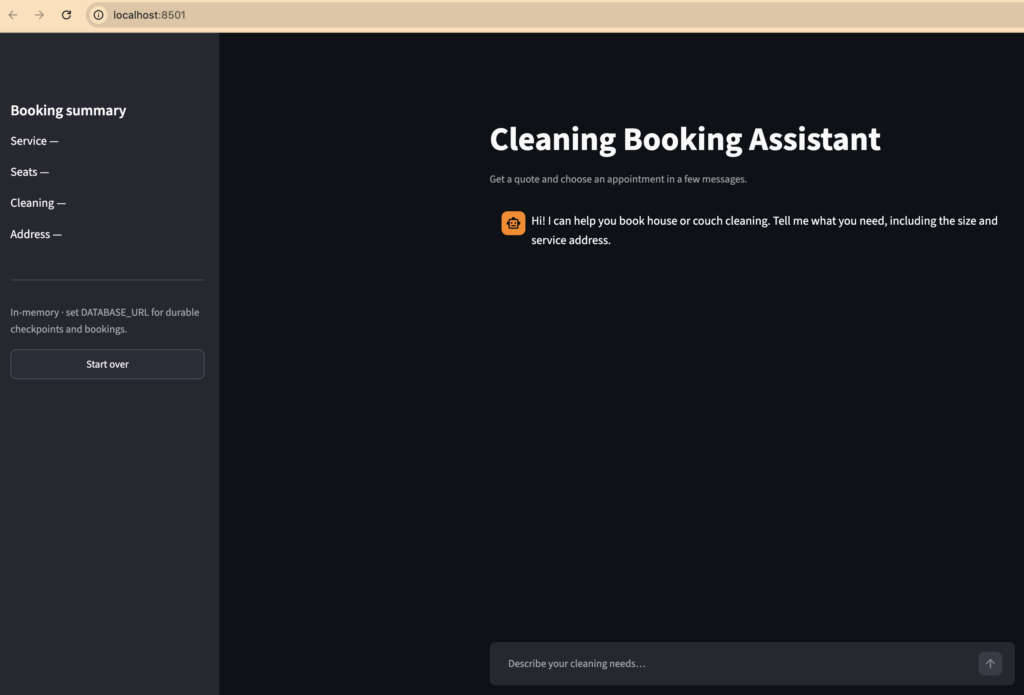
Then we see the following Streamlit UI:
Here is a small chat I had with the agent:
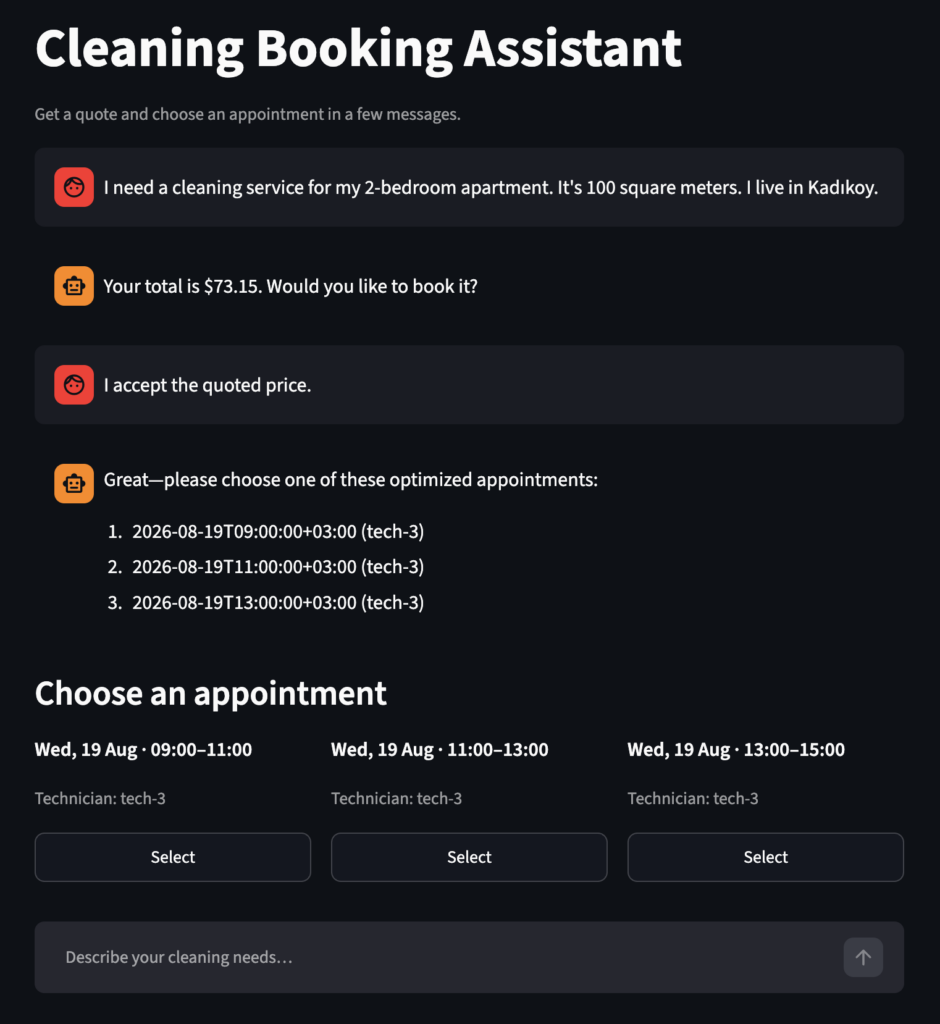
If you haven’t read the previous articles, the AI agent can understand If all required information is already present and proceed directly to calculating and presenting a quote. If I don’t give the size or address in the first message, agent would ask for these before calculating the price.
We can complete a booking in the UI but conversation state disappear when the app restarts. To actually have data stored, we need to use the database options.
Testing with Docker
Why testing with Docker
We also have the option to test the project with Docker. It allows for testing against Postgres without having to installing a real database in our computers.
Testing with Docker mimics the same database we would have in production but locally. The app talks to an actual PostgreSQL server.
Docker also makes it reproducible for everyone. The URL and credentials live in docker-compose.yml / .env.example. You get the same setup as I have used.
Thanks to Docker, the app will be isolated from the rest of the computer. The database runs in a container. We can stop it (docker compose down) or wipe it (docker compose down -v) without touching other apps.
So Docker lets us test the durable backend on a real Postgres instance in minutes, with the same connection string every time, and without installing Postgres on our laptop.
How to test with Docker
This project has a docker-compose.yml file that starts a container with PostgreSQL 16:
Docker pulls the official Postgres image and runs a database server inside the container.
Streamlit app still runs locally and connects to that container over localhost:5432.
Database files are stored in a Docker volume (booking_pgdata) , which is a persistent disk storage managed by Docker. It’s not in RAM so data stays in the container unless we delete the volume.
In order to test it Docker, you need to Docker Desktop installed in your computer. Open Docker Desktop and wait until you see “Engine is running” or “Docker is running”.
Then, we can start the container using the following command:
And we need to add DATABASE_URL in our .env file:
Then, we can run the app using the following command:
After running this command, Streamlit UI starts.
I completed a test booking:
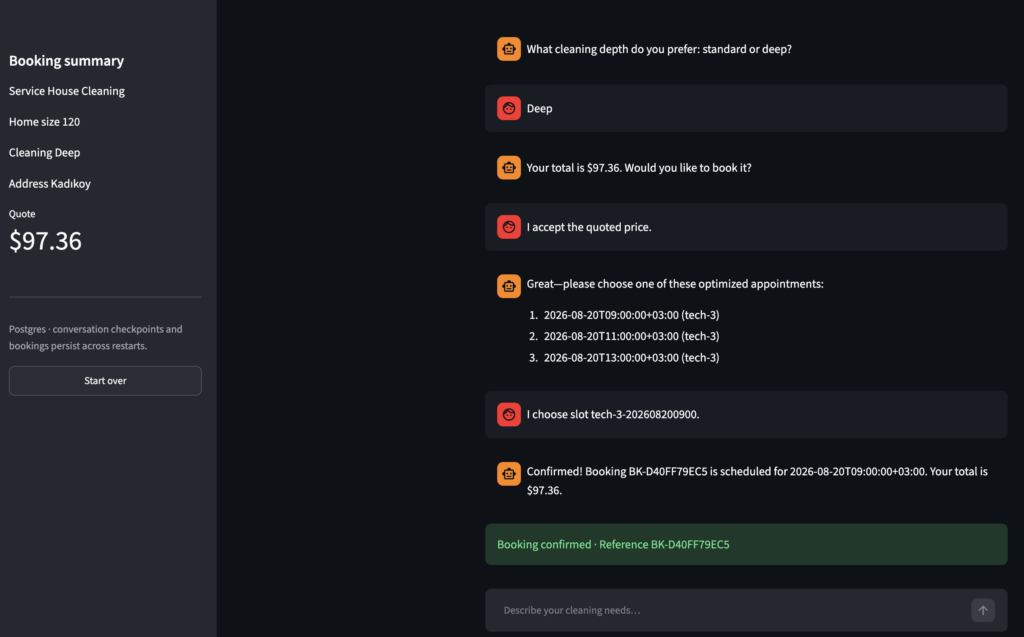
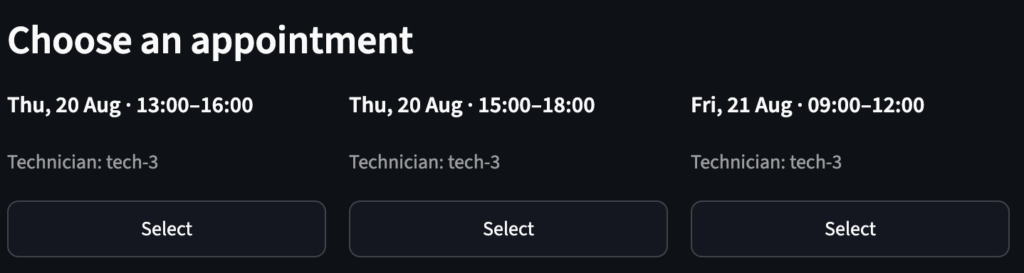
To verify it works properly, I open a second browser (localhost:8501) and asked for the same service. This time, it did not offer the time slop I previously booked:
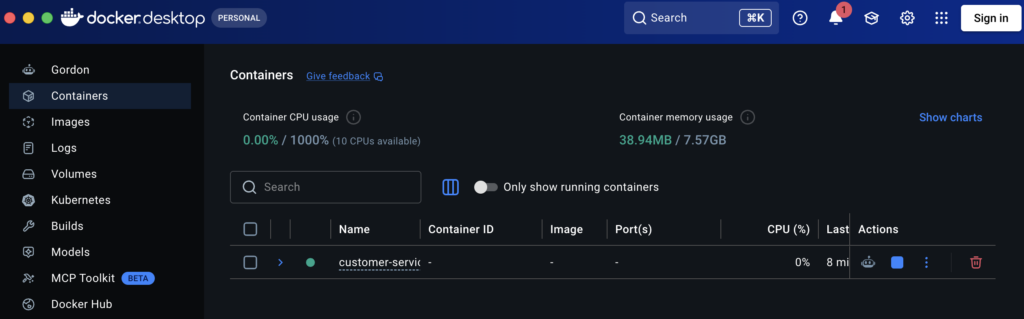
We can also see it’s running on Docker Desktop:
Streamlit and Docker Postgres are separate processes.
Restarting Streamlit only restarts the Python app. The Postgres container keeps running unless we stop it.
Also, the data lives in the Docker volume, not in Streamlit memory. So when we schedule a new appointment, the app sees the previous bookings in the database.
We only lose the database only if we stop or remove the container and delete the volume (docker compose down -v).
Testing with a hosted Postgres
We don’t need to use Docker if we have Postgres in the cloud (e.g. Supabase, RDS).
We can simply create a Postgres database in the provider’s dashboard and copy the connection string.
It looks something like this:
postgresql://USER:PASSWORD@HOST:PORT/DATABASE
We then put that string in .env as DATABASE_URL.
Then, we start the app as we did before:
The app behavior is identical to Docker. The only difference is where Postgres runs. It now runs on a remote host.
We are gradually turning this customer service agent into a product that could provide real business value.
There is still more to do. We can add other channels, such as WhatsApp. We also need a safety layer to reduce prompt injection risk. The booking workflow and chat experience can be improved as well.
I will cover these in upcoming articles.
Thank you for reading.