

Generating running routes with GPT-6 Astra and ChatGPT Work
12th September 2026
Here’s a neat thing I had ChatGPT Work with GPT-6 Astra (Max) do this morning:
I live at. Figure out 5K and 10K running routes from me that loop from my house. Use OSM data.
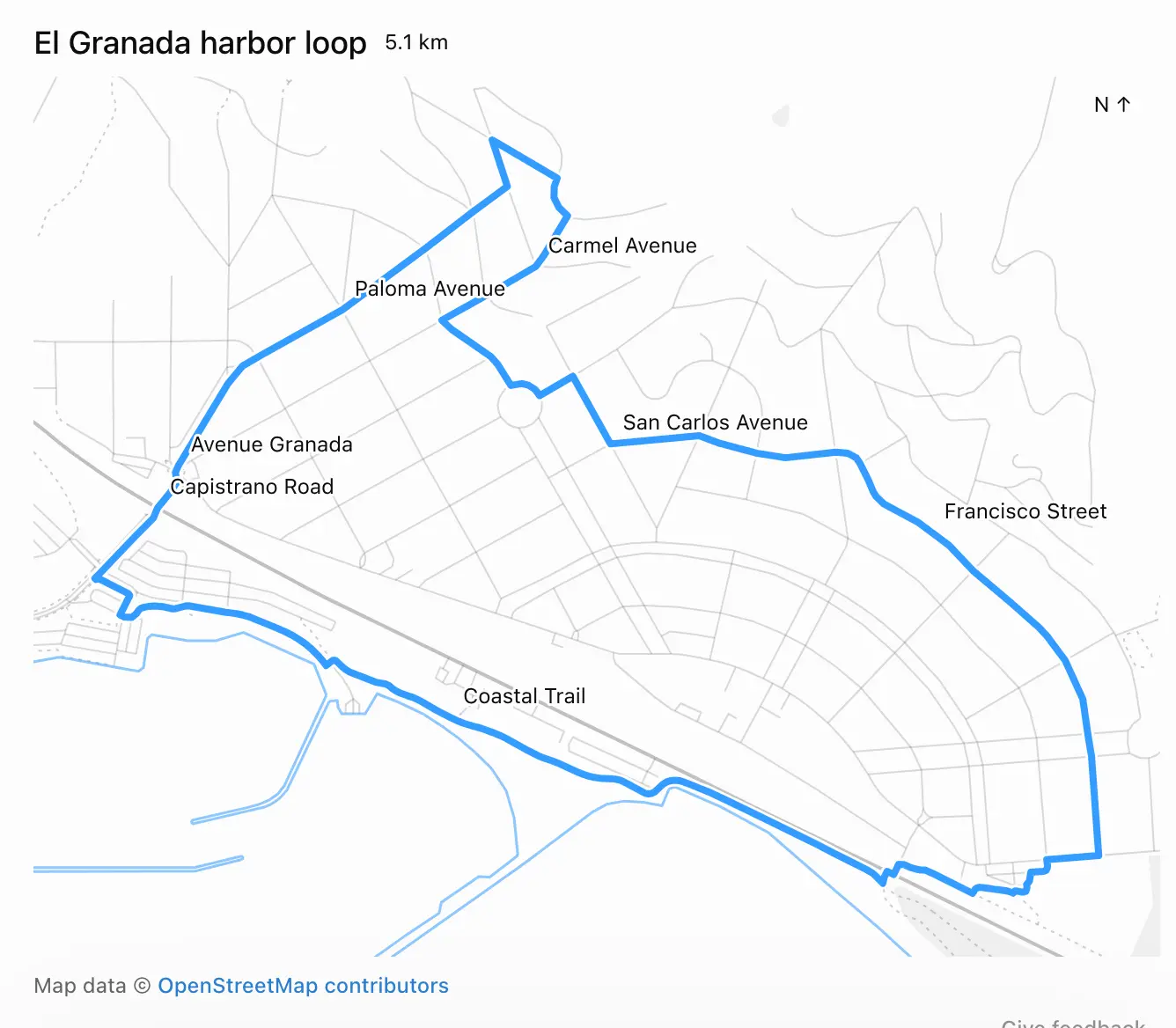
It worked for 27 minutes and produced exactly what I’d asked for, as both an embedded visualization and downloadable GPX file and GeoJSON files. Here’s that 5K route:
When I asked it how it had created the route, it replied:
I used Nominatim to locate the address and Overpass to download local OpenStreetMap roads and trails, then calculated the loops locally.
Frustratingly, the actual code it ran and exact details of what it did weren’t visible to me in the ChatGPT UI. I see this lack of transparency is an anti-feature.
As for displaying the map to me, that used the visualize skill. It created a file called /workspace/el-granada-5k-share.html to embed directly into the ChatGPT UI.
Here’s a copy of that HTML, which starts like this:
<div id="eg-share-loop">
  <div class="viz-row"><h3>El Granada harbor looph3><span class="text-small">5.1 kmspan>div>
  <div id="eg-share-stage">div>
  <div class="text-small text-muted">Map data © <a href="https://www.openstreetmap.org/copyright" target="_blank" rel="noopener">OpenStreetMap contributorsa>div>
  <style>
    #eg-share-loop { width:100%; }
    #eg-share-loop #eg-share-stage { width:100%; margin:8px 0; }
    #eg-share-loop .eg-share-map { display:block; width:100%; touch-action:none; }
    #eg-share-loop .eg-share-map text { fill:var(--foreground); font-size:12px; font-weight:400; }
    #eg-share-loop .eg-share-label { paint-order:stroke; stroke:var(--background); stroke-width:3px; stroke-linejoin:round; }
  style>
  <script type="application/json" id="eg-share-data">{"route":{"type":"LineString","coordinates":[[-122.467425,37.4997753] ...script>
  <script src="https://cdn.jsdelivr.net/npm/d3@7.9.0/dist/d3.min.js">script>
  <script>
  (() => {
    const root=document.getElementById('eg-share-loop');
The element contains the full geometry needed to render both the running route and the map itself, using D3, which is loaded from an allow-listed CDN location described in this section of the visualize skill:
External resources
- The CSP allows only
cdnjs.cloudflare.com,esm.sh,cdn.jsdelivr.net,unpkg.com,fonts.googleapis.com,fonts.gstatic.com, andfonts.bunny.net. Other origins are blocked and fail silently.