

Finding information online can often feel like a constant game of “tab hopping.” You start searching in one tab, then open another to follow a specific idea or topic. Then you have to switch back to Search to keep your train of thought going.
Our new Search experience in Chrome can change that. Today’s upgrades for AI Mode in Chrome make it easier to access and engage with content and dive deeper into what you find — all without losing your place or needing to switch tabs. It’s a more fluid way to discover and learn from the vast range of perspectives across the web.
Introducing a better way to explore the web
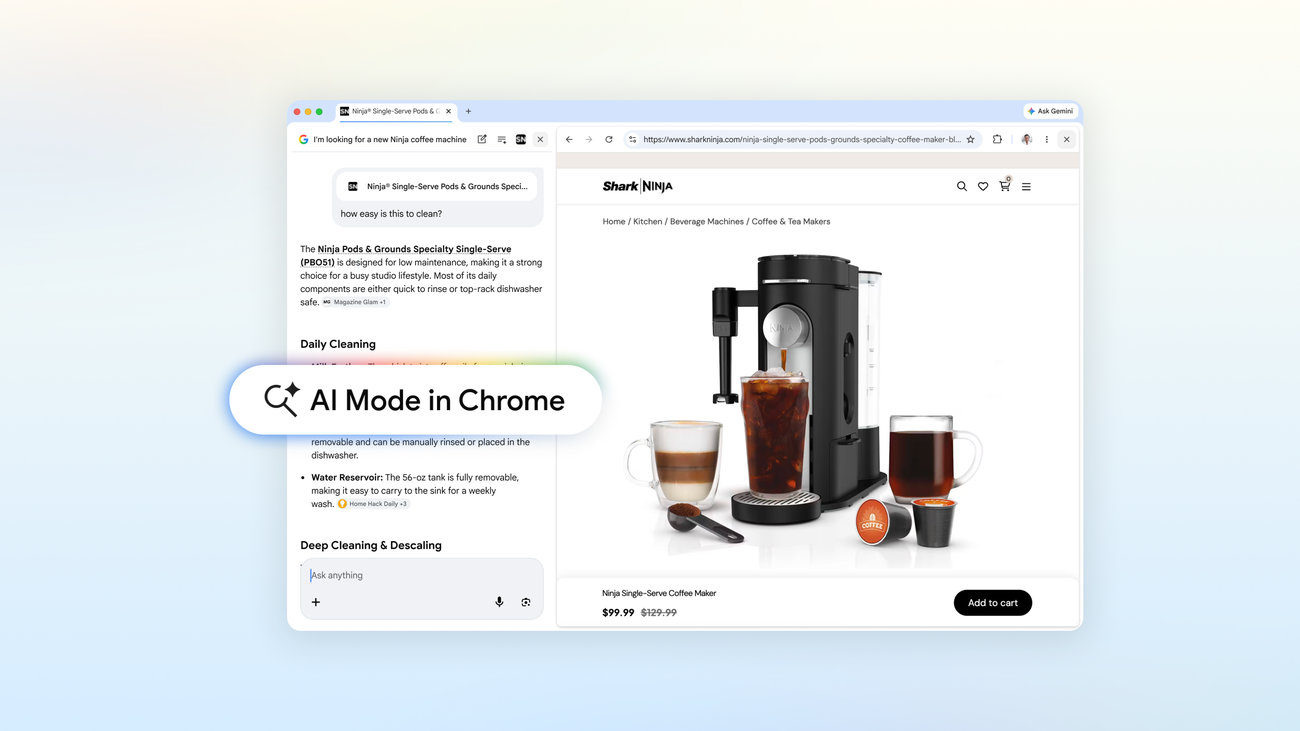
Now, when you’re using AI Mode on Chrome desktop, clicking a link opens the webpage side-by-side with AI Mode. This makes it much easier to visit relevant websites, compare details and ask follow-up questions while still maintaining the context of your search.
Let’s say you’re shopping for a coffee maker that fits in your cozy apartment and can make lattes. Just head to AI Mode in Search, describe what you’re looking for and you’ll get a range of options that fit your criteria. See a model you like? Open the retailer’s site alongside AI Mode and ask specific questions, like, “How easy is this to clean?” Using context from the page and from across the web, AI Mode will share the insights you’re looking for, helping you make an informed decision with ease.