

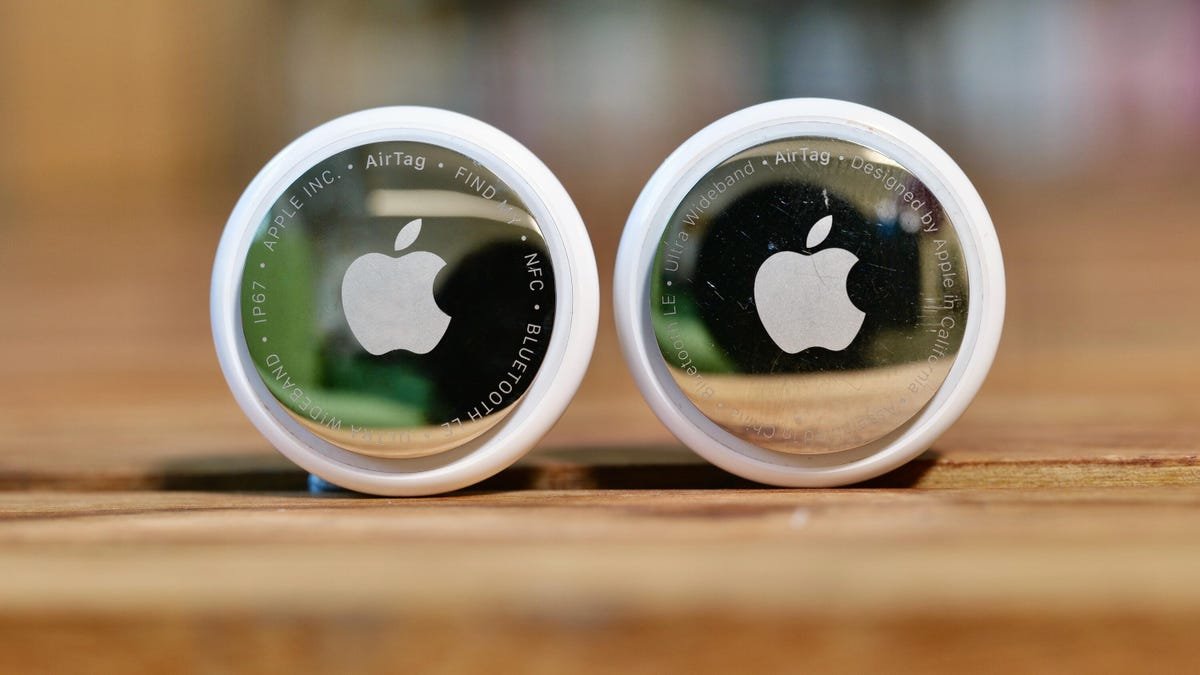
The biggest benefit of Apple’s AirTags is that they help you find your belongings, whether you’re looking for lost keys or keeping track of your luggage while traveling. But AirTags can also be used to track you without your knowledge.
AirTags work by combining built-in sensors, wireless signals and Apple’s wide Find My network to let you keep tabs on your valuables. If you ever lose your wallet with an AirTag inside, for example, you can use the Find My app to locate it on a map, have it play a sound to help you find it nearby, or mark it as “lost,” which allows other Find My users to help you find it.
One of the biggest complaints about AirTags, however, is that someone with malicious intent could easily slip one of the tiny tags into your bag and then track your movements without your consent. Multiple people have reported AirTag-related stalking incidents where the victims didn’t know the trackers were placed on them until much later.
Apple and Google (Android users have their own choice of Bluetooth trackers, such as the Moto Tag, which works with Google’s Find Hub) have since collaborated on an industry standard that alerts the user if a device is being used to track them without their knowledge. Thanks to this collaboration, Android users will be able to know if an AirTag is being used to track them, too.
Apple, for its part, has also made some changes in the past few years that improve the ability to detect an unwanted AirTag. In the initial rollout, an AirTag would make a sound three days after it’s separated from its paired device. Now, that duration is 8 to 24 hours. If you have unwanted tracking notifications enabled (which we’ll get to below), you’ll receive an audible alert.
We should note here that the new AirTag is 50% louder than the first-generation model, and would therefore be theoretically better at alerting you to the unwanted AirTag. Apple has also said that the speaker on the second-gen AirTag is harder to remove than on the first-gen model, in case bad actors try to remove it.
Apple’s Find My helps you set up and track an AirTag. It can also help notify you if an unwanted tracker is detected.
Detecting unwanted trackers
To be able to detect unwanted trackers, first enable unwanted-tracking notifications. For AirTags or other Find My accessories, these pop-up notifications (e.g., “AirTag found moving with you”) are available on devices with iOS 14.5 or later. For other Bluetooth tracking devices, these notifications are enabled on iOS 17.5 or later.
You should enable Location Services, Find My iPhone, Bluetooth and Allow Notifications. Here’s how:
- Head to Settings, then Privacy & Security, then Location Services and toggle it on.
- After that, head to Settings, then Apple Account, select Find My and turn Find My iPhone on.
- To enable Bluetooth, go to Settings, then Bluetooth and turn that on.
- Then go to Settings, then Notifications, scroll down to Tracking Notifications and toggle on Allow Notifications. Make sure airplane mode is off, or you won’t receive tracking notifications.
Watch this: Testing the New AirTag, While Tim Cook’s White House Visit Sparks Apple Boycott Calls
What to do when you get the tracking notification
If you do get a notification like “Unknown tracker alert” or “Item detected near you,” you can try to find the unwanted AirTag by tapping it. Tap continue and then tap Play Sound or tap Find Nearby to locate the AirTag in question.
If it doesn’t play a sound or you’re unable to find it, the item may no longer be on your person. Apple suggests checking your other belongings or the area around you, just in case. If you want to review the notification at a later time, you can open the Find My app, tap Items and then tap Items Detected With You.
Be aware that there are often “false positives,” when notifications are triggered when someone nearby has a tracker on them. If you’re traveling on a train, plane or bus, waiting in line or seated in a public space, a mistaken tracking alert could stem from glitches or high-density Bluetooth environments.
If you get an alert, though, it’s always a good idea to take it seriously and investigate what might be causing it.
If you do find an AirTag that doesn’t belong to you, hold the top of your iPhone near the tracker until you see a notification. Tap it, and this will launch a website that provides information like its serial number, the last four digits of the phone number or a blurred-out email address of its owner. If the AirTag is marked as “lost,” you may see a message with instructions on how to contact them.
If you’re concerned that the tracker is being used to monitor your movements and location, Apple advises taking a screenshot of the information above for your records. You can then disable the AirTag by pressing down on the back of the AirTag, turning it counterclockwise to remove the cover and removing the battery.
Of course, before making any of these changes, it’s important to come up with a safety plan, especially if you’re afraid you’re being tracked by a current or former abusive partner. Contact your local law enforcement if you feel like your safety is at risk, or the National Domestic Violence Hotline 800-799-SAFE (7233).