

Stateless MCP has recaptured my interest (and inspired mcp-explorer and datasette-mcp)
31st July 2026
Tuesday was Stateless MCP day—the rollout of MCP 2.0, or the 2026-07-28 Model Context Protocol specification to use the more formal but less memorable name. This is the most significant change to the MCP spec since it first launched, and has also served to reignite my personal interest in the protocol.
For background: MCP is the Model Context Protocol, which describes a standard way to expose new tools to LLM-powered agent frameworks. It was introduced by Anthropic back in November 2024, had a huge spike of interest through much of 2025, and then became somewhat eclipsed by Skills (another Anthropic invention) when it became apparent that an agent harness with access to a terminal and curl could do most of what MCP did in a more flexible way. I wrote about that in my review of 2025.
I’m coming back around to MCP now. Giving an agent a shell environment with the ability to access the internet is fraught with risk, and requires a strong model that is capable of effectively driving such an environment. MCP tools are easier to audit and control, and simple enough that smaller models that run on a laptop can still drive them reasonably well.
The new stateless MCP specification also greatly decreases the complexity of implementing both clients and servers for the protocol. I built three of those this week!
What’s easier with stateless MCP
The best demonstration of the difference between stateful and stateless MCP is in this May 21st blog post that introduced the RC for the new specification. It included a clear before-and-after example.
The older stateful MCP (I’m going to call it “legacy MCP”) required two HTTP requests—the first to initialize a session and obtain a Mcp-Session-Id, and the second to actually call the tool:
POST /mcp HTTP/1.1
Content-Type: application/json

{
  "jsonrpc": "2.0",
  "id": 1,
  "method": "initialize",
  "params": {
    "protocolVersion": "2025-11-25",
    "capabilities": {
    },
    "clientInfo": {
      "name": "my-app",
      "version": "1.0"
    }
  }
}

POST /mcp HTTP/1.1
Mcp-Session-Id: 1868a90c-3a3f-4f5b
Content-Type: application/json

{
  "jsonrpc": "2.0",
  "id": 2,
  "method": "tools/call",
  "params": {
    "name": "search",
    "arguments": {
      "q": "otters"
    }
  }
}
The new stateless way uses a single HTTP request which looks like this:
POST /mcp HTTP/1.1
MCP-Protocol-Version: 2026-07-28
Mcp-Method: tools/call
Mcp-Name: search
Content-Type: application/json

{
  "jsonrpc": "2.0",
  "id": 1,
  "method": "tools/call",
  "params": {
    "name": "search",
    "arguments": {
      "q": "otters"
    },
    "_meta": {
      "io.modelcontextprotocol/clientInfo": {
        "name": "my-app",
        "version": "1.0"
      }
    }
  }
}
This is so much cleaner from both a client- and server-side implementation perspective. It’s also a better fit for building scalable web applications, since now you don’t need to maintain server-side state to keep track of those session IDs, or worry about routing the same session to the same backend machine.
mcp-explorer
I couldn’t find a great CLI tool for interactively probing an MCP server, so I had Codex help build my own.
mcp-explorer is the result. It’s a stateless Python CLI tool, so you don’t even need to install it to try it out—it works with uvx like this:
uvx mcp-explorer list https://agentic-mermaid.dev/mcp
This queries Ade Oshineye’s agentic-mermaid.dev demo MCP. The above command returns the following list of tools:
execute(code: string, timeoutMs?: integer) - Execute Mermaid SDK code
  Run JavaScript in an isolated sandbox; return a value.

describe_sdk(family: string, detail?: string) - Describe Mermaid SDK operations
  Return version-matched mutation operations for one diagram family.

render_svg(source: string, options?: object) - Render Mermaid as SVG
  Render a Mermaid source string to themeable SVG. Returns { ok, svg }.

render_ascii(source: string, useAscii?: boolean, targetWidth?: integer, options?: object) - Render Mermaid as text
  Render a Mermaid source string to text. Returns { ok, text }.

render_png(source: string, scale?: number, background?: string, fitTo?: object, options?: object) - Render Mermaid as PNG
  Rasterize a Mermaid source string to PNG. Returns { ok, png_base64 }.
...
Then to inspect a tool:
uvx mcp-explorer inspect render_svg
This outputs a whole bunch of information, including the JSON schema of the inputs and outputs.
To call that tool and pass arguments to it:
uvx mcp-explorer call
  https://agentic-mermaid.dev/mcp
  render_svg
  -a source 'graph TD; A-->B'
  -a options '{"padding":24}'
Which returns:
{"ok":true,"svg":"To get just the raw SVG try adding | jq .svg -r to that command. I got back this image:
There are a few more commands in the README, but you get the general idea. I find building CLI tools like this to be a really productive way to get familiar with a specification, even if an agent writes most of the actual code.
datasette-mcp
The second project is datasette-mcp, a Datasette plugin which adds a /-/mcp endpoint to any Datasette instance.
This is probably the fourth time I’ve tried building this plugin, but thanks to the new stateless MCP specification I finally have a version that feels good to release.
It provides just three tools: list_databases(), get_database_schema(database_name), and execute_sql(database_name, sql). They do exactly what you would expect them to do—though execute_sql() is read-only for the moment.
Wire these into an agent, or a chat tool like ChatGPT or Claude, and they’ll gain the ability to run SQL queries against your hosted Datasette instance.
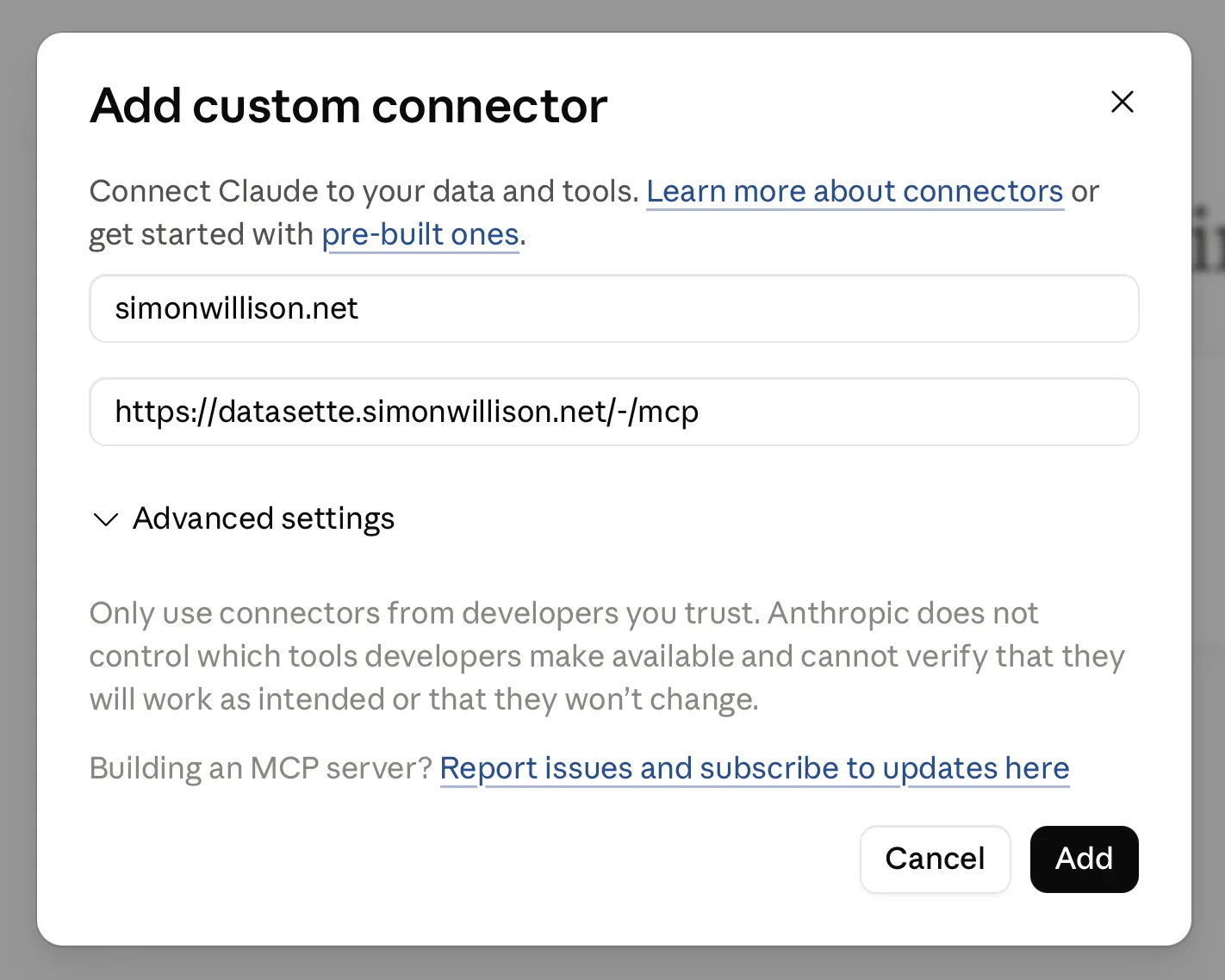
So far I’m running it on the Datasette mirror of my blog, at datasette.simonwillison.net/-/mcp. It took a bit of fiddling to figure out how to attach that to ChatGPT and Claude, but I got there in the end. Here’s a new TIL showing exactly how to do that.
Here’s a shared Claude session where I asked it:
list tables in simonwillison.net
And then:
what has Simon said recently about MCP?
It ran 7 separate SQL queries to figure out the answer.
llm-mcp-client
My LLM tool is long overdue for an official MCP integration. The new alpha llm-mcp-client plugin is my attempt at exactly that:
llm install llm-mcp-client
llm -T 'MCP("https://datasette.simonwillison.net/-/mcp")' 'count the notes'
Here’s the output (including reasoning trace, I’m using LLM 0.32rc2):
Considering note count
I see the question “count the notes” is probably asking me to tally up blog notes. It could also mean published notes or drafts, so there’s some ambiguity there. I’ll need to figure out the total number of notes, likely by querying the count for both published notes and drafts to get a clear answer. Let’s execute that count!
There are 151 notes.
And the output of llm logs for that prompt.
Once this is fully baked, I’m considering bringing it directly into LLM core. I’m excited to experiment with MCP in Datasette Agent and llm-coding-agent as well.
MCP is a safer way to build with agents
A few months after MCP was first released, I wrote Model Context Protocol has prompt injection security problems, where I noted that the pattern of having end users mix and match tools pushed responsibility for avoiding data exfiltration attacks out to the users themselves. I hadn’t coined the Lethal Trifecta yet, but that was absolutely what I had in mind.
Then general agents with arbitrary shell and curl access came along, and that’s so much harder to keep secure!
Something I’ve come to appreciate about MCP is that it’s much easier to reason about agent capabilities and what might go wrong than with arbitrary command execution in an open network environment—the default for most of today’s general and coding agent tools.
I plan to lean into MCP a whole lot more when I’m building sensitive applications on top of LLMs.