

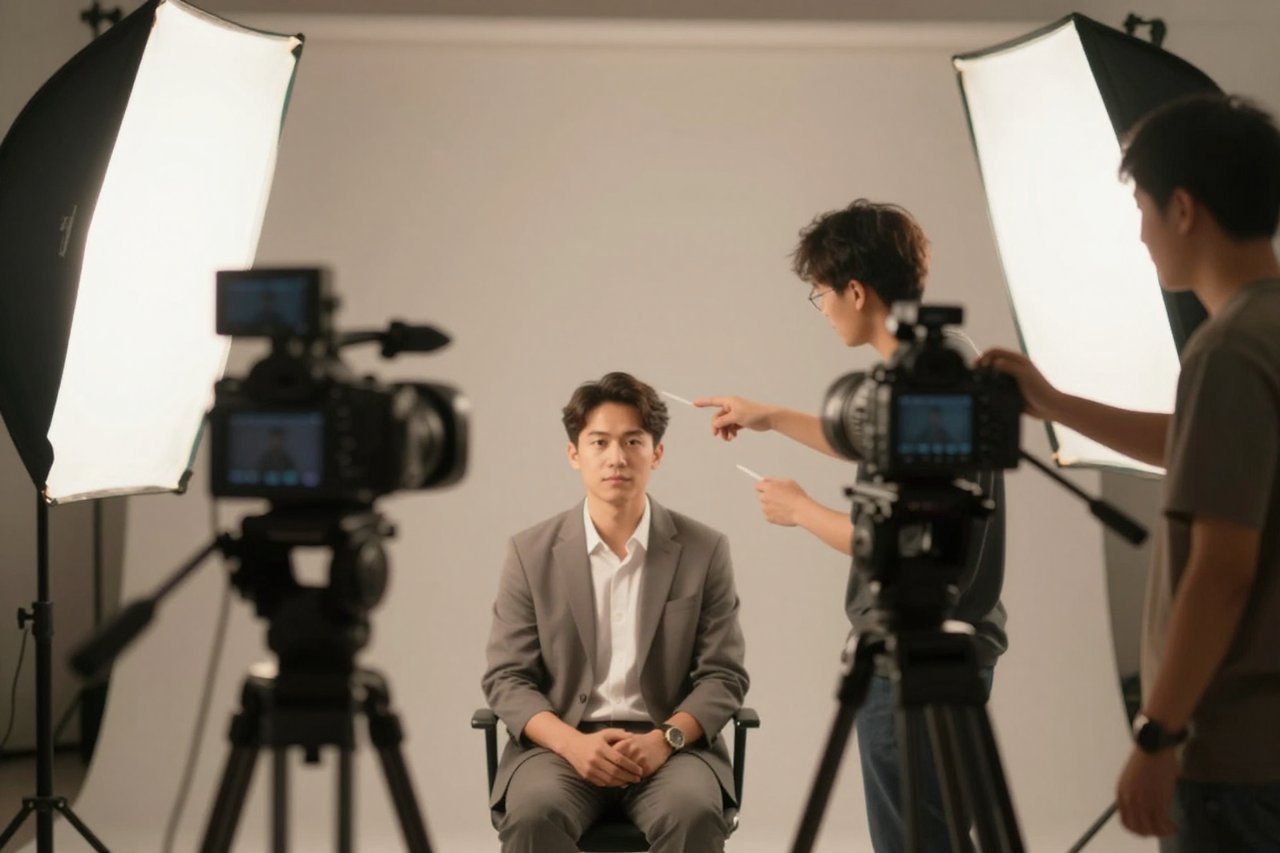
Last month, a small training company asked me to turn a 12-minute script into six short videos. No camera, no studio, no presenter. We fed the script into an AI avatar generator and had drafts by lunch. Two clips were good enough to publish. Four needed reshoots because the avatar’s mouth drifted on hard consonants and its hands moved like they were underwater. That split is the honest story of the technology.
The tools have improved fast. They are also misunderstood. An AI avatar generator is not a magic video intern. It is a rendering system that works best when you give it clean inputs, short lines, and a clear job. Here is what you get, what you pay, and where the seams show.
What an AI Avatar Generator Actually Produces
Most products sold under this label fall into three buckets. They share a name but solve different problems.
- Talking-head video avatars. You type a script, pick a presenter, and get a video with lip-sync. Some are stock actors; others are cloned from your own footage. Tools such as HeyGen and Synthesia dominate this lane.
- Photo-based avatars. You upload one portrait or a handful of selfies and the system animates the face or builds a stylized character. Good for quick social clips, not for a 10-minute course.
- Profile and character images. You want a consistent visual identity for a channel, game stream, or brand account. This is closer to portrait generation than video production.
The first category is where most business interest sits. A realistic avatar can read a product update, a compliance module, or a customer FAQ without booking a studio. For a closer look at what these systems can and cannot do on camera, this breakdown of what AI avatars can and can’t do for your video is worth your time.
The Quality Gap: Where Avatars Still Slip
Watch any AI avatar video for 30 seconds and you start noticing small errors. The mouth shape on “b” and “p” sounds. The eyes that blink on a perfect metronome. Hands that gesture a beat behind the voice. Clothing folds that change between cuts. None of these ruin a training clip. All of them ruin a brand film.
Long scripts expose the problem. A 20-second line usually holds up. A 3-minute monologue starts to feel uncanny, not because the face is bad but because the performance never varies. Real presenters pause, lean, breathe, and react. Avatars tend to deliver every sentence at the same energy level.
Source material matters more than most vendors admit. A custom avatar built from a webcam clip in a dim room will look soft and sound hollow. A clean studio clip with even light, a plain background, and a neutral expression gives the model much less to guess. The same discipline that makes a still image work applies here, and this practical AI image creator workflow explains why reference quality beats prompt cleverness.
There are workarounds. Generate in 20 to 40 second blocks. Change the avatar’s pose or framing between sections. Add b-roll, captions, and screen recordings so the viewer’s eye gets a break. Edit the audio separately and feed the avatar a clean voice track. Small production choices hide most of the uncanny valley.
What It Costs in Real Life
Pricing looks simple until you read the credit rules. A $24 monthly plan might include 10 minutes of avatar video, a watermark on the free tier, and an extra charge for 1080p export. A 5-minute training module can eat half a month’s allowance after retakes. Teams that publish weekly often land between $60 and $200 per month, not the $20 headline.
Commercial rights matter too. Some consumer tools let you create a personal avatar but restrict business use. Others charge separately for a custom avatar build, sometimes $200 to $1,000, and lock it to one seat. If you only need a one-off clip, a stock avatar is cheaper. If you need your own face on 40 videos, the custom build can pay for itself in a single afternoon of studio time.
Free options are useful for testing, not scaling. This guide to what real free AI tools can do and what they can’t is a good reality check on watermarks, resolution caps, and the limits of “free” credits. Try the workflow before you buy the annual plan.
Where an AI Avatar Makes Sense (and Where It Doesn’t)
Use avatars for information that changes often and does not need star power. Internal training, product walkthroughs, policy updates, multilingual versions of the same message, and personalized sales follow-ups are strong fits. A 90-second avatar clip can replace a 600-word email and get watched.
They are weaker for emotional storytelling, complex physical demonstrations, and anything where the viewer must trust the presenter’s lived experience. A founder announcing layoffs should not appear as a synthetic face. A chef showing knife skills needs real hands. A software demo needs the actual product, not an avatar gesturing at a blank wall.
Profile avatars sit in a different category. A stylized AI portrait can give a newsletter or channel a consistent look without a photoshoot. For professional headshots, expectations should be lower. These AI headshot generators can produce a usable LinkedIn photo, but they often smooth away texture, miss glasses frames, or invent a collar that does not match your clothes.
A Workflow That Beats One-Shot Prompts
The teams getting good results treat avatar video like any other production. They write for speech, not for reading. Short sentences. One idea per line. No nested clauses. They record a clean 2-minute source clip with steady light and no hand gestures near the face. Then they generate a test line before committing to the full script.
Here is a sequence that works:
- Write a 45-second script and read it aloud. Cut every phrase you stumble over.
- Generate one paragraph first. Check lip-sync on plosives and the avatar’s blink rate.
- Record or select a voice track separately if the built-in voice sounds flat.
- Generate in short blocks, then edit them together with b-roll and captions.
- Keep a project file with avatar ID, voice ID, and export settings for next time.
This is the same stack thinking that saves hours across other content work. A practical set of AI tools for content creators is less about one miracle app and more about connecting script, voice, avatar, and edit without re-uploading files five times.
A Simple Test Before You Commit
Before you pay for a year, run a 20-minute trial with your own script. Use a real paragraph from your next training deck, not a generic sample. Generate three versions with different avatars. Watch them on your phone, not just on a desktop monitor. The phone screen exposes lip-sync errors and weird hand movement faster than anything else.
Then check the boring details. Can you export 1080p? Is commercial use included? Does the plan charge per seat? Can you delete your custom avatar and source footage? What happens if you cancel? A tool that answers those questions clearly is usually a better bet than one with a flashier demo.
AI avatar generators are genuinely useful for a narrow, growing set of jobs. They are not a replacement for a presenter, a director, or an editor. The teams that win with them keep scripts short, source footage clean, and expectations calibrated. Start with one 30-second clip that solves a real communication problem. If that clip saves someone an hour, you have found a workflow worth keeping.