

You type a prompt, hit enter, and DALL·E hands you something that’s almost right. The lighting is off, the subject is too small, or there’s an extra finger. So you type again, maybe adding a word or two. Ten generations later, you’re still not there.
This isn’t a problem with DALL·E. It’s a workflow problem. Most people treat the model like a slot machine when it’s actually a collaborator that responds best to clear direction and small, deliberate adjustments. What follows is a practical workflow you can use today, built around a real example: creating a hero image for a blog post about urban gardening.
Start with a Brief, Not a Prompt
Before you open DALL·E, write down four things: the subject, the mood, the style, and where the image will live. This takes two minutes and saves you twenty.
For our urban gardening example, the brief might look like this:
- Subject: A woman in her 30s watering tomato plants on a rooftop garden
- Mood: Warm, hopeful, late-afternoon calm
- Style: Photorealistic, shallow depth of field
- Placement: Blog header, 16:9, with room for a headline on the left
Now you have something to aim at. A prompt without a brief is just a guess.
Use the Four-Part Prompt Formula
DALL·E responds well to concrete nouns and active verbs. A reliable structure is: subject + action + setting + style. Here’s the first prompt based on the brief:
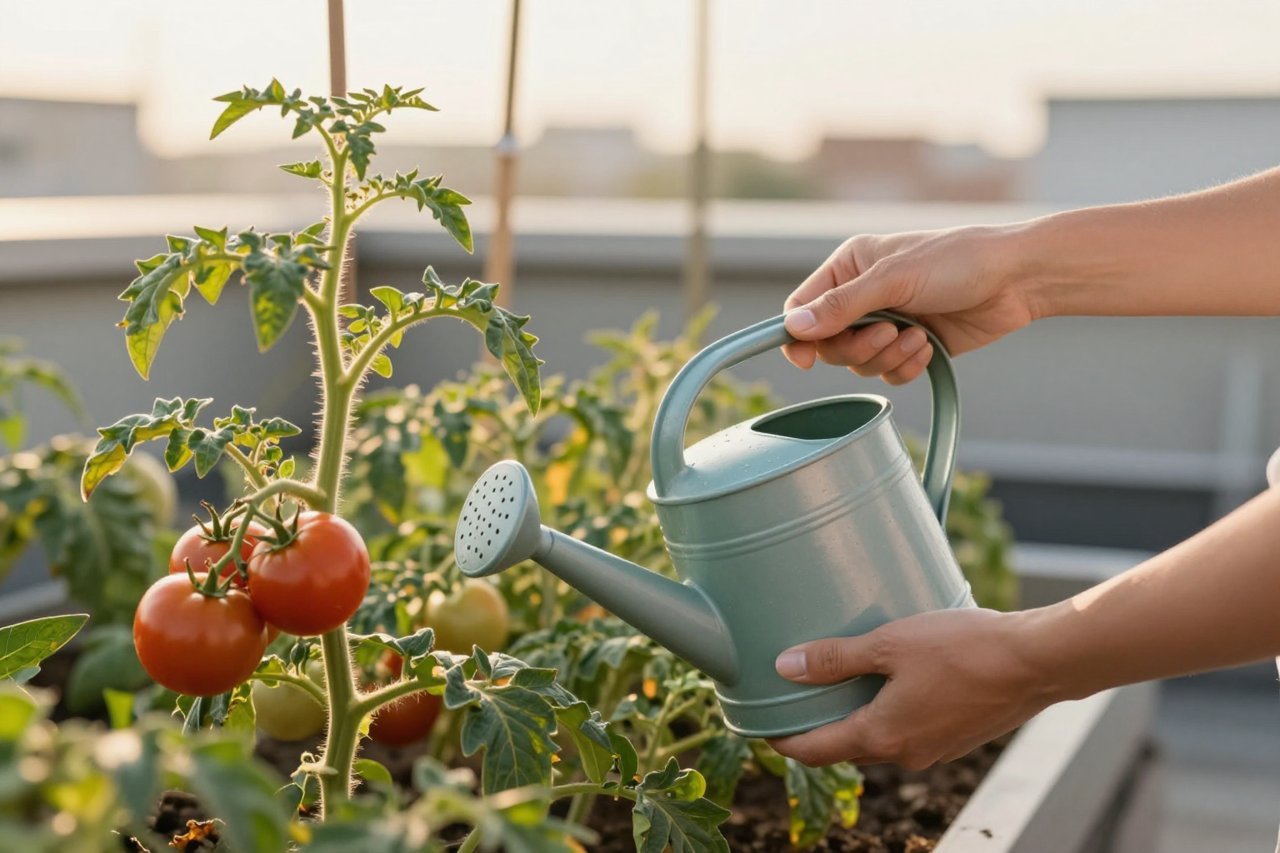
Prompt: ‘A woman in her 30s watering tomato plants on a rooftop garden at golden hour, photorealistic, warm light, wide shot, shallow depth of field.’
That’s it. No need for poetic language or ten adjectives. The model understands the key elements and gives you a solid starting point. If you want to understand why DALL·E gravitates toward certain interpretations, there’s a clear breakdown of how OpenAI’s image model works that explains the training and diffusion process without the jargon.
The Three Dials You Can Turn
Once you have a base image, you have three main levers: style, framing, and detail. Adjusting one at a time keeps things controllable.
Style
Swap ‘photorealistic’ for ‘watercolor illustration,’ ‘3D render,’ or ‘vintage film photo.’ The same scene becomes something entirely different. For our garden, ‘watercolor illustration’ gives a soft, editorial feel that works well for a lifestyle blog. ‘3D render’ might suit a tech article about urban farming.
Framing
Change the camera distance. ‘Wide shot’ shows the whole rooftop. ‘Close-up of hands holding a ripe tomato’ creates intimacy. ‘Low angle looking up at the woman’ adds drama. Pick the framing that serves the story, not just the one that looks cool.
Detail
Add three to five specific details. ‘Heirloom tomatoes, a metal watering can, basil plants, soft shadows.’ Too many details and DALL·E gets confused; too few and it fills gaps with generic choices. The sweet spot is enough to guide without overwhelming.
Iterate with Notes, Not Rerolls
When something is off, don’t just hit generate again. Tell DALL·E what to change. In ChatGPT, you can say: ‘Make the sky more orange and move the woman to the left third of the frame.’ Or ‘Change the plastic watering can to a copper one.’
This is the biggest difference between frustration and flow. The model can follow specific edits, but only if you give them. Think of yourself as a director giving notes to a cinematographer, not a gambler pulling a lever.
For our garden image, the first generation had a plastic watering can that looked cheap. A single follow-up, swapping the watering can for a weathered copper one, fixed it without changing anything else.
Fixing the Usual Suspects
Text in Images
DALL·E struggles with lettering. If your image needs a sign, label, or logo, you’ll get gibberish. For those cases, a dedicated text-focused generator like Ideogram is a better fit. For everything else, keep text out of the prompt entirely.
Hands and Faces
Distorted hands are still common. If it’s a dealbreaker, reframe the shot. Ask for ‘hands hidden behind the plants’ or ‘subject seen from behind.’ A close-up of a face can work beautifully, but a full-body shot with hands in view is riskier. When you get a good hand, keep that image and edit around it.
Composition Clutter
If the scene feels busy, add ‘minimalist composition’ or ‘negative space on the left for a headline.’ DALL·E respects negative space when you ask for it, which is essential for blog headers and social posts.
A Real Workflow: One Image, Three Formats
Say you have the perfect 16:9 rooftop garden image. Now you need a square version for Instagram and a vertical one for Stories. Instead of starting over, use the same scene and adjust the framing.
Step 1: Ask for a square composition focused on the woman and the tomatoes. ‘Same rooftop garden scene, square composition, close-up on the woman’s face and the tomato plants, warm golden hour light.’
Step 2: For a vertical story, request ‘vertical composition, focus on the watering can and hands, space at the top for text.’
The lighting and style stay consistent because you’re building from the same description. It’s not a perfect crop, since DALL·E regenerates rather than resizes, but the visual language carries over.
When DALL·E Isn’t the Right Tool
DALL·E excels at concepts, mood, and illustrative scenes. It’s less reliable for precise product mockups, technical diagrams, or anything with readable text. If you’re working on a tight budget, know that free tiers have limits. There’s a useful roundup of free AI tools worth using that covers which generators give you the most for nothing. And if you’re specifically wondering what you can create without paying, this piece on free AI photo generators lays out the real boundaries.
A 10-Minute Practice Drill
Want to get better fast? Try this exercise once a day for a week.
- Pick a simple object: a coffee cup on a windowsill, a pair of boots by a door.
- Write a four-part prompt: subject, action, setting, style.
- Generate three versions with different styles (photorealistic, watercolor, 3D render).
- Pick the best one and make one specific edit: change the lighting, the angle, or a single detail.
This builds the muscle of seeing what works and adjusting with intent. After a few sessions, you’ll write prompts that hit closer on the first try, and you’ll waste less time rerolling.
The next prompt you write is the only one that matters. Open DALL·E, write a brief, and give it clear direction. The difference between a frustrating session and a productive one is usually just a few well-chosen words.