

Why one good Playground AI image is the easy part
You can type a few words into Playground AI, hit generate, and get something striking. The trouble starts on image two. The face changes. The coat turns blue. The lighting jumps from candlelit tavern to fluorescent office. If you are building a book cover series, a character sheet, or a month of social posts, that drift is the real problem.
This walkthrough uses a concrete project: an indie fantasy novel cover featuring Mara, a desert botanist. By the end you will have a repeatable workflow for keeping her recognizable across portraits, action shots, and wide scenes. It is not about finding a magic prompt. It is about controlling a handful of variables in the right order.
Step 1: Set up a board and pick the right model
Create a new board in Playground AI and name it something specific, like Mara Book Cover v1. Boards keep related generations together, which matters when you have 60 variations and need to find the one where her goggles catch the light.
For character work, start with a photorealistic or cinematic model. Set the canvas to 1024×1024 for portraits and 1344×768 for wide shots. Keep the aspect ratio unchanged for the first few batches. Changing ratio changes composition, and composition changes the face more than you expect.
If the model menu feels overwhelming, the core Playground AI controls for text-to-image are a good primer before you go deep on consistency.
Step 2: Write a character recipe, not a prompt
Most people write prompts like a shopping list. A recipe is more structured. Use four lines:
- Subject: age, build, one distinguishing feature.
- Wardrobe: fabrics, colors, wear and tear.
- Lighting: source, direction, mood.
- Palette: two or three colors that repeat.
Here is the exact recipe I used for Mara:
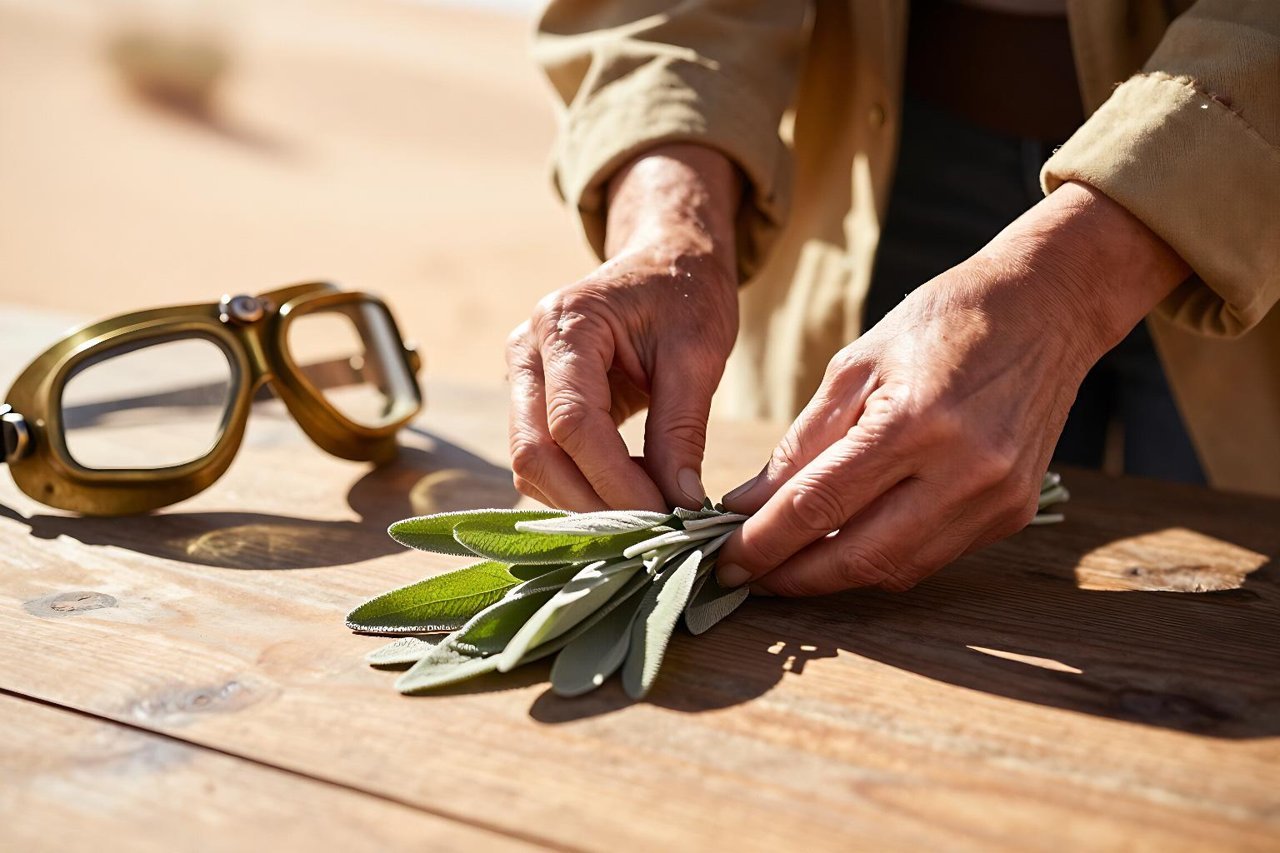
Portrait of Mara, a 34-year-old desert botanist, sun-weathered skin, a thin scar above her left eyebrow, patched canvas coat, brass goggles pushed up on her forehead, warm rim light from a low sun, 85mm lens, shallow depth of field, muted ochre and sage green palette.
Negative prompt: extra fingers, fused fingers, plastic skin, watermark, text, oversaturated colors.
That last part is not decoration. A tight negative prompt saves you from most hand disasters. The same attention to small wording shifts matters in text generation too; small prompt changes produce very different characters in Character.AI, and image models follow the same logic.
Step 3: Generate a full grid with a locked seed
Set the seed to a number you will reuse, say 384729. Generate four images. Do not judge the first one. Judge the grid.
Look for the image where the face shape, coat silhouette, and light direction all match your recipe. That becomes your base. Save it to the board and note the seed in a text file. You will need it again.
If all four are wrong, change one variable only. Swap “warm rim light” for “soft window light.” If none work, your recipe is asking for too many competing ideas. Cut the palette line and try again.
Step 4: Fix weak spots with inpainting, not a full regeneration
Your base image will have a flaw. Maybe her left hand looks like a bread roll. Do not regenerate. Use Playground AI’s inpainting tool: brush over the hand, then write a narrow prompt.
Relaxed left hand holding a sprig of sage, natural fingers, same lighting.
Set the negative prompt to extra fingers, fused fingers, long nails, glove. Generate four variations and pick the most anatomically boring one. Boring hands are good hands.
Sometimes the model does something genuinely strange, like adding a third thumb or a second necklace. That is normal. AI models misbehave in documented and sometimes baffling ways, so treat every generation as a draft, not a final.
Step 5: Use image-to-image to keep the same face in new poses
Now you have a base. Upload it as the image reference, set image-to-image strength between 0.35 and 0.45, and keep the seed. Lower strength keeps more of the original face; higher strength gives more pose freedom but risks drift.
Write pose prompts that repeat the identity anchors:
Mara crouching in a greenhouse, examining a leaf, same woman, same brass goggles, same patched canvas coat, warm rim light, 85mm, muted ochre and sage.
Generate four. If the goggles vanish, raise image-to-image strength by 0.05. If the pose is too stiff, lower it by 0.05. This knob is the difference between a character series and a collection of strangers.
For a deeper comparison of consistency methods, including reference images and seed control, this workflow guide for consistent, pro-level AI images with FLUX breaks down the same principles in another tool.
Step 6: Build backgrounds that match the light
Do not ask Playground AI to invent a new environment while also changing the pose. Split the job. Generate the background separately:
Abandoned desert greenhouse, cracked glass panels, dust in the air, low sun from camera right, ochre sand, sage plants, cinematic, no people.
Then use the background remover on your character image and composite her onto the new scene. The trick is matching light direction. If her rim light comes from the right, the background sun must also come from the right. Mismatched light is what makes composites look like stickers.
Add a subtle shadow under her feet with a soft brush at 20% opacity. It takes 30 seconds and sells the scene.
Step 7: Grade the set and export a cohesive package
Select the final images and apply a light grade: reduce saturation by 5 to 10 percent, add a touch of warmth, and keep contrast consistent. A unified grade hides small inconsistencies in color and texture.
Export at the highest resolution you need. For a book cover, export one 1600×2560 portrait and one 2560×1600 wide shot. For social, export square crops from the same base images. Keep the original files and the recipe text together in a folder named after the board.
The whole loop, from board setup to export, takes about 90 minutes once you know it. The first time will be slower. The second character will be faster because you can reuse the structure: recipe, seed, grid, inpaint, image-to-image, background, grade. That is the real value of Playground AI. Not one lucky generation, but a process you can hand to a client, a collaborator, or your future self.