

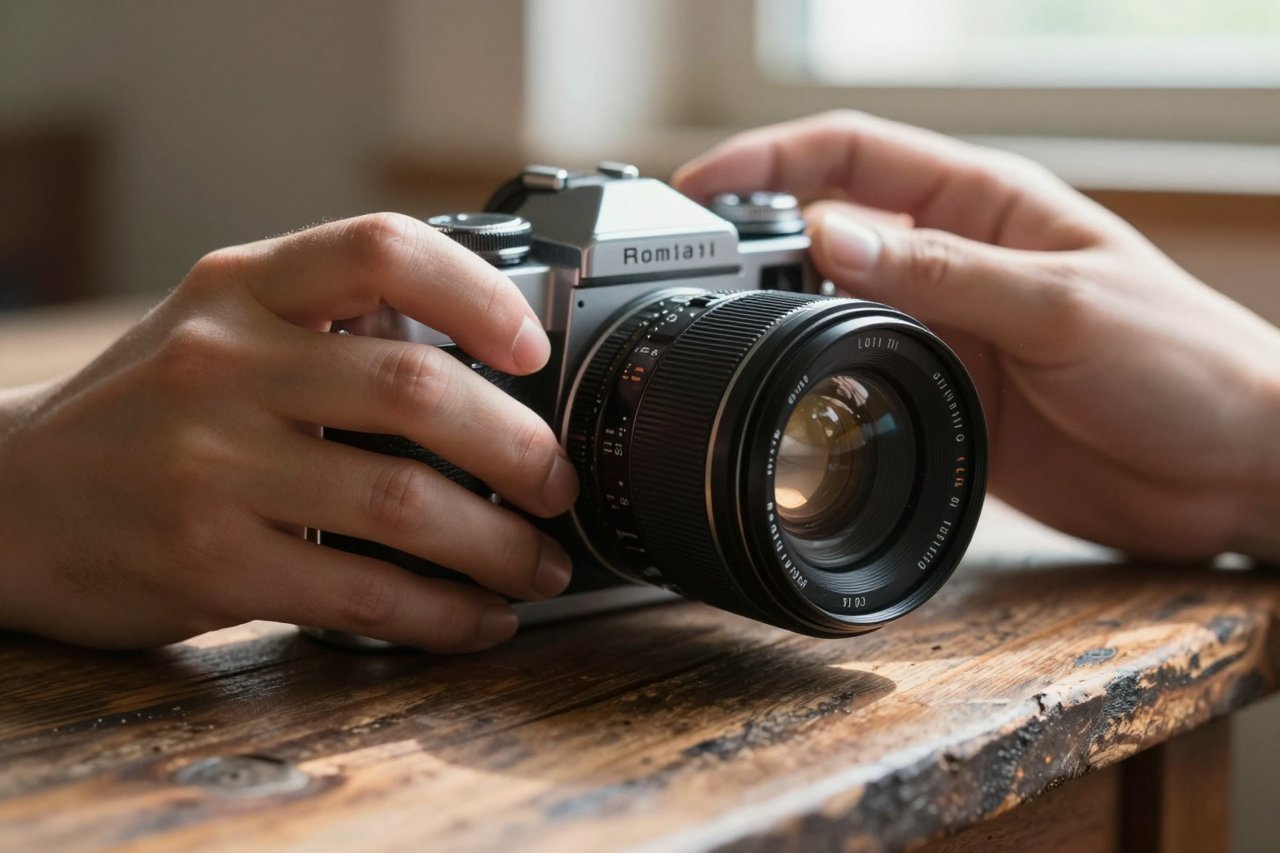
A good AI photo generator will turn twelve words into a 2K image in about eight seconds. The speed is the easy part. The hard part is getting something you’d put on a client’s homepage without wincing. Most people burn their first fifty credits producing glossy mutants with three fingers and a melted ear, then decide the whole category is overhyped. It isn’t. The gap between a throwaway generation and a keeper is usually about fifteen extra words of specificity and one more retry.
What an AI photo generator is actually doing
Nearly every consumer tool in this space runs a diffusion model. Your text gets converted into a numeric description, and the image model starts from pure visual noise, then removes a slice of that noise at a time. Thirty or forty passes later, a picture falls out.
Two practical consequences follow. The model isn’t retrieving a photograph from a library, it’s assembling pixels from statistical patterns, which is why a request for a 1970s rangefinder camera can produce a gorgeous object that never existed. And because the composition is locked in during the first few passes, a tiny prompt change early on shifts everything. Swap “overcast” for “golden hour” and you won’t get the same shot with warmer light. You’ll get a different shot.
The tools worth your time right now
There are dozens of these things and most are wrappers around someone else’s model. Four are worth learning properly.
Midjourney: still the best eye
For styling, colour and general aesthetic judgement, Midjourney remains hard to beat. It flatters almost any subject, which is both the appeal and the trap. Fashion, editorial and moody product shots come out looking expensive. Ask for something boringly literal, like a diagram of a bicycle brake, and it will drift into impressionism. Plans start around $10 a month.
Imagen and the Google stack: photorealism
If you need something that reads as an actual photograph, skin texture and all, Google’s Imagen models are the ones to test. They handle lighting direction and depth of field more convincingly than most rivals. If that’s your goal, this step-by-step Imagen guide with real examples is a better use of ten minutes than another hour of guessing.
ChatGPT’s image tool: best at following instructions
Where Midjourney interprets, ChatGPT’s generator obeys. Ask for “a red door, no knocker, brass handle on the right” and you’ll mostly get exactly that. It’s slower and less stylish, but for mockups, simple compositions and anything where the brief matters more than the beauty, it saves real time.
Open models: control freaks only
Flux and Stable Diffusion variants run locally or on rented GPUs. They’re fiddly, they want a decent graphics card, and they’ll give you things the hosted tools won’t: LoRA training on your own product photos, ControlNet poses, consistent characters across forty images. For a small studio producing a catalogue, that control is worth the setup pain. For everyone else, it’s a hobby.
If you want the wider field mapped out without marketing spin, this practical comparison of the best AI image generators in 2025 covers the trade-offs in more detail.
Prompting is most of the job
Six elements do the heavy lifting. Skip one and the model fills the gap with something generic.
- Subject and state: not “a dog” but “a wet border collie shaking off”
- Framing: close-up, waist-up, wide establishing shot, shot from below
- Light: direction and quality matter more than colour. “Hard side light from a window on the left”
- Lens and medium: 50mm, shallow depth of field, 35mm film grain, smartphone snapshot
- Setting: a specific place beats an abstract one. “A tiled kitchen with chipped grout”
- Exclusions: name what you don’t want. Text, logos, extra limbs, crowds
Iterate one variable at a time, or you’ll never know which word did the damage. There’s a longer walkthrough of this in the ChatGPT image generator prompting guide, and the retry logic applies across tools.
Free tiers: fine for a test drive, useless for a project
Almost everything has a free door. Adobe Firefly hands out a small monthly credit allowance, Microsoft’s Copilot generates through Bing, and several models offer trial runs. The catch is usually volume and rights: a few dozen images a month, sometimes with a visible watermark, sometimes with commercial terms that differ from the paid plan. If you’re curious what each one actually gives away, this breakdown of what free AI image generators really include is refreshingly blunt about the limits. For a real shoot of twenty product shots, budget $10 to $30 and stop fighting the queue.
Where these tools still break
Knowing the failure modes saves hours. The current crop of image generators nails and botches predictable things, and the botches cluster tightly.
- Hands holding objects, especially cutlery, tools and cups
- Any legible text, from signage to book spines to T-shirt prints
- Consistency across a set: the same “person” changes face by image four
- Physical logic: reflections that ignore the light source, shadows pointing two ways
- Group scenes, where limbs merge and background faces turn waxy
You can work around most of these. Crop hands out of frame, add text afterwards in Canva or Figma, keep characters consistent with a reference image or a trained model. Fighting a model on text is a waste of an afternoon; screenshot your copy into the layout instead.
Licensing and the awkward bits
Paid plans from the major providers generally grant commercial rights to what you generate, but read the terms for your specific tier, because free tiers often don’t. Two habits keep you out of trouble. Don’t prompt with a living artist’s name or a recognisable brand, and don’t pass AI imagery off as photography in contexts where that claim matters: news, medical material, real estate listings. Adobe’s Firefly is the safer bet if you need indemnification, since it’s trained on licensed and public domain material.
A workflow that produces a usable image in fifteen minutes
Write the brief in plain sentences first, before you touch any tool. Then compress it into the six-element prompt above. Generate a batch of four to eight rather than one at a time, because you’re sampling, not commissioning. Pick the strongest, then change a single element and run four more around it. Upscale the winner, fix hands and stray artefacts in Photoshop’s generative fill, and grade the result so it matches the rest of your set.
The step people skip is the last one. A generated image that hasn’t been colour-matched to the surrounding page looks pasted on, and viewers notice that before they notice anything else.
Keep a rejection pile
Save the near-misses. That batch where the light was perfect but the subject was wrong? The prompt is already half-built for the next job. After a month of generating, most people find they’ve accumulated a dozen prompt skeletons that cover 80% of what they actually need: a clean product shot on a neutral background, a warm lifestyle scene with two people, a flat overhead of objects on a desk. Those become templates, and templates cut a twenty-minute session to three. The tool stops being a novelty and starts being a piece of equipment, which is the only test that matters.